
Participant
October 1, 2019
Question

Space after headline and body copy

  • October 1, 2019
  • 2 replies
  • 540 views

Hi,

I have been trying to figure out how to make this work:
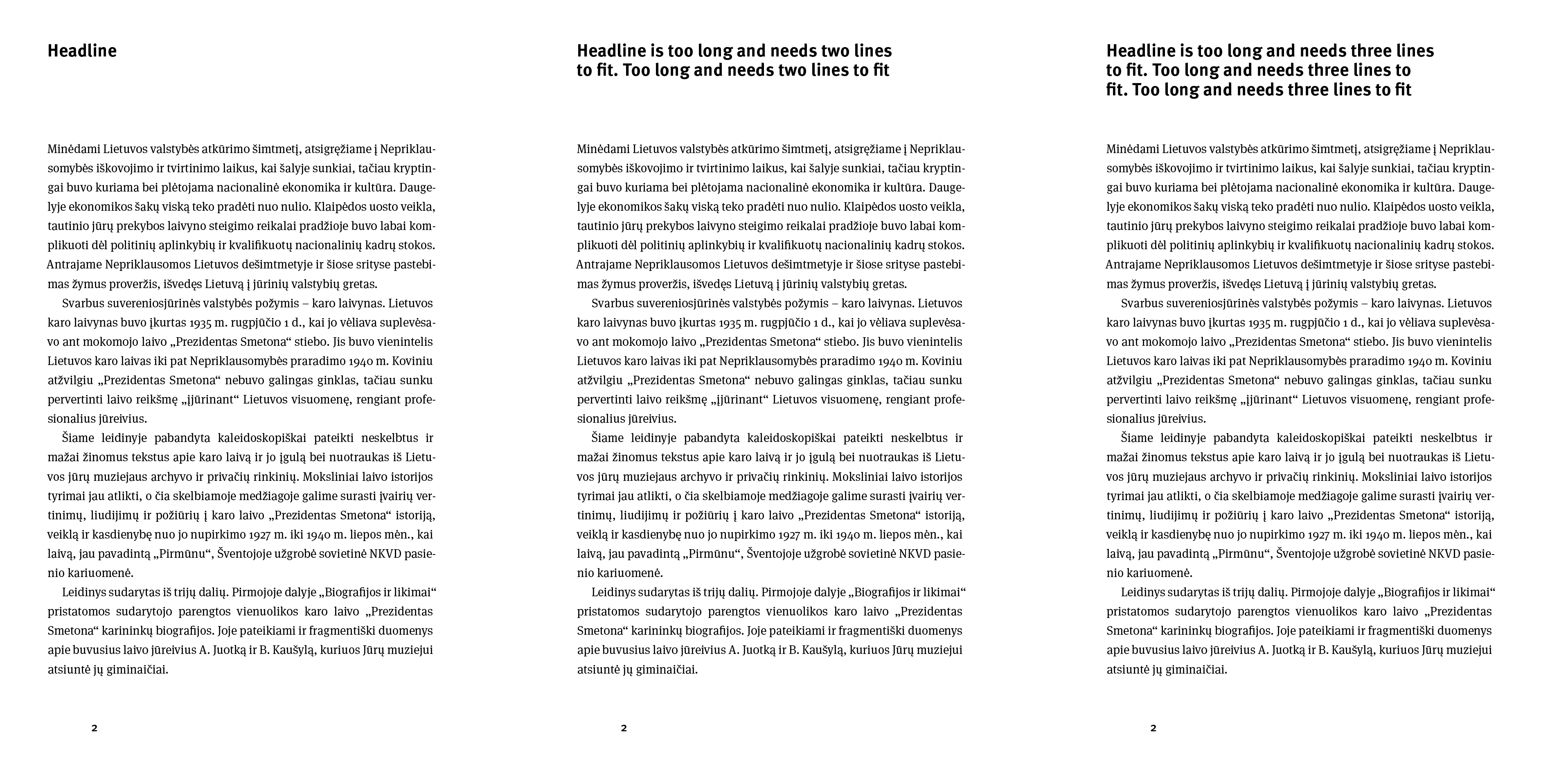
Body copy should remain in fixed position in relation to the top ot the page, while headline could be one, two or three lines long.

Leading is the same for headlines and body copy, all lines align to grid.


Thanks for your help and time.

    This topic has been closed for replies.

    2 replies

    Community Expert
    October 2, 2019

    There is a way, if you're willing to use a baseline grid. 
    Set the start increment of the grid to be the baseline of your first line of body text. Make sure your body text is aligned to the baseline grid, but your head is not. The space after the head and the space before the body text becomes irrelevant.
    If you find this too restrictive to apply document wide, you can use a custom baseline grid on a frame-by-frame basis, if necessary defining this as an Object Style.

    If this feels like too much trouble, alternatively you can make 3 variants of your body first paragraph style, one that follows a single-line headline, a second that follows a two-line head with more space, etc.

    Document Geek
    Community Expert
    Community Expert
    October 1, 2019

    Having the body copy and headlines in separate tex frames would be the easiest way to accomplish this. Other than that, I can't think of specific paragraph or frame settings that would set the text this way automatically.

    Participant
    October 4, 2019
    Thank you!