

Kelli Jae Baeli
Inspiring
October 20, 2017
Answered

space before no longer works after adding odd pg brk

  • October 20, 2017
  • 1 reply
  • 1300 views

In process of learning ID for publishing my books. Can't find answer to this:

I set up paragraph style for my chapter headings in which the chapter title starts halfway down the page. I used the "space before" setting in the paragraph style options. Then i applied the odd page break before each chapter ("keep options: start paragraph on Odd Page") and the space before setting no longer worked. it's still set that way, but the chapter titles are now at the top of the odd page.
Anyone tell me how to have both settings engaged and working?
This topic has been closed for replies.
Correct answer Kelli Jae Baeli

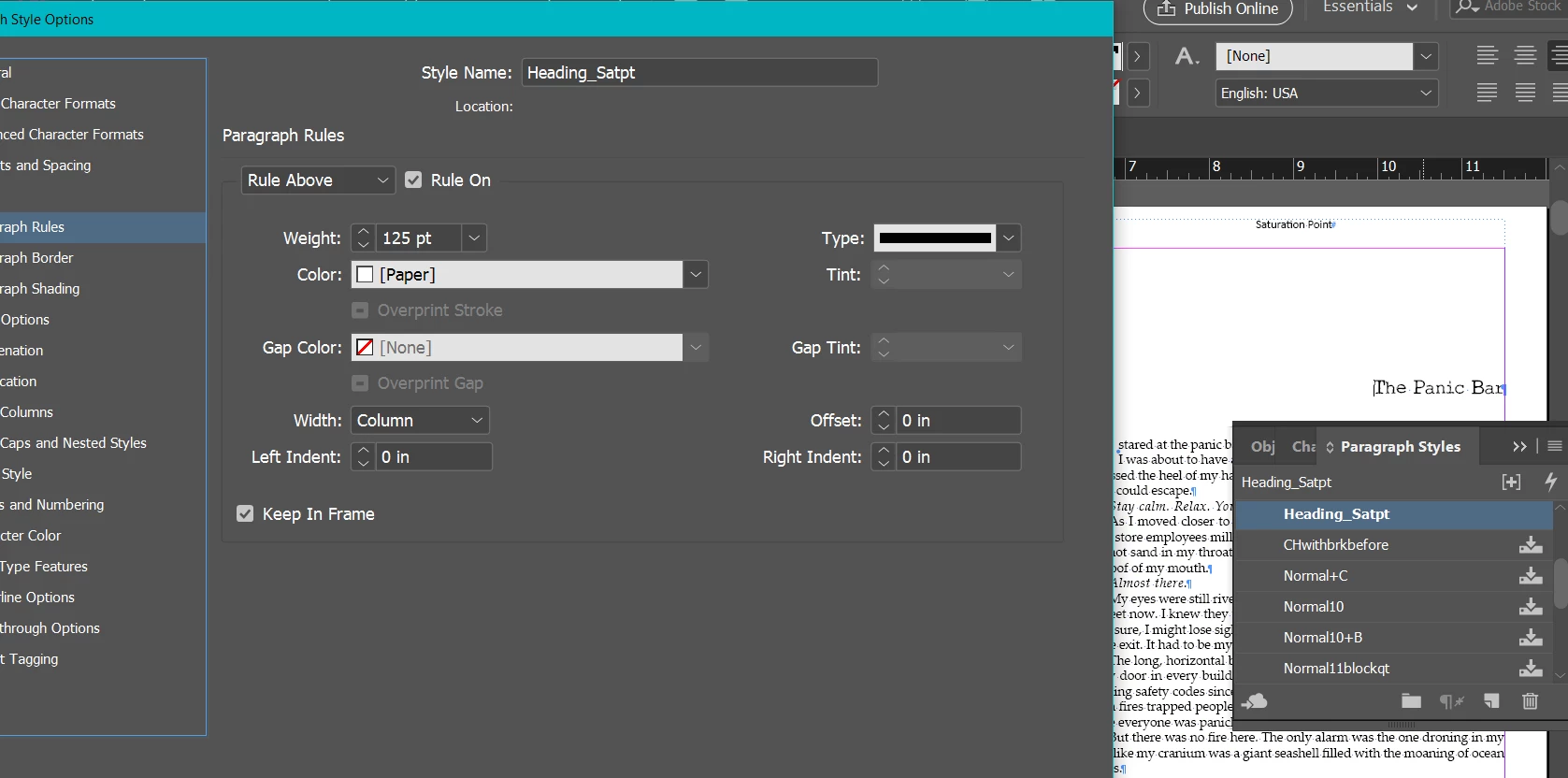
I figured it out. Here's a screen shot of the settings.

1 reply

winterm
Legend
October 21, 2017

That's normal and expected behavior. Two possible approaches come to mind on the fly.

1. Do you use baseline grid for your body text? If no, you could use it for chapter headings. In document Preferences > Grids > Baseline Grid set its start (somewhere halfway down the page). Now, instead of Start Paragraph option include in style description Align to Grid: First Line Only - can be found in Paragraph Style Options > Indents and Spacing (where you set Space Before). Space Before setting is obsolete now, baseline grid does the job. That's it.

2. And the second is a dirty workaround, I shouldn't recommend this... Insert additional hard break (starting a new paragraph) before every heading, and apply your Odd Page Break Before to it, NOT to the chapter heading itself. Space Before setting in heading style description is still required and works now.

Kelli Jae Baeli
Inspiring
October 21, 2017

Thanks for your reply, winterm. You asked: Do you use baseline grid for your body text? If no, you could use it for chapter headings. In document Preferences > Grids > Baseline Grid set its start (somewhere halfway down the page). Where do i look to find whether or not I'm using baseline grid for text? I'm not sure where "document> preferences" are located... I thought you might be directing me there with "Preferences > Grids > Baseline Grid"  --- but not certain where that preference is located. I tried the usual, through the EDIT menu. (see screenshot). When I'm at that location, there is no "baseline grid" selection to be had. maybe i'm in the wrong place?

And if i DO discover i'm using the baseline grid for my body text, does that mean i have no other option other than the "dirty workaround"? The whole point of this was so that i could do global formatting to the book, without having to insert something one at a time at each chapter. I'm sure with this professional software there's  way to do it, since book publishers put chapter headings on odd page and  halfway down the page commonly. Besides, i had enough of the "dirty workaround" using Word to set up my print books. LOL. That's why i'm now trying to use ID.


Kelli Jae Baeli
Kelli Jae BaeliAuthorCorrect answer
Inspiring
October 21, 2017

I figured it out. Here's a screen shot of the settings.