
Inspiring
October 6, 2023
Answered

space between graphic frame and text

  • October 6, 2023
  • 1 reply
  • 301 views

Hi,

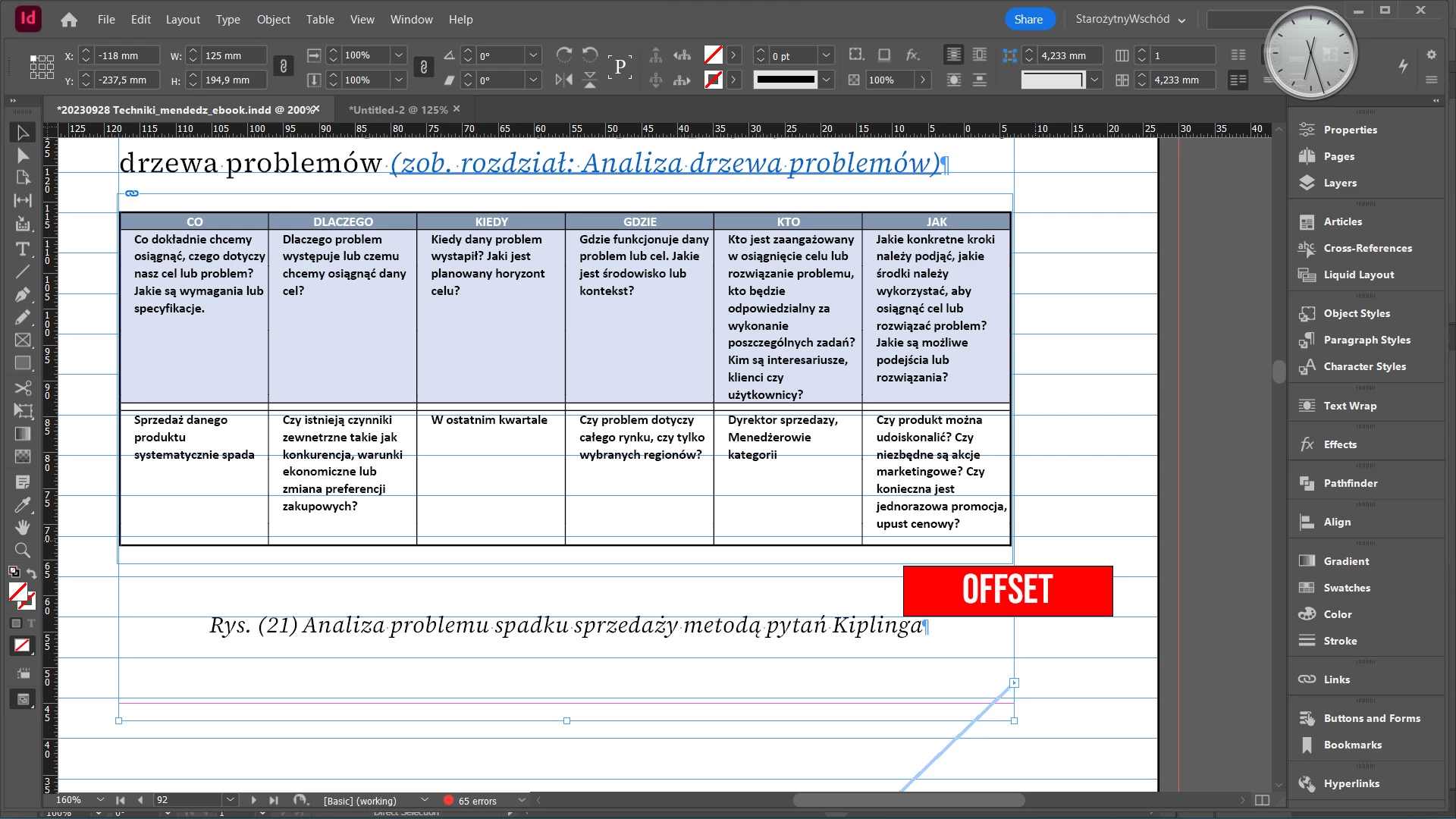
I know there must be something stupid but I can't figure out what causes the gap between the graphic frame bottom border and the following text line?

Frame has all wrap offset set to 0. Text line is not a formal caption, but formated as style with no space before or after. Baseline grid is off.

It works well for me in other docs - but this particular one makes me crazy 🙂

TIA
 

This topic has been closed for replies.
Correct answer James Gifford—NitroPress

Select the frame, and in Object Styles, clear all overrides on the assigned style. (And if you have it on the default, create a defined object style for it to make management and replication easier). I'd bet that will clear a phantom spacing or offset issue.


Make sure the following style doesn't have a paragraph border or rule-above defined.


All I can think of from your description...

1 reply

James Gifford—NitroPress
Legend
October 6, 2023

Select the frame, and in Object Styles, clear all overrides on the assigned style. (And if you have it on the default, create a defined object style for it to make management and replication easier). I'd bet that will clear a phantom spacing or offset issue.


Make sure the following style doesn't have a paragraph border or rule-above defined.


All I can think of from your description...

Inspiring
October 6, 2023

James, thanks

Although there was nothing of what you said, I've rechecked the par style and discovered the leading value makes the issue. So you inspired me to certain action 🙂

James Gifford—NitroPress
Legend
October 6, 2023

Oh, yes, plain old line spacing can do it, too. It's best, in practice, to keep leading at some close value to the type size (no more than 3-4pts more, or about 25%), and use spacing above and below for more distance. Only once in a while does a very large (or very small) line spacing make sense for layout tweaks.


Glad you figured it out!