Known Participant
Dec 4, 2024 11:31 PM UTC
Question

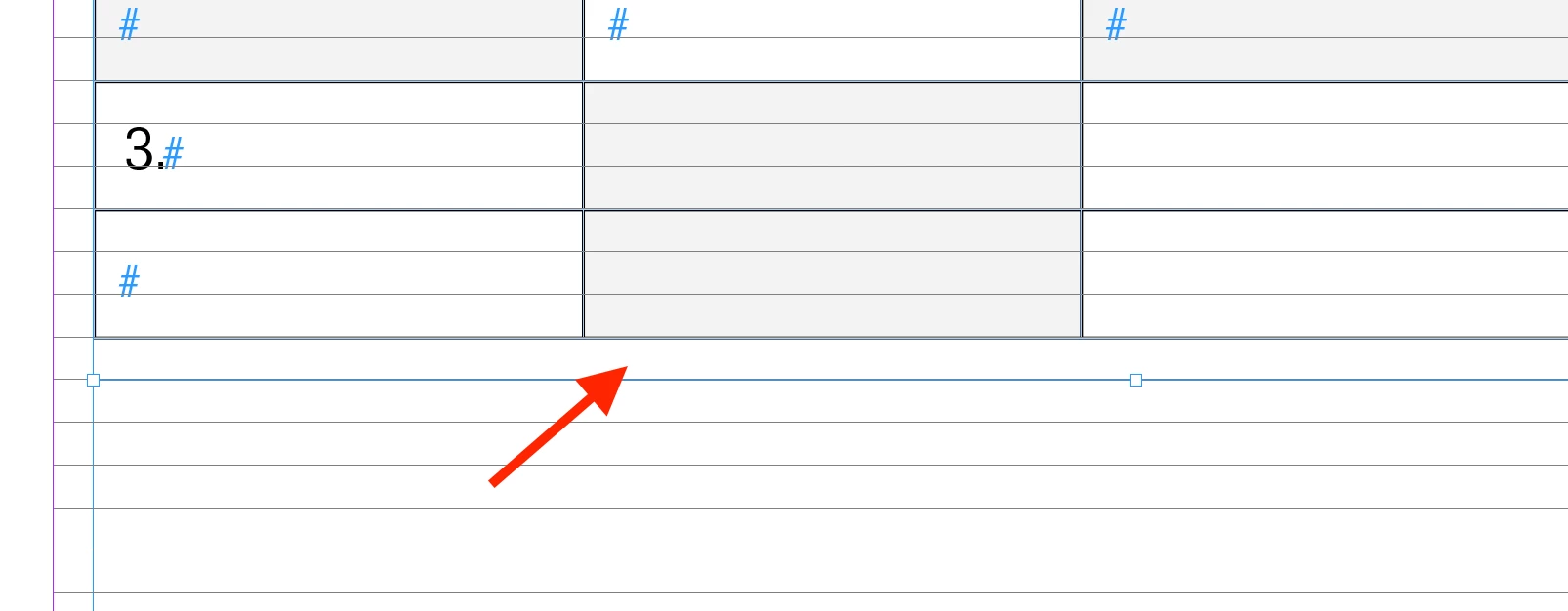
Spacing below the table

Hi, 
I'm working on a table design, and I don't want this spacing below. When I adjust it, it removes one of the rows. Why is this happening? Is there a way to fix this?


Thank you!


This topic is closed to new replies. Start a new post to keep the conversation going.

29 replies

Robert at ID-Tasker
Legend
Dec 5, 2024 12:05 AM UTC

@Mateomono


Looks like you've Align to Baseline Grid ON in the ParaStyle used in the table? 


Translate
MateomonoAuthor
Known Participant
Dec 5, 2024 12:08 AM UTC

@Robert at ID-Tasker 
Nothing is aligned to the baseline grid. I also have this icon showing up. could this be a reason, not sure what it means.


Translate
Robert at ID-Tasker
Legend
Dec 5, 2024 12:14 AM UTC

That's what I thought - you have your Table inside a TextFrame - Anchored / InLined in the text - instead of straght in the text, right?


Top table - inside a TextFrame - bottom - table directly in the text.


Translate
Willi Adelberger
Community Expert
Community Expert
Dec 4, 2024 11:55 PM UTC

Go tonthe table set, best done in the used table style, and make changes for those spaces. 

Translate
MateomonoAuthor
Known Participant
Dec 4, 2024 11:47 PM UTC

Additional info: It constantly resizes when I move the box up and down. That is the main problem. I hope this makes sense and provides more clarity.

Translate
