
Answered
Span Columns with H2 Causes H3s to fall unevenly in Columns
Hello there,
I have a 2-column text frame.
It contains an H2 (section title) set to span across 2 columns. It has 0.125" space after.
I have H3's with 0.125" space after. The "Lorem Ipsum" H3 in Column 1 falls exactly where I want it. I have a column break at the end of the column to put the "Lorem Ipsum" H3 in Column 2. It does not fall in the same spot as the H3 in Column 1.
I have removed the space after on all styles and this does not solve the issue. Removing the column break doesn't fix it. The H3s only align when I remove the option on H2 to span columns, and I don't want that.
I need a single threaded text frame to use with a Word document I have placed in the file. Thanks in advance for your help!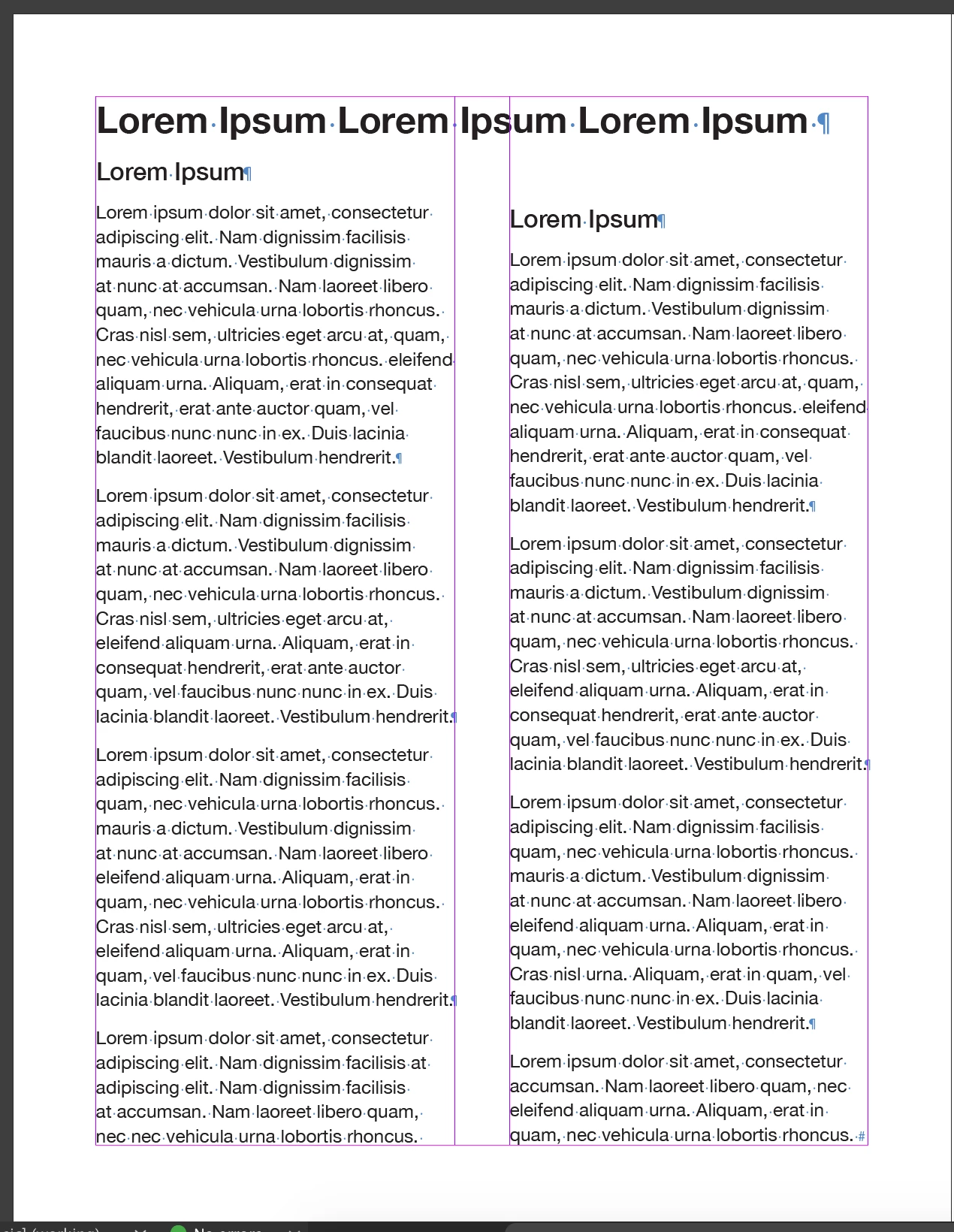


 AdChoices