dublove
Legend
August 2, 2025
Answered

Special case? GeometricBounds positioning cannot be used when text boxes extend beyond bleed?

  • August 2, 2025
  • 3 replies
  • 929 views
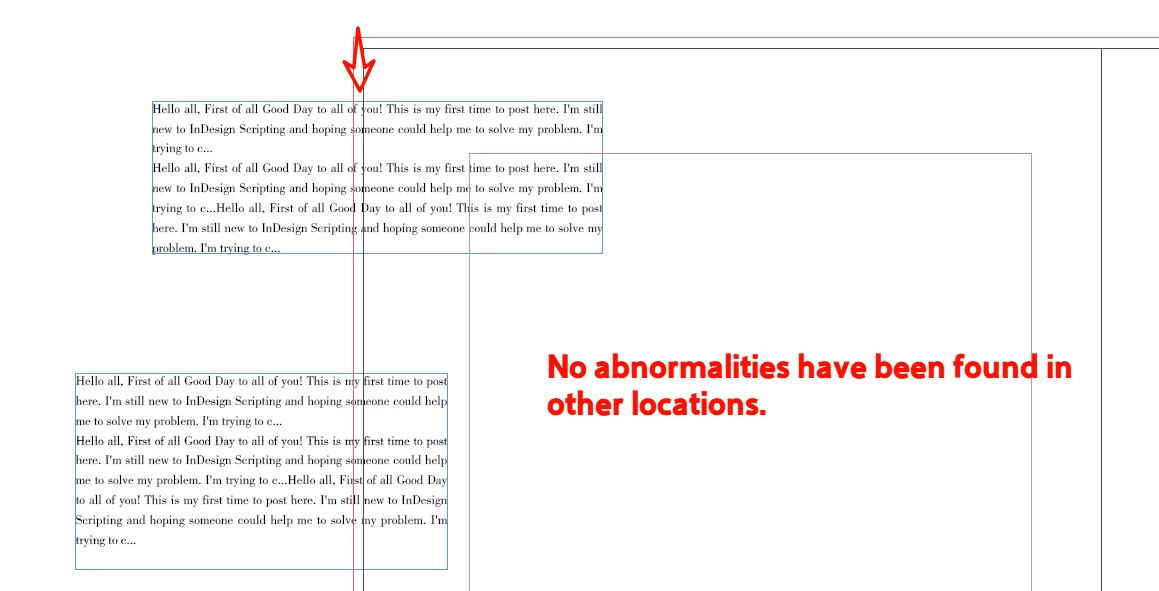
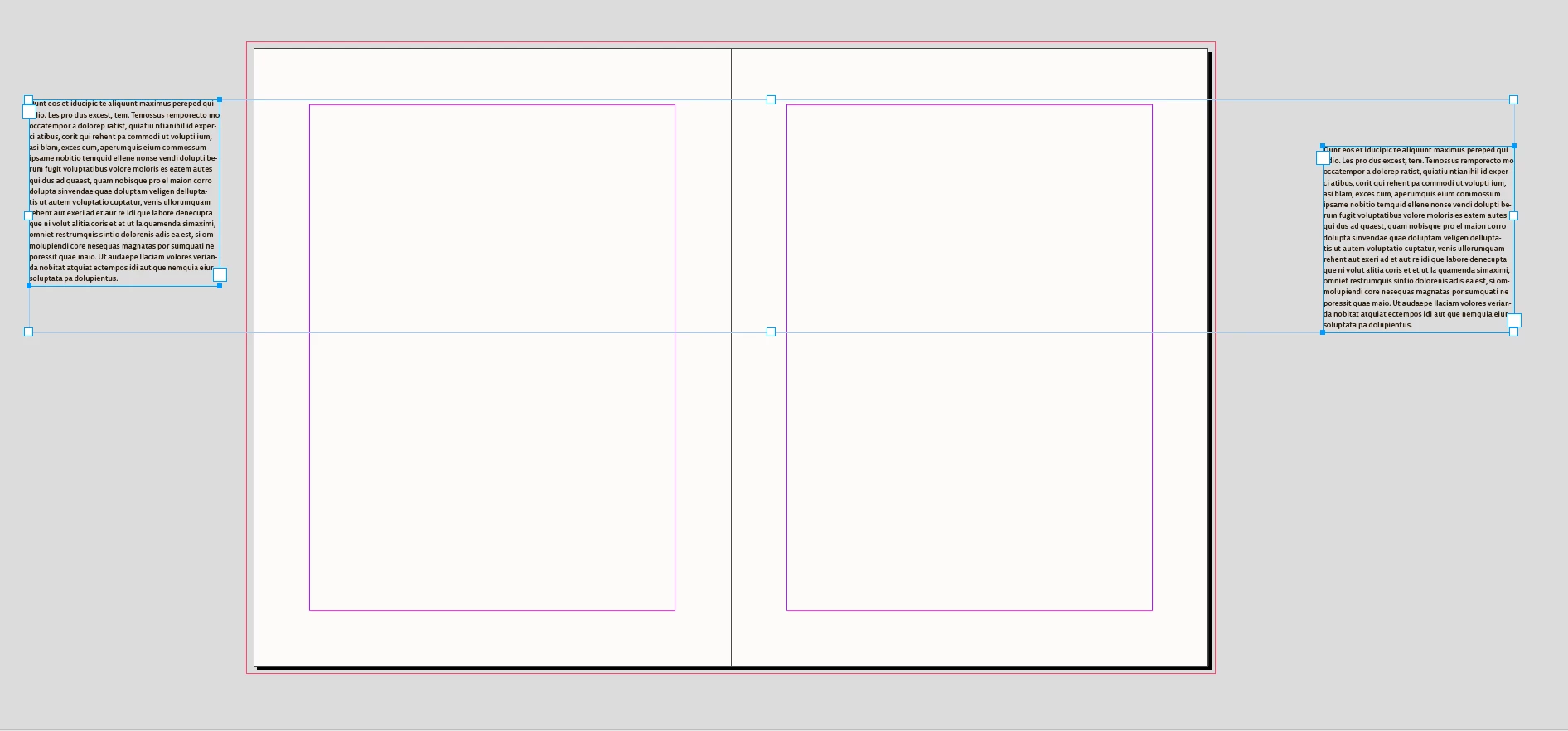
The object is just crossing the bleeding area, and it seems impossible to determine its position.
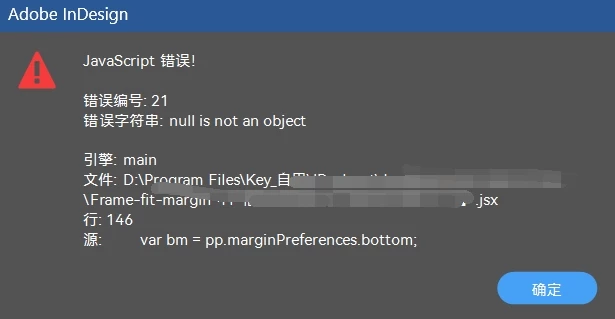
sel[j].parentPage;.marginPreferences.bottom;
will cause an error.
 
 var sel = app.documents[0].selection;
        var pp = sel[j].parentPage;
        var b = app.activeDocument.selection[j].geometricBounds;
        var sb = sel[0].visibleBounds;
        var bm = pp.marginPreferences.bottom;
 
if(sel[j].parentPage == null);
b[1]<0&&b[3>0]&&b[3]<cp[0];
 
All combinations have failed...
            if ((sel[j].parentPage == null && b[3] < 0) || ([1] < 0 && b[3] > 0 && b[3] < cp[0])) {
                app.activeDocument.viewPreferences.rulerOrigin = RulerOrigin.PAGE_ORIGIN;
                sel[j].geometricBounds = [b[0], 0 - 20, b[2], b[3] - b[1] + 20];
            }

            if ((sel[j].parentPage == null) && (b[1] > 0)) {
                app.activeDocument.viewPreferences.rulerOrigin = RulerOrigin.PAGE_ORIGIN;
                sel[j].geometricBounds = [b[0], 0 - 20, b[2], b[3] - b[1] - 20];
            }
Correct answer rob day

Hi @rob day 

Thanks for the optimization.


Currently, I've identified two remaining issues.

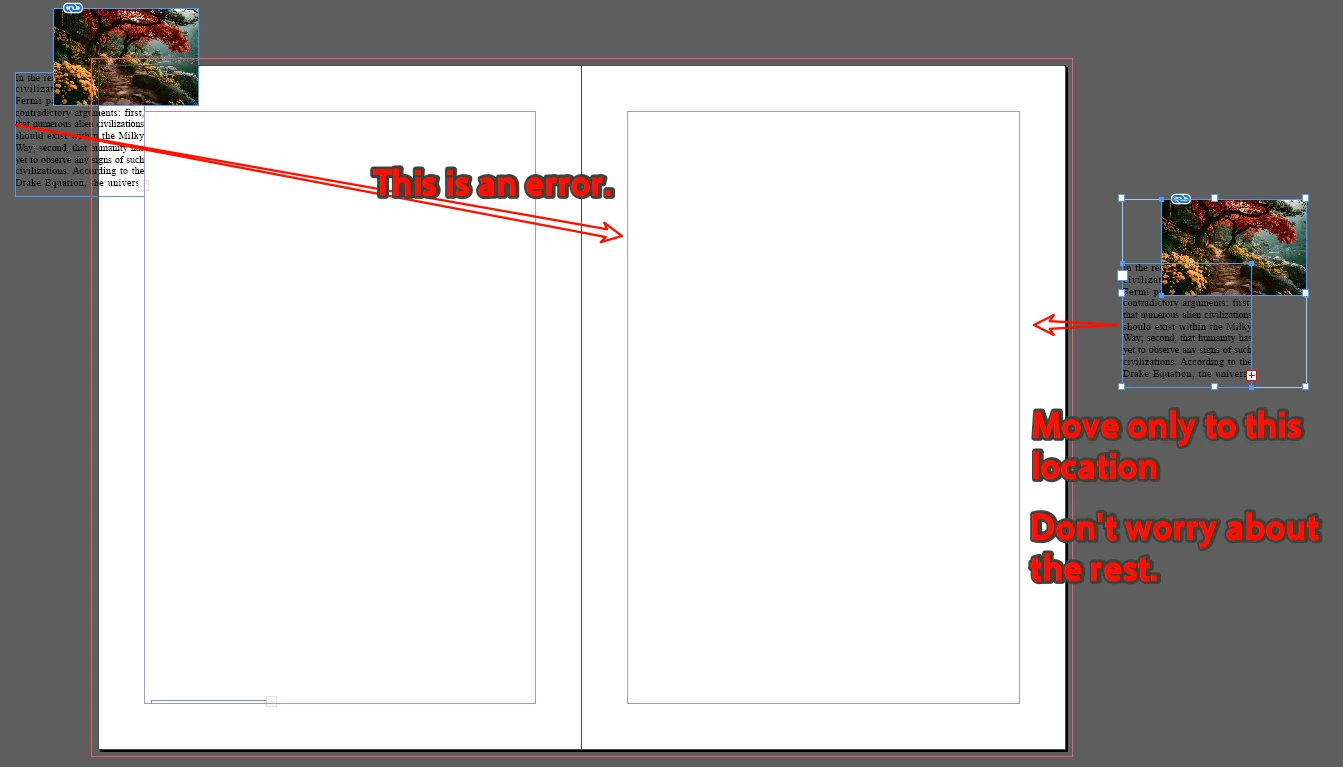
First, if an object is positioned on the right side of the right page, can it be moved only to the right margin?


Second, there's an error. When an image on the left side extends beyond the top edge of the page, it gets shifted to the right instead.


The function assumes the selected objects are entirely on the pasteboard (parent page returns as null), You would need a different function to handle objects that do not return nul. Where you decide to move the page item could be anything:


function movePBSel(s){
    //returns null when the selection is entirely on the pasteboard 
    var pp = s.parent.pages
    //the page item width
    var rw = s.geometricBounds[3] - s.geometricBounds[1];
    //spread’s right page
    var rp = pp[pp.length-1]
    //right most page’s right bound minus left margin minus page item width
    var px = rp.bounds[3] - rp.marginPreferences.left - rw
    
    //a single page 
    if (pp.length == 1) {
        s.move([px, rp.marginPreferences.top] );
    } else {
        if (s.geometricBounds[3] < 0) {
            //left most page of spread
            s.move([rp.marginPreferences.right, rp.marginPreferences.top ]);
        } else {
            //right most page of spread
            s.move([px, rp.marginPreferences.top ] );
        }
    }
    return s.parentPage
}


3 replies

m1b
Community Expert
Community Expert
August 2, 2025

@dublove the challenge here—as Brian alluded—is that you are trying to get the page of an item that has no page. So we need to get the nearest page to the item. I've written a function to do that, and a little example script to show it.

- Mark


/**
 * @file Position Item On Nearest Page.js
 *
 * @author m1b
 * @version 2025-08-02
 * @discussion https://community.adobe.com/t5/indesign-discussions/special-case-geometricbounds-positioning-cannot-be-used-when-text-boxes-extend-beyond-bleed/m-p/15440515
 */
function main() {

    var sel = app.activeDocument.selection[0];
    var pp = getNearestPage(sel);

    var pb = pp.bounds;
    var sb = sel.visibleBounds;
    var bm = pp.marginPreferences.bottom;
    var lm = pp.marginPreferences.left;

    // example: line up `sel` against the left and bottom margins of the page
    sel.move([pb[1] + lm, pb[2] - bm - (sb[2] - sb[0])]);

};
app.doScript(main, ScriptLanguage.JAVASCRIPT, undefined, UndoModes.ENTIRE_SCRIPT, 'Do Script');

/**
 * Returns the nearest page to `item`.
 * @author m1b
 * @version 2025-08-02
 * @param {PageItem} item - the target item.
 * @returns {Page} - the nearest page to `item`.
 */
function getNearestPage(item) {

    var page = item.parentPage;
    var spread;

    while (!page) {

        spread = item.parent;

        if ('Page' === spread.constructor.name)
            page = spread;


        if ('Spread' === spread.constructor.name) {

            var index = findClosestBounds(
                item.visibleBounds,
                spread.pages.everyItem().bounds
            );

            page = spread.pages.item(index);

        }

    }

    return page;

};

/**
 * Returns the index of the bounds in `boundsArray` that is
 * closest to the target bounds. All bounds are in [T, L, B, R] format.
 * @param {Array} targetBounds - The target bounds [T, L, B, R].
 * @param {Array<bounds>} boundsArray - An array of bounds arrays.
 * @returns {Number} Index of the closest bounds in the array.
 */
function findClosestBounds(targetBounds, boundsArray) {

    var targetCenter = centerOfBounds(targetBounds);
    var minDist = Infinity;
    var closestIndex = -1;

    for (var i = 0, center, dx, dy, distSq; i < boundsArray.length; i++) {

        center = centerOfBounds(boundsArray[i]);
        dx = targetCenter[0] - center[0];
        dy = targetCenter[1] - center[1];
        distSq = dx * dx + dy * dy;

        if (distSq < minDist) {
            minDist = distSq;
            closestIndex = i;
        }

    }

    return closestIndex;

};

/** 
 * Returns the center of `bounds`;
 * @param {Array} bounds - The bounds [T, L, B, R].
 * @returns {Array<Number>} - [cx, cy].
 */
function centerOfBounds(bounds) {
    return [(bounds[1] + bounds[3]) / 2, (bounds[0] + bounds[2]) / 2];
};
dublove
dubloveAuthor
Legend
August 2, 2025

Hi @m1b .
Thank you very much.

Your script does indeed move the object into the layout.
However, the object is offset too far in the Y direction, The feeling of jumping is not good.


I thought of another simple and effective method, which is to scale down the image proportionally and then reset it to

sel[j].geometricBounds = [c[0], cp[0], c[0] + hnew, cp[0] + wnew,]


cp[0] and cp[0] + wnew always exist and are real values,
so simply translating them will work.


I will try my best to make sure that the object does not jump up and down, and it is best to deform it without moving the upper left corner.
But that's all for later.


Oh,my Great m1b, don't forget me.

headerRows = convertToRowType(headerRows, RowTypes.HEADER_ROW);

This is what keeps me awake at night.

m1b
Community Expert
Community Expert
August 2, 2025

Hi @dublove all this talk of "jumping"... you must read what my example is trying to do. That first example always moves the item to the bottom left margins. It was just an example—you can code it to move where you want it.


For example, the following code ensures that the selected item is within the page margins, and it will move the item only the minimum distance required to achieve that. Again, remember these are just examples. You must adjust them the way you want.


By the way, I would avoid setting the geometricBounds as it can be messy. Better to use the .move and .resize methods, I think.

- Mark


/**
 * @file Position Item Within Nearest Page Margins.js
 *
 * @author m1b
 * @version 2025-08-02
 * @discussion https://community.adobe.com/t5/indesign-discussions/special-case-geometricbounds-positioning-cannot-be-used-when-text-boxes-extend-beyond-bleed/m-p/15440515
 */
function main() {

    var sel = app.activeDocument.selection[0];
    var pp = getNearestPage(sel);

    var pb = pp.bounds;
    var sb = sel.visibleBounds;
    var sw = sb[3] - sb[1];
    var sh = sb[2] - sb[0];

    // example: move `sel` so it is within the page margins
    var x = sb[1];
    var y = sb[0];

    if (sb[3] > pb[3] - pp.marginPreferences.right) {
        // the item is past the right side of the page
        x = pb[3] - pp.marginPreferences.right - sw;
    }
    if (sb[1] < pb[1] + pp.marginPreferences.left) {
        // the item is past the left side of the page
        x = pb[1] + pp.marginPreferences.left;
    }
    if (sb[2] > pb[2] - pp.marginPreferences.bottom) {
        // the item is past the bottom of the page
        y = pb[2] - pp.marginPreferences.bottom - sh;
    }
    if (sb[0] < pb[0] + pp.marginPreferences.top) {
        // the item is past the top of the page
        y = pb[0] + pp.marginPreferences.top;
    }

    sel.move([x, y]);

};
app.doScript(main, ScriptLanguage.JAVASCRIPT, undefined, UndoModes.ENTIRE_SCRIPT, 'Move Item Inside Page Margins');

/**
 * Returns the nearest page to `item`.
 * @author m1b
 * @version 2025-08-02
 * @param {PageItem} item - the target item.
 * @returns {Page} - the nearest page to `item`.
 */
function getNearestPage(item) {

    var page = item.parentPage;
    var spread;

    while (!page) {

        spread = item.parent;

        if ('Page' === spread.constructor.name)
            page = spread;


        if ('Spread' === spread.constructor.name) {

            var index = findClosestBounds(
                item.visibleBounds,
                spread.pages.everyItem().bounds
            );

            page = spread.pages.item(index);

        }

    }

    return page;

};

/**
 * Returns the index of the bounds in `boundsArray` that is
 * closest to the target bounds. All bounds are in [T, L, B, R] format.
 * @param {Array} targetBounds - The target bounds [T, L, B, R].
 * @param {Array<bounds>} boundsArray - An array of bounds arrays.
 * @returns {Number} Index of the closest bounds in the array.
 */
function findClosestBounds(targetBounds, boundsArray) {

    var targetCenter = centerOfBounds(targetBounds);
    var minDist = Infinity;
    var closestIndex = -1;

    for (var i = 0, center, dx, dy, distSq; i < boundsArray.length; i++) {

        center = centerOfBounds(boundsArray[i]);
        dx = targetCenter[0] - center[0];
        dy = targetCenter[1] - center[1];
        distSq = dx * dx + dy * dy;

        if (distSq < minDist) {
            minDist = distSq;
            closestIndex = i;
        }

    }

    return closestIndex;

};

/**
 * Returns the center of `bounds`;
 * @param {Array} bounds - The bounds [T, L, B, R].
 * @returns {Array<Number>} - [cx, cy].
 */
function centerOfBounds(bounds) {
    return [(bounds[1] + bounds[3]) / 2, (bounds[0] + bounds[2]) / 2];
};


Willi Adelberger
Community Expert
Community Expert
August 2, 2025

Use a different reference point of the text frame, like the center.

dublove
dubloveAuthor
Legend
August 2, 2025

Can you give me a rough idea?
For example?

 if (b[1] < 0 && (b[1] +(b[3] - b[1]) / 2) > 0)
or
 if (b[1< 0 && (b[3- (b[3- b[1]) / 2> 0)
?
brian_p_dts
Community Expert
Community Expert
August 2, 2025

Yes, an object off the page will have an invalid parentPage. Gonna have to find another way to identify it.