Inspiring
December 10, 2016
Answered

Special TOC character styling

  • December 10, 2016
  • 1 reply
  • 432 views

I'm working with a 250-page catalog. I have the TOC set up except for one detail. I would like to be able to put the word "NEW!" to the left of the new products, styled differently than the product name, which will be on the same line. Does anyone know if there is a way to automate this action? I can character-style "new!" manually, but when I update the TOC, the styling disappears. I expect there to be changes, so I don't want to have to re-style the word each time I update the TOC.
    This topic has been closed for replies.
    Correct answer Barb Binder

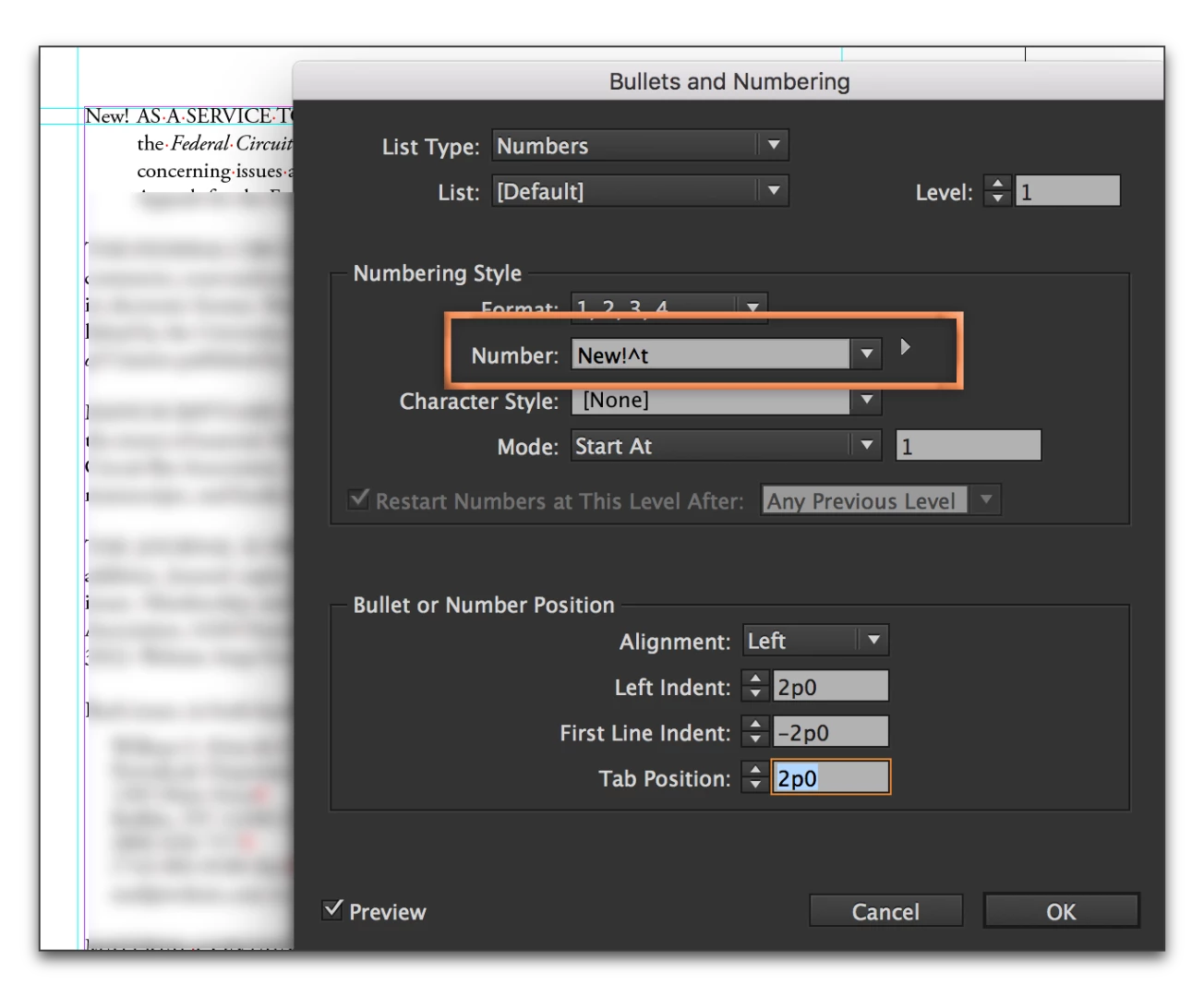
    How about building into the ¶ style, assigned through the TOC dialog box? Set it up as a numbered list, but add NEW! instead of a number. You can format it with a nested character style, if you like.

    1 reply

    Barb Binder
    Community Expert
    Barb BinderCommunity ExpertCorrect answer
    Community Expert
    December 10, 2016

    How about building into the ¶ style, assigned through the TOC dialog box? Set it up as a numbered list, but add NEW! instead of a number. You can format it with a nested character style, if you like.

    ~Barb at Rocky Mountain Training
    Inspiring
    December 11, 2016

    Hi Barb,

    I did that and it works like a charm. I created 2 styles, one for the regular products and one for the new ones using the bulleted style you demonstrated. Thanks!

    Lisa

    Barb Binder
    Community Expert
    Community Expert
    December 11, 2016

    You are very welcome!

    ~Barb at Rocky Mountain Training