Participant
June 7, 2017
Answered

Split A-Master in two

  • June 7, 2017
  • 2 replies
  • 1592 views

Hello,

I would like to know if it is possible to split the A-master page in two. I currently have a folder design, which is perfectly fine for printing, but I would like to create a PDF version of the whole folder - front page, documents, back of folder. However, to do that, I need the front and back design of the folder to be on separate pages.

Here is a screenshot:
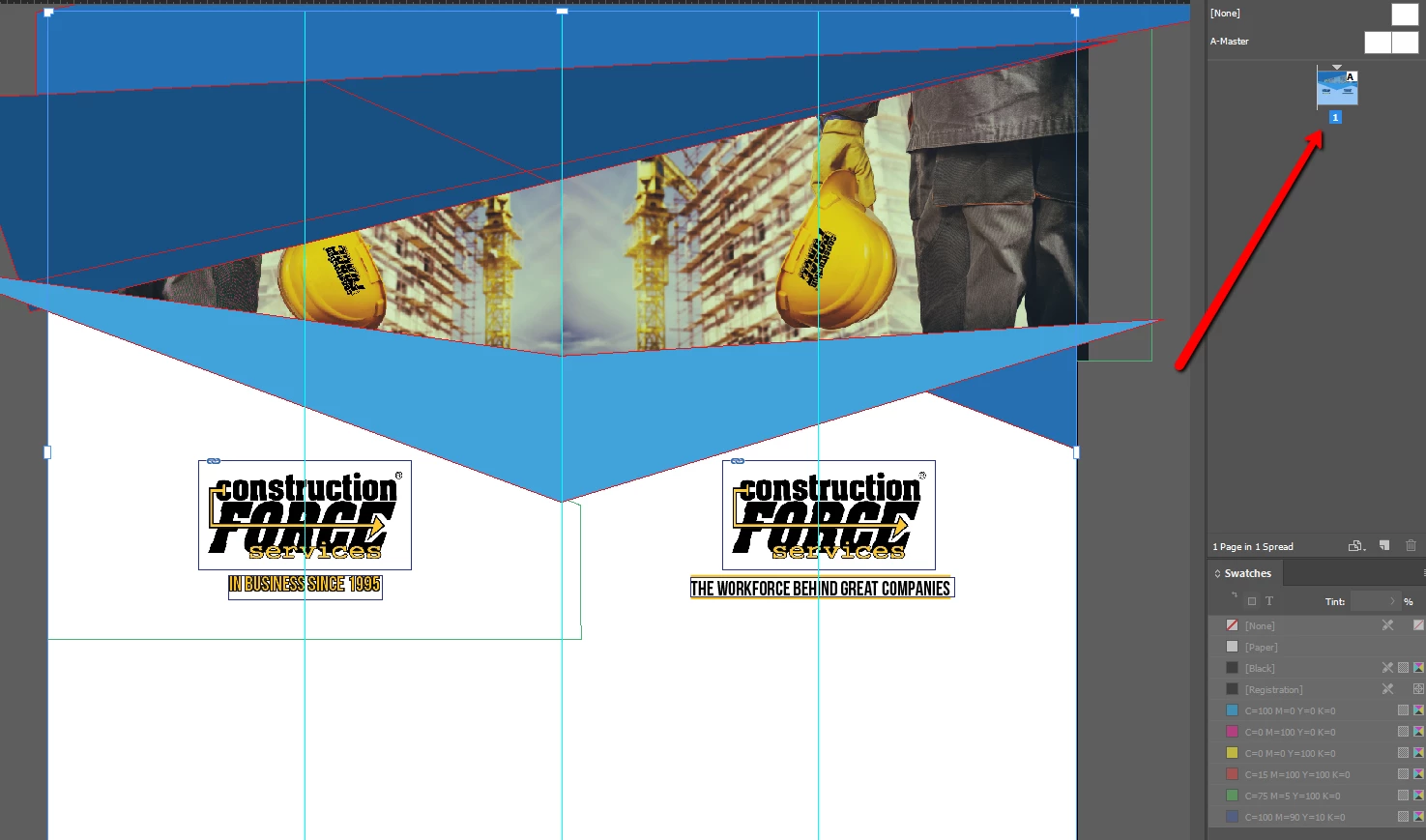
Is it possible to split that page in two?

Thank you!

This topic has been closed for replies.
Correct answer Cari Jansen

If it has to be done in InDesign (the PDF placement into a new document is easiest) :

  1. Start by duplicating the pages that need to be split up.
  2. Then click on the page with the Page tool, use the Control panel settings to adjust the Width and Height as needed (ensure the Liquid Page Rule is Off)
  3. Repeat this for each page.

Tip: Ensure you adjust the position of the reference point so that your content remains in the correct spot when resizing the pages.

Note: I use this technique when I need to break DL flyers that are designed on a single page for the purpose of creating WCAG 2.0 accessible PDFs that have individual pages.

2 replies

Cari JansenCorrect answer
Legend
June 16, 2017

If it has to be done in InDesign (the PDF placement into a new document is easiest) :

  1. Start by duplicating the pages that need to be split up.
  2. Then click on the page with the Page tool, use the Control panel settings to adjust the Width and Height as needed (ensure the Liquid Page Rule is Off)
  3. Repeat this for each page.

Tip: Ensure you adjust the position of the reference point so that your content remains in the correct spot when resizing the pages.

Note: I use this technique when I need to break DL flyers that are designed on a single page for the purpose of creating WCAG 2.0 accessible PDFs that have individual pages.

BobLevine
Community Expert
Community Expert
June 7, 2017

It would be way easier to just place the PDF into a new two page spread document and then export a new PDF.