
Participant
July 29, 2017
Answered

Split column - continuous text flow?

  • July 29, 2017
  • 1 reply
  • 3273 views

I have a paragraph split into 2 columns, divided by the gutter. Everything looks correct however I want the text to read continuously left to right, not divided into columns. Is there a setting to change text flow, or another method to achieve this?

Attached is a screenshot for reference. The goal is to make it read "This is a test" continuously left to right.
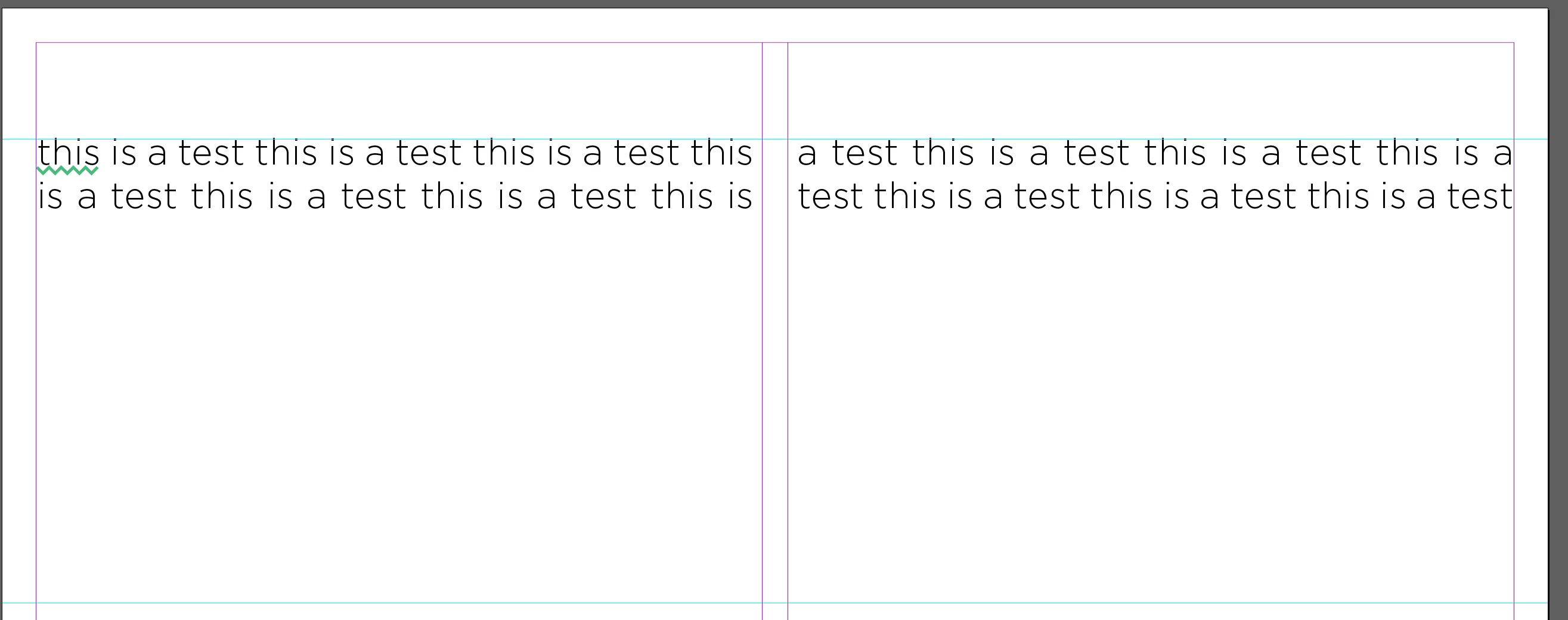
Thank you!

    This topic has been closed for replies.
    Correct answer Mike Witherell

    If the gutter is to be a fold then why would you want the text to go across that fold? I did look at InDesign's Split column feature but even that does not provide an option to make the text read the way you're looking for.


    Simply draw a no stroke / no fill rectangle in the center gutter and apply Text Wrap to it.

    1 reply

    Bill Silbert
    Community Expert
    Community Expert
    July 29, 2017

    With the text box selected open the Text Frame Options dialog box (Command/Control-B) and make sure that the frame is set to one column. See screenshot:

    Rollk1Author
    Participant
    July 29, 2017

    Thank you for the reply. However, I want to maintain the gap between the gutter. Is there another way to achieve this besides 2 columns?

    Bill Silbert
    Community Expert
    Community Expert
    July 29, 2017

    I'm not sure why you would want to do this since a gap in the middle of a sentence seems kind of disconcerting. I don't know if there if there is a way. Even inserting tabs or using a flush space would be imprecise since the text would vary from line to line and be very difficult to line up in the manner you're requesting.