Inspiring
February 15, 2021
Answered

Split text: how to set space between columns?

  • February 15, 2021
  • 2 replies
  • 5228 views

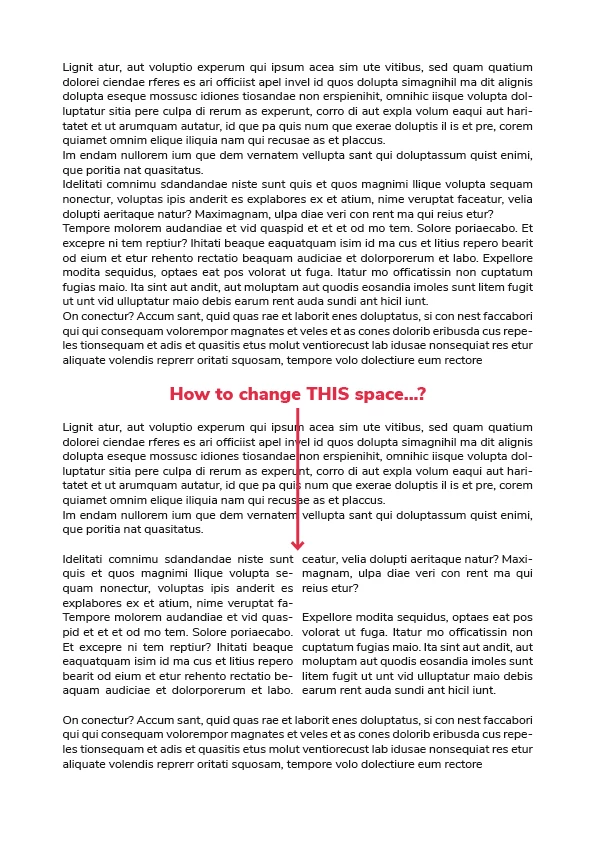
I need to split a segment of text into 2 columns. This is easily done with the split text option. However, the space between the 'columns' is very small and I want to set it to a specific setting. But... I can't find an option to do so anywhere...? 
This topic has been closed for replies.
Correct answer vladan saveljic

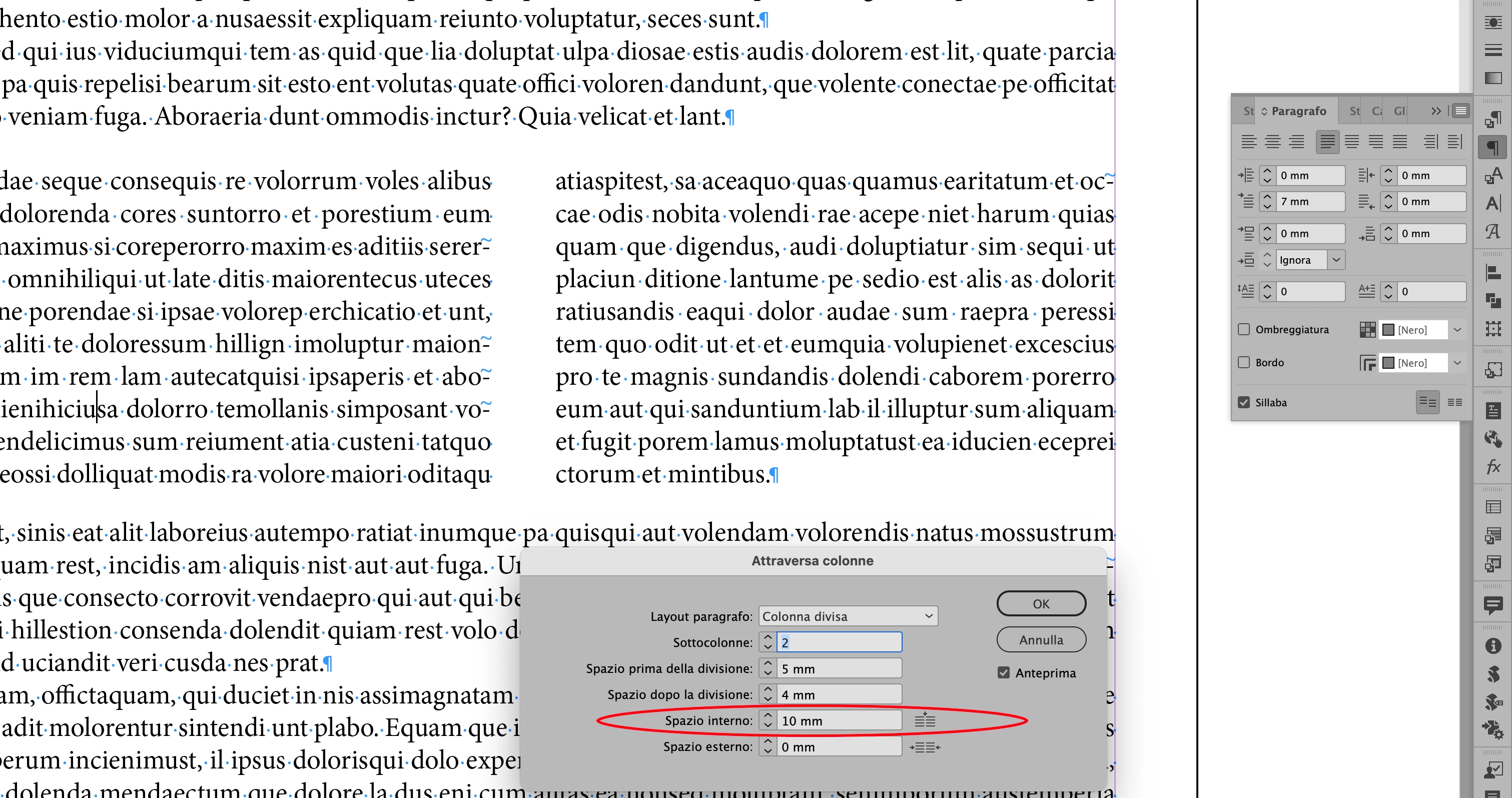
If you have used "Split a paragraph into columns" option you can change this space as in my screenshot


Place the insertion point inside the paragraph.

> Span Columns from the Control panel menu or a Paragraph panel menu > Choose Split Columns from the Paragraph Layout menu.

2 replies

vladan saveljic
vladan saveljicCorrect answer
Inspiring
February 15, 2021

If you have used "Split a paragraph into columns" option you can change this space as in my screenshot


Place the insertion point inside the paragraph.

> Span Columns from the Control panel menu or a Paragraph panel menu > Choose Split Columns from the Paragraph Layout menu.

J van EAuthor
Inspiring
February 16, 2021

Thanks! I always used the option that's in the toolbar by default: never knew there was a more useful option to do it using the Paragraph panel menu! I see you can also create more than 4 columns this way! Awesome! Thanks! 

Community Expert
February 15, 2021

Did you try Text Frame Options and changing the Gutter width. See a demo here

-Manan

-Manan