

Dan Kreider
Known Participant
April 11, 2022
Answered

Spread won't center

  • April 11, 2022
  • 3 replies
  • 381 views
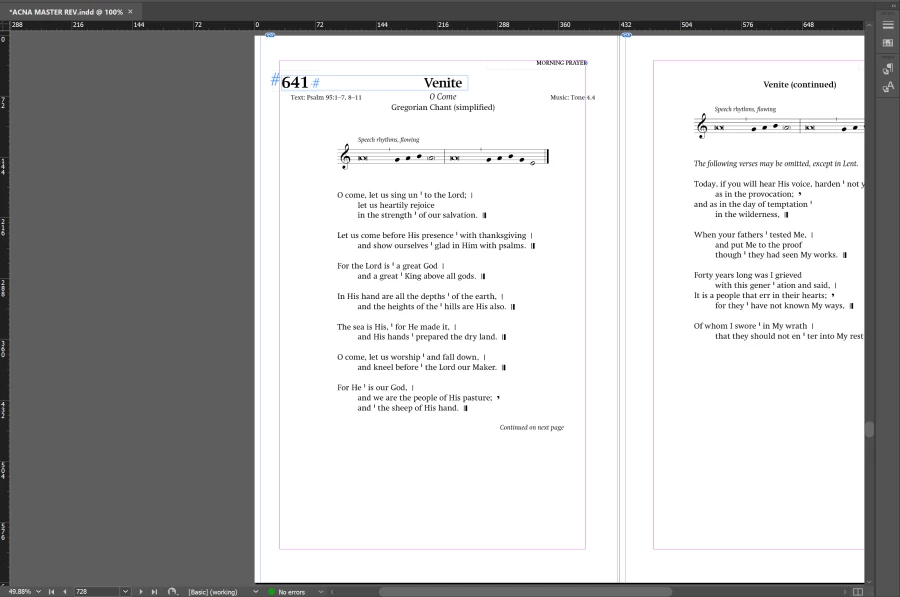
When I use Ctrl-0 to center the spread in the window, it moves it so far to the right that only the left page is visible. When I scroll right to center the spread properly, then use a shortcut for Next Spread, it kicks it back off center.
It's driving me nuts. How can I fix this?


This topic has been closed for replies.
Correct answer Brad @ Roaring Mouse

Ctrl-0 centers the selected PAGE on the screen. As George mentioned, the correct command is Ctrl-Alt-0. OR you can double-click the hand tool in the Tools panel.

Also: Next Spread is Alt-PageDown.

3 replies

Brad @ Roaring Mouse
Community Expert
Brad @ Roaring MouseCommunity ExpertCorrect answer
Community Expert
April 11, 2022

Ctrl-0 centers the selected PAGE on the screen. As George mentioned, the correct command is Ctrl-Alt-0. OR you can double-click the hand tool in the Tools panel.

Also: Next Spread is Alt-PageDown.

Dan Kreider
Known Participant
April 11, 2022

Thanks folks.

Geоrge
Legend
April 11, 2022

Right shortcut here is CTRL+ALT+0


Remember, never say you can't do something in InDesign, it's always just a question of finding the right workaround to get the job done. © David Blatner
Derek Cross
Community Expert
Community Expert
April 11, 2022

If the shortcuts mentioned don't work, try resetting the InDesign preferences back to the factory defaults.

1) Close InDesign
2) Double click on Adobe InDesign's icon to launch it
3) QUICKLY hold down Ctrl+Alt+Shift. (for Windows) or CTL+OPT+CMD+Shift (for Mac OS X)
4) When a dialogue appears, asking you “Delete InDesign Preference Files?” Click Yes.
If you don't see the question repeat the procedure again.