Inspiring
July 23, 2025
Answered

stlye for more ballanced lines

  • July 23, 2025
  • 3 replies
  • 568 views

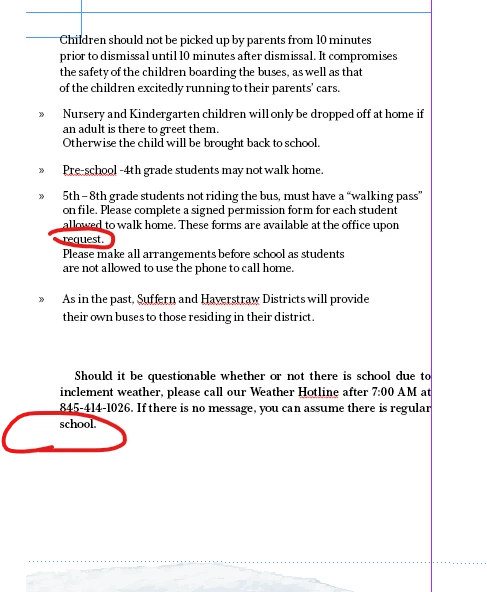
Which option by pargraph styles would get these lines more balanced out?
 

Correct answer Eugene Tyson

it's applying a no break style to the last 10 characters (any character) in the paragraph. 

If it goes over 10 characters it stops applying the no break. 


You can increase the value to 11 or 15 or 20 - whatever you think suits your needs best. 


As for my own personal needs

the grep I use is

(?=\w{1,8}..?$)


And again - apply an increase or decrease by changing the 8 value. 


This targets the very last space in a paragraph. 


Usully I do a find change at the end to replace all before making the PDF. In tandem with about 20 other GREPs to tidy up the text for my needs.

3 replies

Community Expert
July 24, 2025

Either tracking/kerning the entire paragraph so it fits (I tend not to go beyond -30) 

Or add a non-breaking space between the two words - or a no break. 


I had a grep that was complex for this task to find the last space - I can share later when I have indesign open - but someone else shared a simpler way 


Create a character style called No Break and enable the No Break feature in the style.

in the Grep Style


No Break Style

.{10}$


and if 10 is not enough then make it 11 or 12 or 15 - whatever works. 


This keeps the last 10 characters no matter what they are as No Break, so they stay together. Just change the number to decrease/increase the requirement.

Inspiring
July 24, 2025

yes, thank you.

I've done this in the paste, but it's currently not working.

Would there be a reason for this?


Eugene TysonCommunity ExpertCorrect answer
Community Expert
July 24, 2025

it's applying a no break style to the last 10 characters (any character) in the paragraph. 

If it goes over 10 characters it stops applying the no break. 


You can increase the value to 11 or 15 or 20 - whatever you think suits your needs best. 


As for my own personal needs

the grep I use is

(?=\w{1,8}..?$)


And again - apply an increase or decrease by changing the 8 value. 


This targets the very last space in a paragraph. 


Usully I do a find change at the end to replace all before making the PDF. In tandem with about 20 other GREPs to tidy up the text for my needs.

BobLevine
Community Expert
Community Expert
July 23, 2025

You may just have to fix that manually.

Peter Spier
Community Expert
Community Expert
July 23, 2025

It may or may not help to check the Balance Ragged Lines box in the INdents and Sapcing section of your style definition.
