Participating Frequently
October 5, 2020
Answered

Strange bars appear on reopening a document

  • October 5, 2020
  • 1 reply
  • 903 views

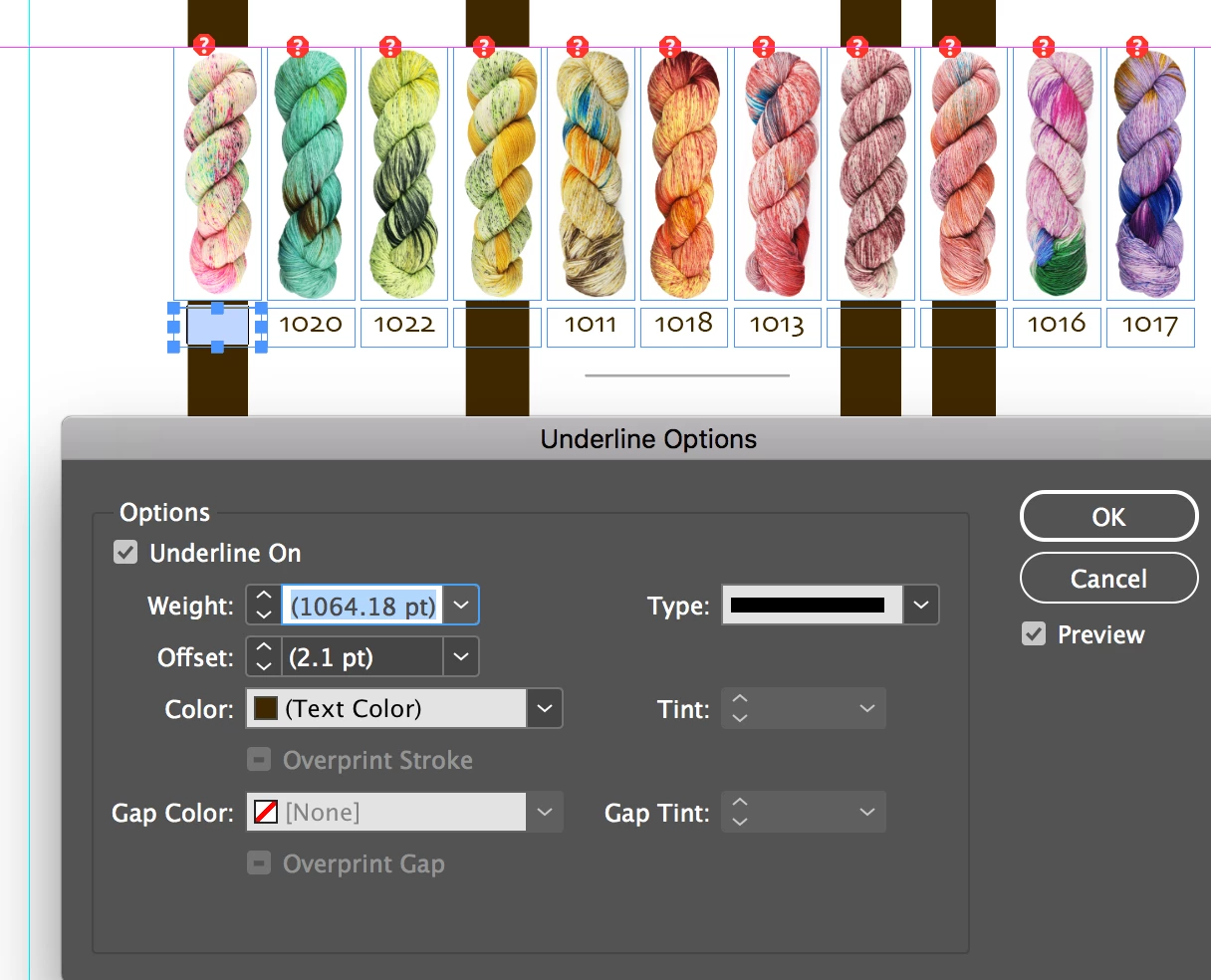
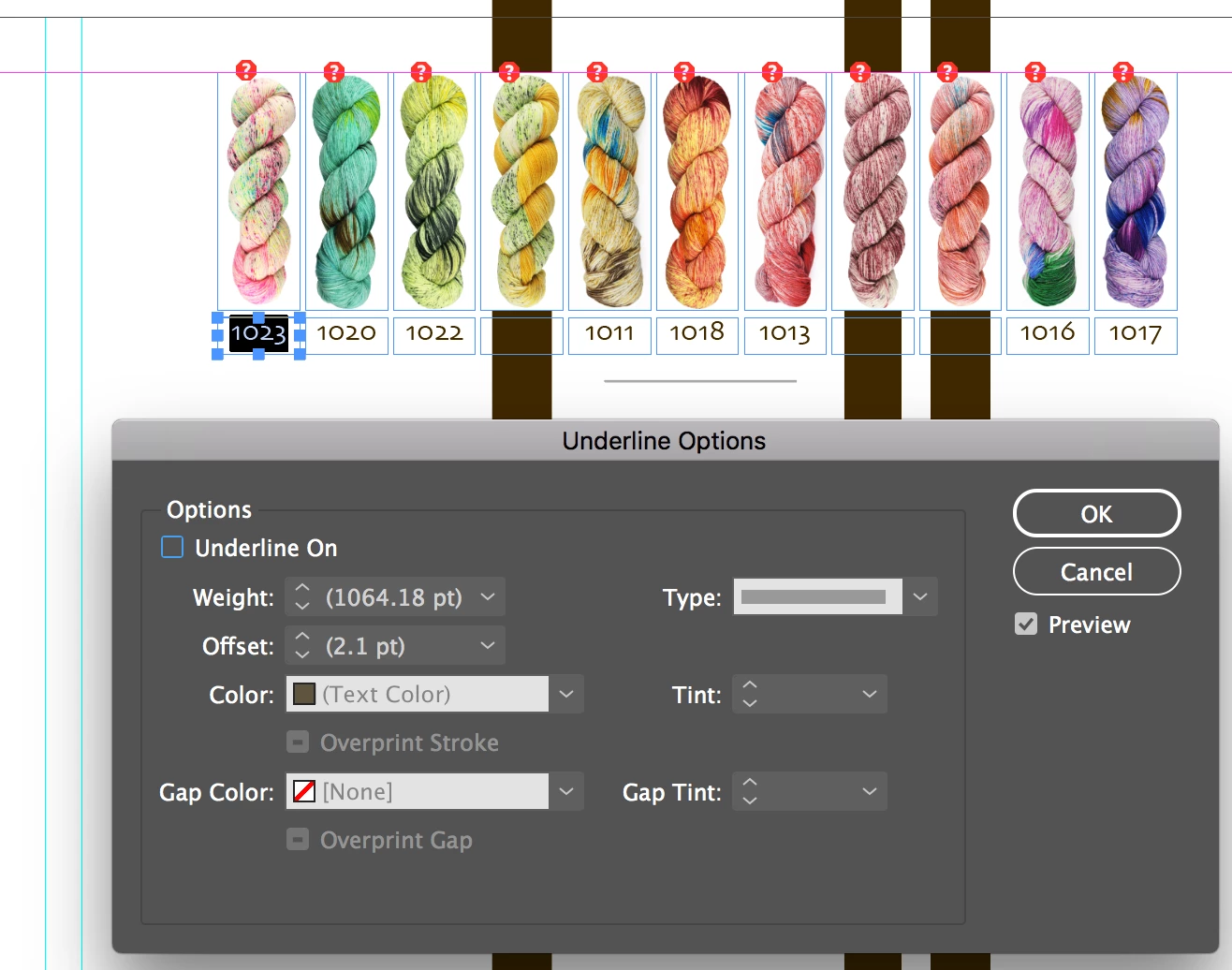
This is weird. I'm working on the latest version of InDesign. I have files that were created using an earlier version (maybe a year ago) and I need to update them. When I open the file, in the second page, these weird bars show up. They are not part of any text or image boxes, but if I delete the text or image boxes, the portion of the bar goes away. See attached images. This happens with all the files of this kind. Not other documents. These bars do get exported as a PDF with the rest of the document.
This topic has been closed for replies.
Correct answer SJRiegel

Sure. The link is https://shared-assets.adobe.com/link/485fdd66-1fef-4922-6a39-e0d4c2d27313


I tried copying the boxes and pasting them to a new document and the bars came with the boxes.


The text in those boxes has a really large underline applied. 

Turn off the underline, the bar goes away.

1 reply

Dave Creamer of IDEAS
Community Expert
Community Expert
October 5, 2020

I would save the InDesign files as an IDML; then open the IDML and save-as a new ID files (don't replace your original).

This should/could remove any possible document corruption. Keep in mind that you may lose any new features since the IDML basically brings the document back to CS4.

David Creamer: Community Expert (ACI and ACE 1995-2023)
Jonas5D19Author
Participating Frequently
October 5, 2020

Thank you for replying. I just tried that and the bars are still there when I open the IDML file. I re-saved with a different name and the bars are still there when I reopened the new INDD file.

Dave Creamer of IDEAS
Community Expert
Community Expert
October 5, 2020

Can you upload a sample of the file to your CC account and share it?

David Creamer: Community Expert (ACI and ACE 1995-2023)