


Strange shadow appearing on image when I export to PDF. How do I get rid of it for printing?
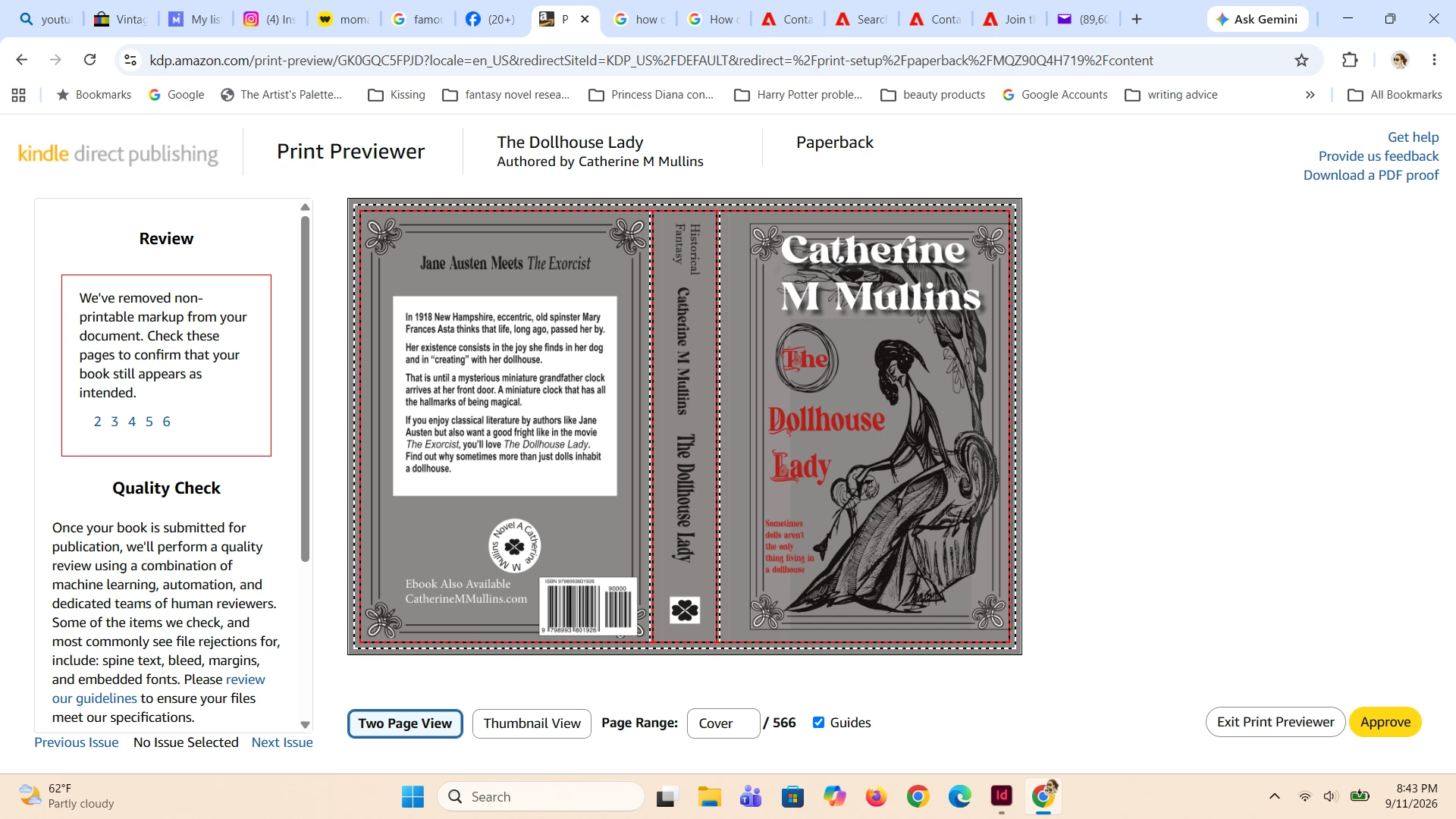
Hello everyone, I am having a strange problem with exporting to PDF. I am working on a print book cover for Amazon Kindle and the book cover I have looks fine in my InDesign Program. But then when I export to PDF (using the X-1A option) this strange shadow shows up beneath my name and behind the image on the Kindle Print Previewer. I’ve checked the transparency and I believe everything is 100% opaque (except of course for the border which is a PNG file). I tried adding a box with the cover color behind the image to no luck.
Now I checked with someone on Amazon’s end and they said my image wasn’t flattened. When I tried “print to PDF” the grey shadow box thing disappeared. But of course I can’t upload the Print to PDF option in Amazon because there is no size option for the size of my cover (all the options in print to PDF are for very specific paper options).
Does anyone know how to get rid of this shadow or what is causing it?
 AdChoices