@mateuszp13156491 said: "The problem is, that Find/Change can not find this thing."
Hm. My guess is that you see a FEFF special character. Check that by selecting the character and look up its Unicode code point with InDesign's Info panel. If it is the one you cannot find it with GREP Find, but you should be able to find and remove it with TEXT Find/Change. The find pattern would be:
<FEFF>
But be careful with removing it. Here a screenshot that describes what that special character stands for and what could happen for several use cases of that special character if you remove it:
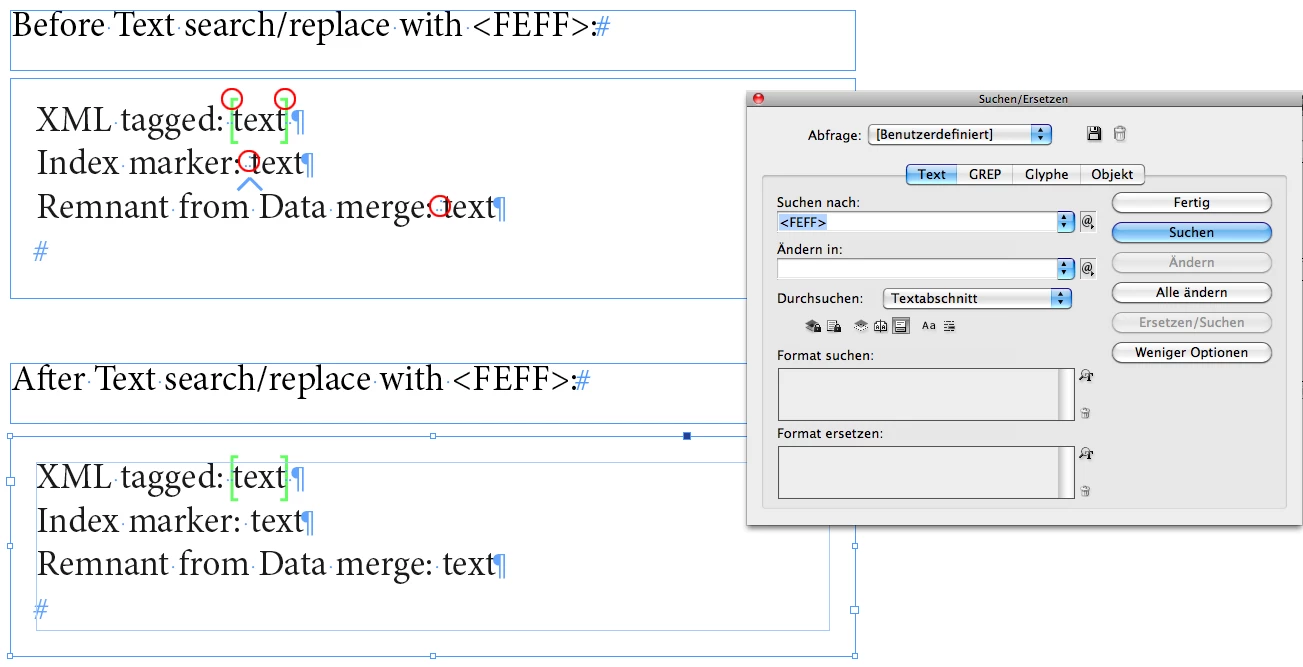
In the screenshot above you see that index markers will be removed by replacing <FEFF> with nothing.
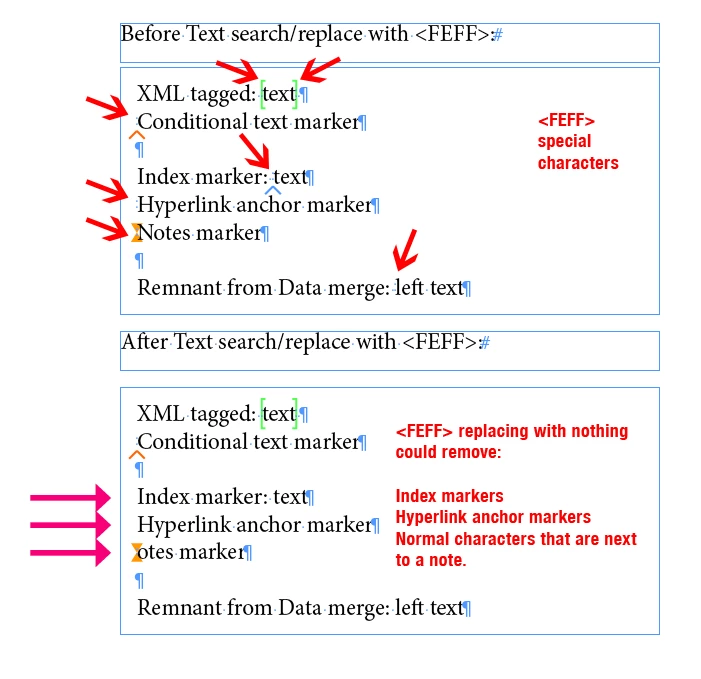
But there is also more to it like the next screenshot is showing:
So to sum this up:
When you remove <FEFF> special characters globally in your document all index markers are gone, all hyperlink anchor markers as well. Also remnants from a data merge or even remants from Shared Review or PDF Comments that are left overs after you did a change in a reviewing workflow ( not shown above ).
And it could play bad tricks with your text, if the text contains any note objects.
So I would remove them only one by one and not with the "Change All" button.
Regards,
Uwe Laubender
( Adobe Community Professional )



 AdChoices