
D34DC3N73R
Participating Frequently
December 18, 2020
Answered

Stroke alignment with compound path

  • December 18, 2020
  • 2 replies
  • 827 views

Stroke alignment appears to be opposite for the interior of compound paths

Stroke aligned center
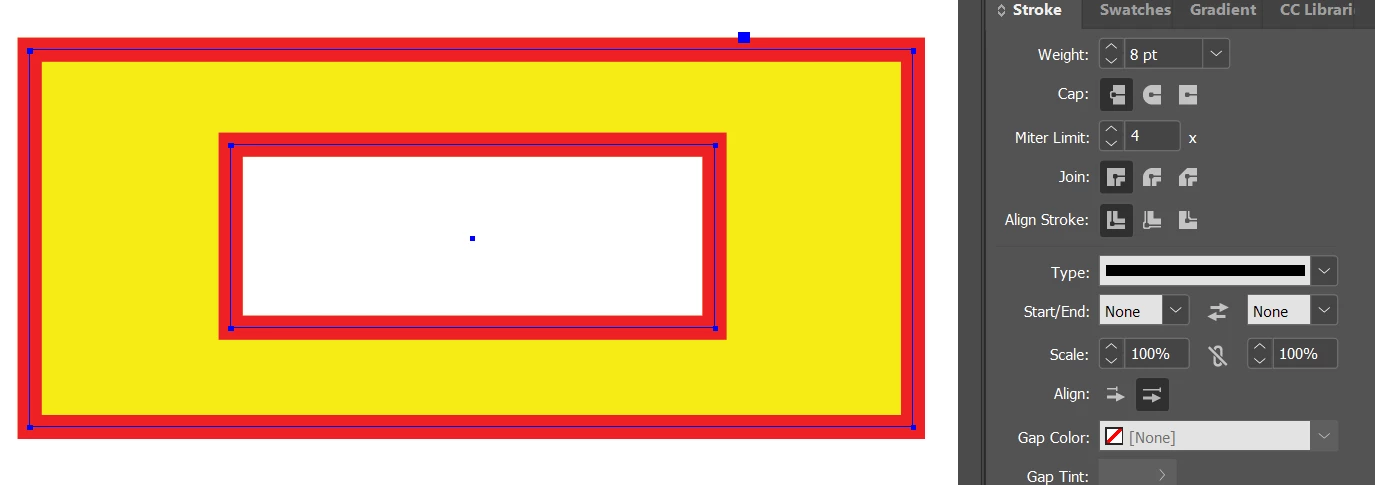
Stroke aligned inside (which is actually aligned "outside" of the interior shape)
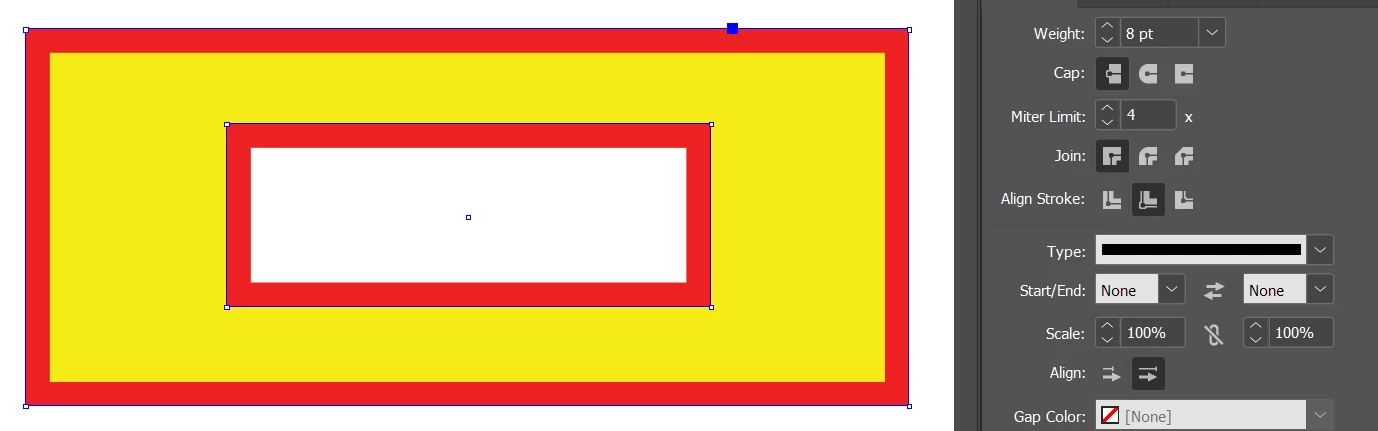
Stroke aligned outside (which is actually aligned "inside" the interior shape)
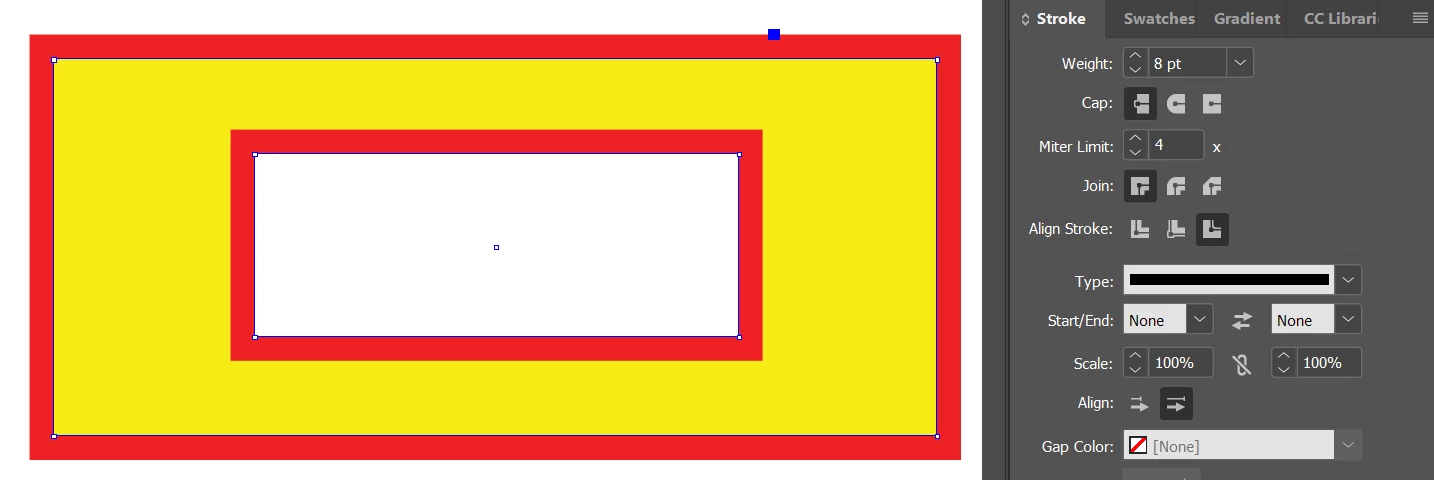

This is mainly an issue when outlining text that includes an aligned stroke. Is there a way to fix this without stacking shapes?

Correct answer Scott Falkner

This bug has existed in InDesign for several versions. You can vote on it here.

2 replies

Community Expert
December 19, 2020

D34DC3N73R says: "…This is mainly an issue when outlining text that includes an aligned stroke."

Yes, of course. It is no issue if you are working with editable text.


On the left editable text, in the center the same text converted to outlines ( stroke alignment changed! ), on the right stroke alignment position set to "outside". Also note that converting to ouline changed the stroke weight in the bottom row:


Why working with glyphs that are converted to graphic shapes?

Maybe you want to change position of individual path points of a glyph. Best do that with Adobe Illustrator and place an AI file after you finished.

Or do it with InDesign and create a new OpenType font from a shape.

You can do this with Jongware's and Marc Autret's script IndyFont so that you can still work with editable text and an outline like in the left column above.


For IndyFont see:

https://www.indiscripts.com/category/projects/IndyFont


Regards,
Uwe Laubender

( ACP )

Scott Falkner
Community Expert
Scott FalknerCommunity ExpertCorrect answer
Community Expert
December 18, 2020

This bug has existed in InDesign for several versions. You can vote on it here.

c.pfaffenbichler
Community Expert
Community Expert
August 6, 2025
quote

This bug has existed in InDesign for several versions. You can vote on it here.


By @Scott Falkner

I happened on this bug back in Indesign 15.0.2 and was reminded of it recently.

It seems disconcerting that it has not been fixed yet. 

Abhishek Rao
Community Manager
Community Manager
August 6, 2025

Hi @c.pfaffenbichler,


Thanks for following up. Could you confirm which version of InDesign you tested this on? If possible, please also share a short screen recording of the behavior so I can look into it further.


Looking forward to your update.

Abhishek