Inspiring
May 28, 2019
Answered

'Stroke' around one side of a text frame or object?

  • May 28, 2019
  • 3 replies
  • 7104 views

Does anyone know how to create the dark gray line or shadow across the top only of the text frames?
 

    This topic has been closed for replies.
    Correct answer vinny38

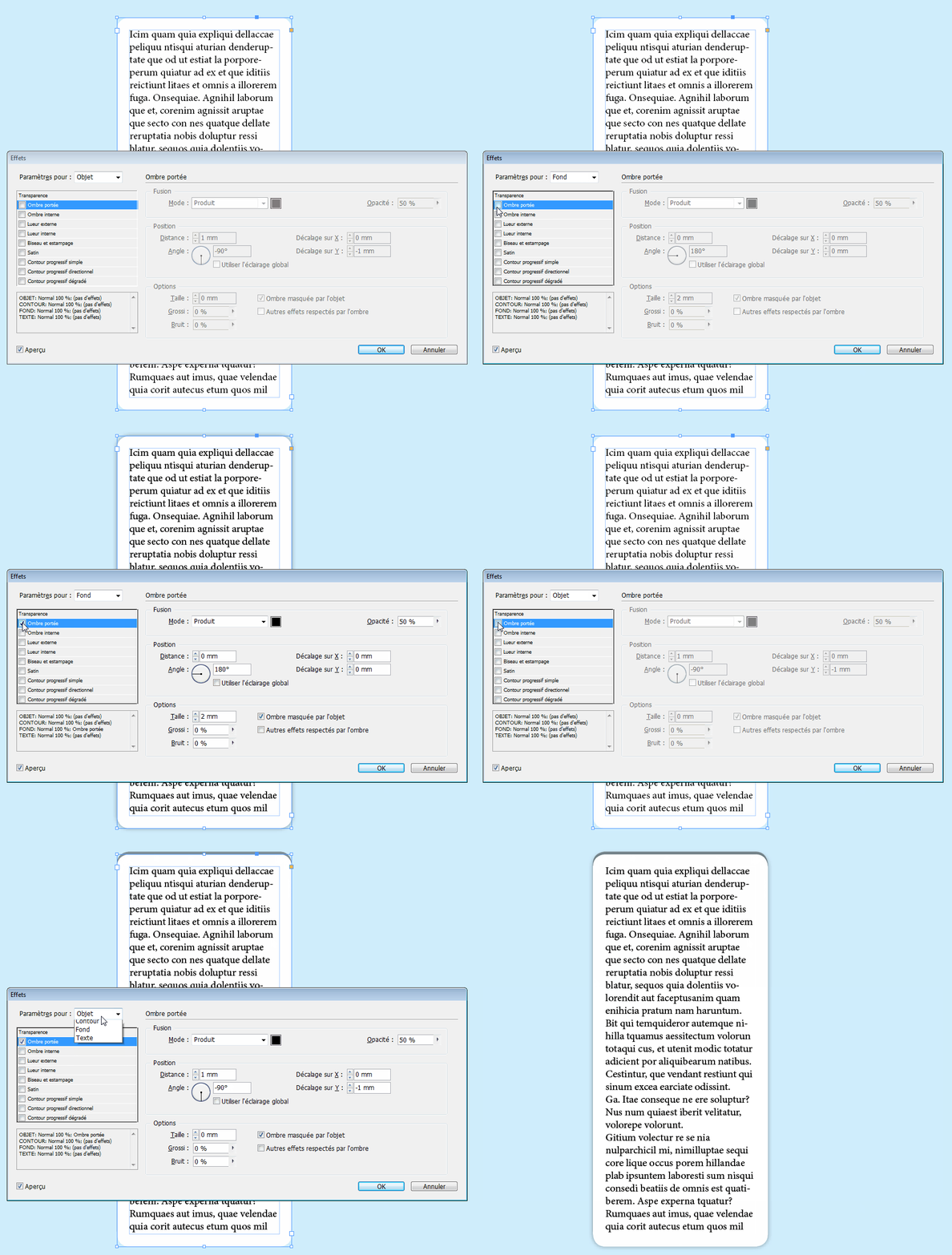
    Don't forget that you can apply effects to:

    - fill

    - stroke

    - text

    - and... the whole frame.

    So you can combine drop shadow applied to fill and drop shadow applied to object (frame)

    like this:
    3 replies

    vinny38
    vinny38Correct answer
    Legend
    May 28, 2019

    Don't forget that you can apply effects to:

    - fill

    - stroke

    - text

    - and... the whole frame.

    So you can combine drop shadow applied to fill and drop shadow applied to object (frame)

    like this:

    Inspiring
    May 28, 2019

    Yes, this is exactly what I was thinking (and trying!) and after restarting indd - it worked! Thank you!

    macpawel
    Participating Frequently
    May 28, 2019

    You can also use Paragraph Border option for first paragraph of your text. You can use Object style with embeded Paragraph and such effect you can make almost automatically

    Community Expert
    May 28, 2019

    Hi jillo10791090 ,

    there is no feature for text frames that would allow this.

    A workaround would be to use an anchored graphic frame and the effect you are currently using is applied to the anchored frame. The frame's anchor position is relative to the top of the frame it is anchored with.

    Regards,
    Uwe