Participant
November 10, 2020
Answered

Stroke Scaling not Working Indesign CC

  • November 10, 2020
  • 4 replies
  • 12506 views

This issue just started today.  


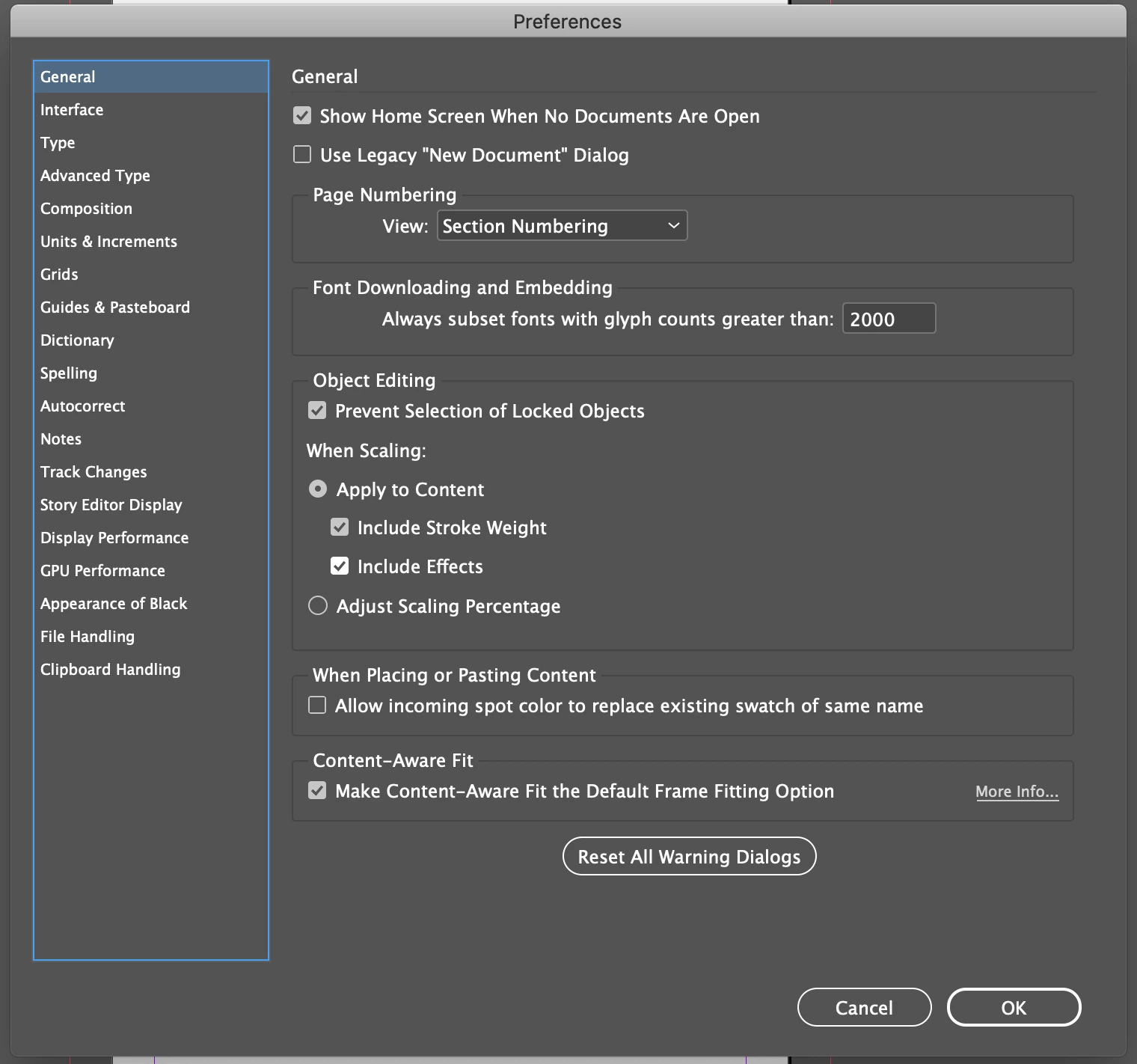
When I scale an object the strok does not scale with it, even though my settings are set to scale stroke and effects.  Here are my settings in Indesign preferences:  


Here are my settings in the transform window:  
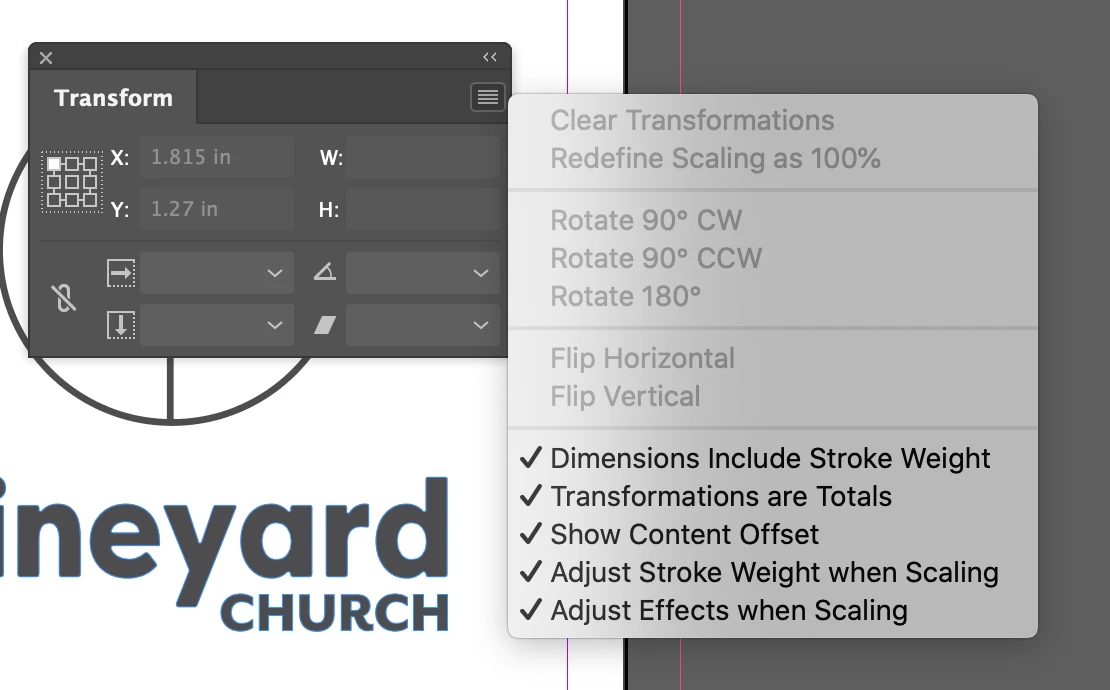


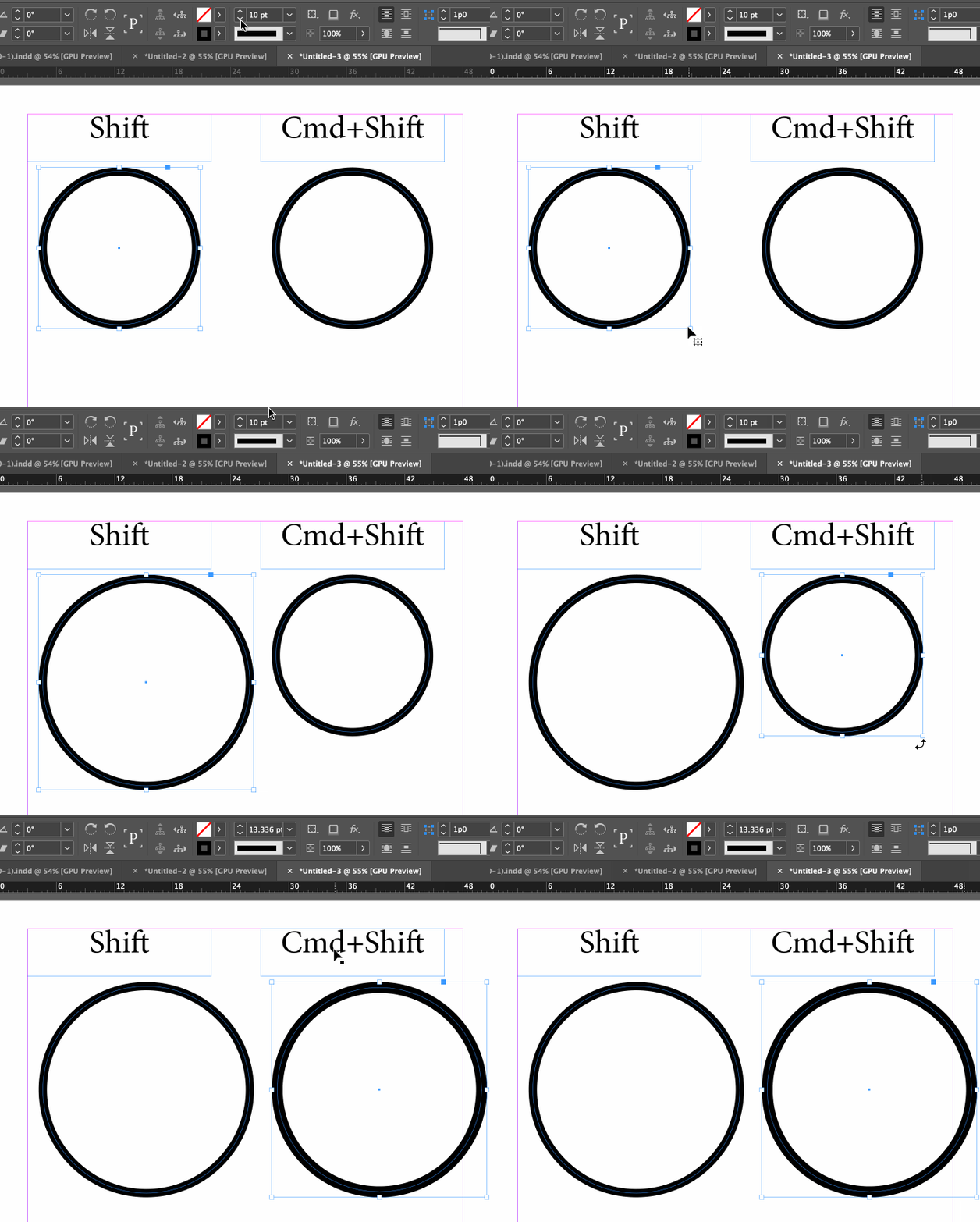
So, if I'm correct, the strokes should be scaling, but it doesnt.  Here's what's happening:  



I've tried the following:  


1.  restting the preferences.  

2.  quitting and restarting indesign 

3.  Re-selecting preferences.  

4.  Restarting Computer.  


I'm running Indesign CC (up to date) on a Macbook Pro 2019, OS 10.15.7.


Any advice is much appreciated.  Thanks!  


This topic has been closed for replies.
Correct answer Barb Binder

Are you holding down Ctrl/Cmd as you scale? (Shift too, of course, to maintain the aspect ratio.)


~Barb 


4 replies

Community Expert
November 18, 2020

Hi Josh,

don't know why, but I thought you were trying to scale the artwork with the Transform panel.

That will definitely work as expected with your set preferences if you type in new values for Scale. The same if you are using the input fields for Scale in the Control panel. That as an explanation why I suggested to make the document available.


FWIW: Simply dragging the handles of a frame, in your case a group, to a new size is something very different than scaling. Without holding an additional key, the Ctrl/Cmd key, you simply doing a new size. It will not scale a property like stroke weight. Thankfully Barb gave you the solution!


Regards,
Uwe Laubender

( ACP )

Barb Binder
Community Expert
Community Expert
November 18, 2020

Hi @joshs1152553:


Glad that takes care of it for you.


On this user-to-user forum, we can't tell you why Adobe does anything (!) but we can usually offer the steps to help you accomplish a stated goal. In this case, the Cmd/Ctrl+Shift is a shortcut to resize frame and content proportionately.  And I checked InDesign 2019—it works the same way in that version, as well, so this hasn't changed lately.


~Barb 

~Barb at Rocky Mountain Training
Barb Binder
Community Expert
Barb BinderCommunity ExpertCorrect answer
Community Expert
November 18, 2020

Are you holding down Ctrl/Cmd as you scale? (Shift too, of course, to maintain the aspect ratio.)


~Barb 


~Barb at Rocky Mountain Training
Participant
November 18, 2020

Thanks!   I did that and it works.  So, that'll help me get the project done now.  But, I'm still wondering why it doesn't work by default since I have it set up that way.  


Josh 

Community Expert
November 18, 2020

Hi Josh,

can you make the document available for testing?
Just put it on Dropbox or a similar service and share the download link.


Thanks,
Uwe Laubender

( ACP )


Participant
November 18, 2020