
Participant
November 19, 2024
Question

Stroke weight included in dimensions of shape no matter what when using Data Merge

  • November 19, 2024
  • 8 replies
  • 415 views

Hello!

I'm new here, so please go easy on me. I'm sure there's an easy solution to my problem, but I've tried everything I can think of, and I've looked everywhere for an answer.


InDesign 20.0


Problem:

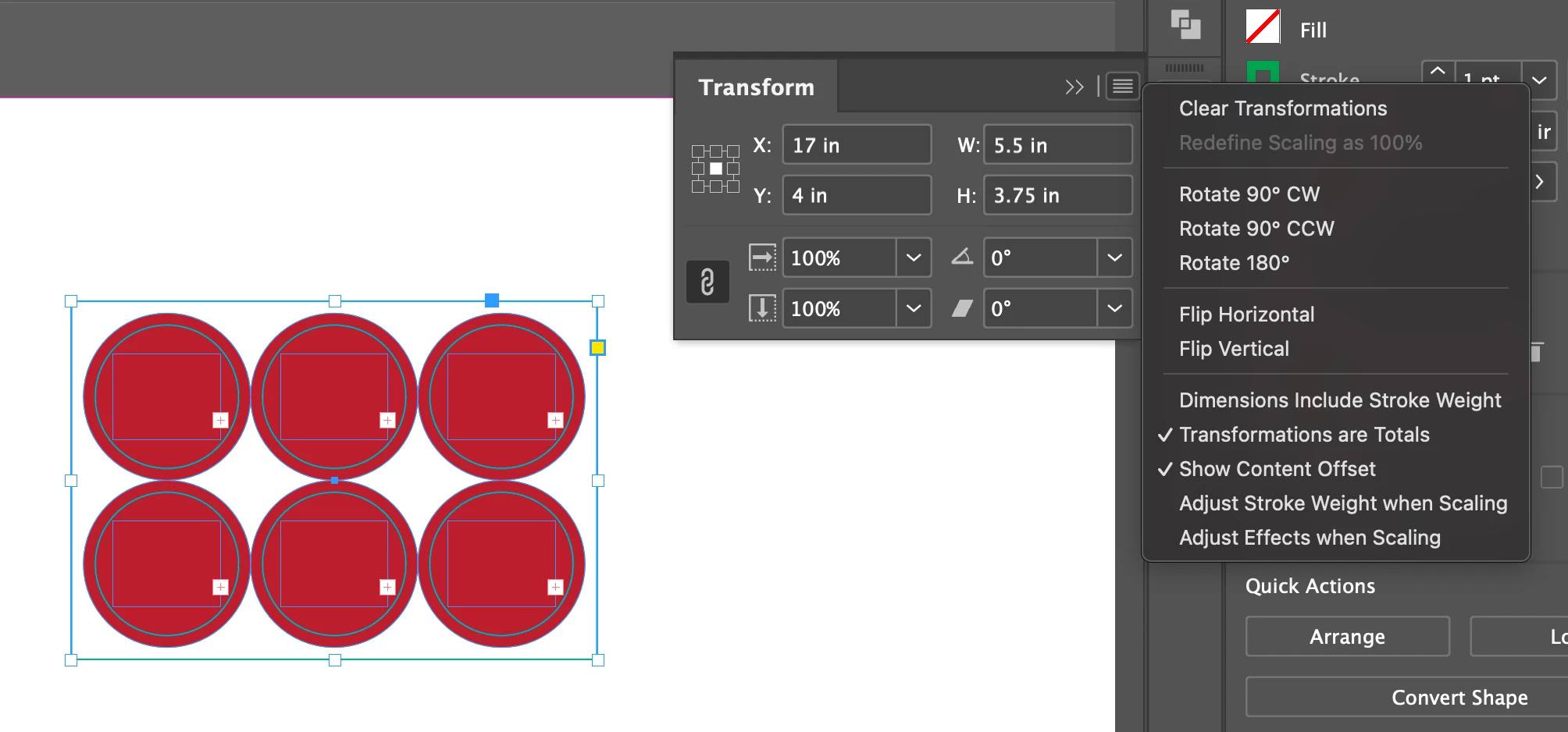
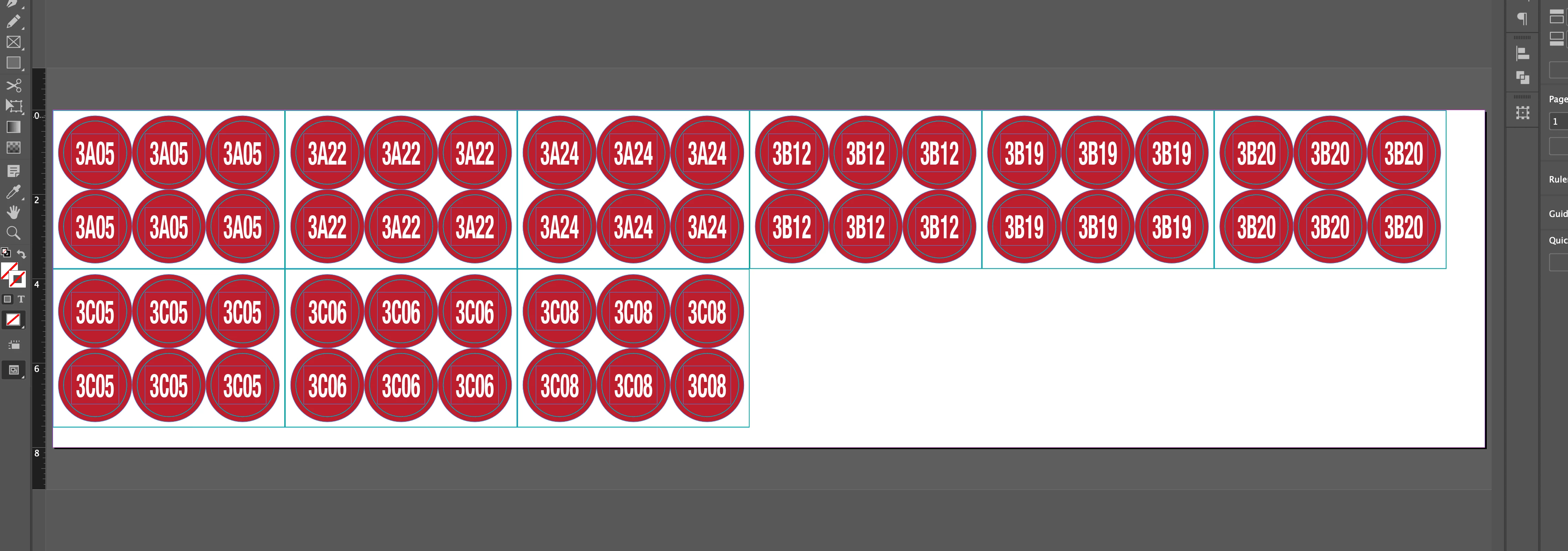
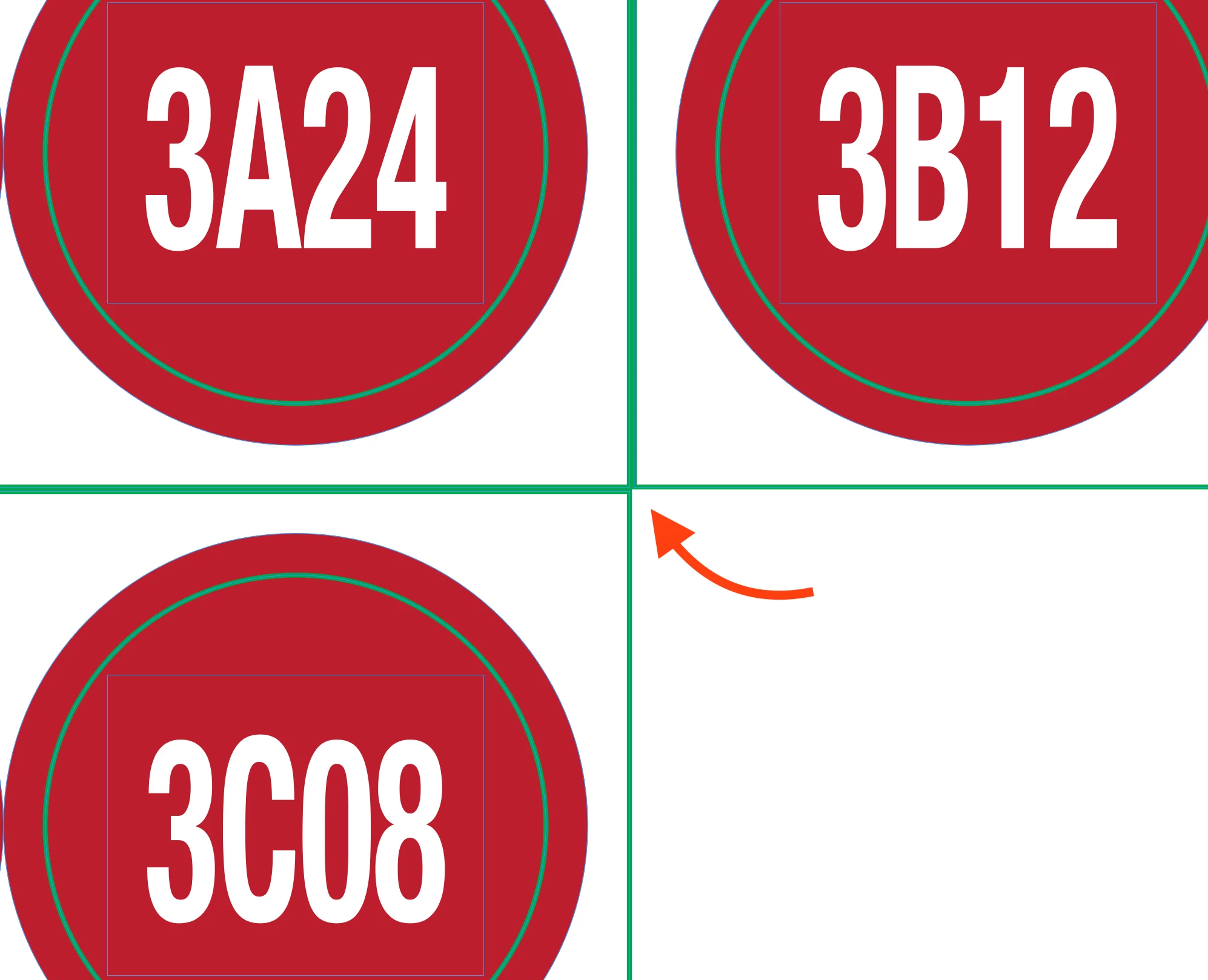
When running a Data Merge, the Stroke Weight of my rectangles seems to be included in the rectangle's dimensions, and the edges of the rectangles won't align perfectly with each other. I've disabled the "Dimensions Include Stroke Weight" option and my "Align Stroke" option is set to center, although it acts the same regardless of which option is selected.


This is the rectangle in question


This is how the Data Merge turns out


And here's a close-up of my problem


Any ideas?

This topic has been closed for replies.

8 replies

Robert at ID-Tasker
Legend
November 19, 2024

@brian.gremore


If you just importing text - you could create a template with linked TFs - on a Master - then just place your CSV  text file...


Robert at ID-Tasker
Legend
November 19, 2024

@brian.gremore


It looks like your objects are shifting?


Participant
November 19, 2024

Robert, the objects are shifting the amount of space that the stroke weight takes up, if that makes any sense. In previous Data Merges I've run, the right edge of rectangle one would be perfectly aligned with the left edge of rectangle two, etc. Now, when I run the Data Merge, it's acting as if I still have the "Dimensions Include Stroke Weight" option enabled, but I don't.

Robert at ID-Tasker
Legend
November 19, 2024

@brian.gremore


2025 if buggy... can you try in 2024? 


On the other hand - all objects should shift the same amount... 


Mike Witherell
Community Expert
Community Expert
November 19, 2024

When I want the dimensions to be predictable, I set stroke to Inside the path.

Mike Witherell
Participant
November 19, 2024

Thanks, Mike. I've actually tried setting the stroke to all three options (Outside, Inside, and Center), and it acts the same way no matter what, as far as I can tell.

Abhishek Rao
Community Manager
Community Manager
November 19, 2024

Hello @brian.gremore


Thanks for reaching out, and welcome to the community!

I understand you're encountering an issue with stroke weight affecting the dimensions of your rectangles during a Data Merge. I’d like to gather a bit more information to help us narrow down the cause:

1. Could you please share the operating system you're using (Mac or Windows)? This will help us better understand the environment.
2. Is this issue happening with just this specific file, or are you seeing the same problem in other files as well?
3. If you’re using a Mac, could you try disabling GPU performance (InDesign > Preferences > Performance > Disable GPU Performance) and see if that changes the output?

Once we have this info, we can dive deeper into the issue and figure out the best way forward. Let me know how it goes!


Best,
Abhishek Rao  

Participant
November 19, 2024

Thank you for the reply, Abhishek, please see my answers below...


- I'm on a Mac running Sequoia 15.0.1.

- I haven't had this problem with other files, but I believe this is the first Data Merge I've tried to run since updating InDesign to the latest version.

- Disabling GPU Performance didn't seem to make any difference.