Participant
April 21, 2022
Answered

Style Mapping from Word No Longer Works When Placing into InDesign

  • April 21, 2022
  • 2 replies
  • 1424 views

I've used customized style mapping in the past when placing Word files into InDesign, and it has always worked pretty well. Lately, it's not working at all.


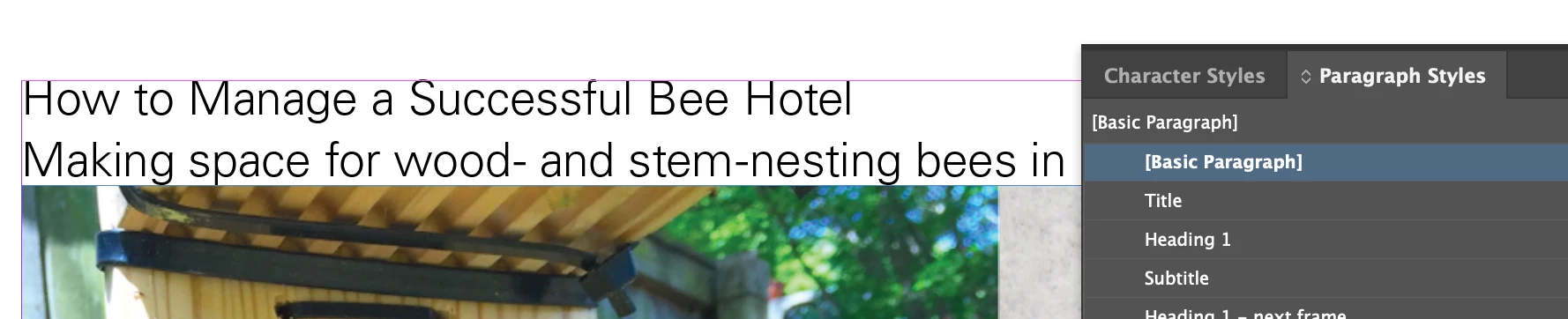
I style the text in Word and map those styles to the paragraph styles set up in my InDesign template. The text imports without any of the styles applied (usually everything ends up styled with Basic Paragraph). Some things will retain character overrides, but for the most part, it seems as though all styling is stripped from everything.


This is becoming a big issue with longer-form publications I'm working with. Has anyone experienced this, and is there a fix?


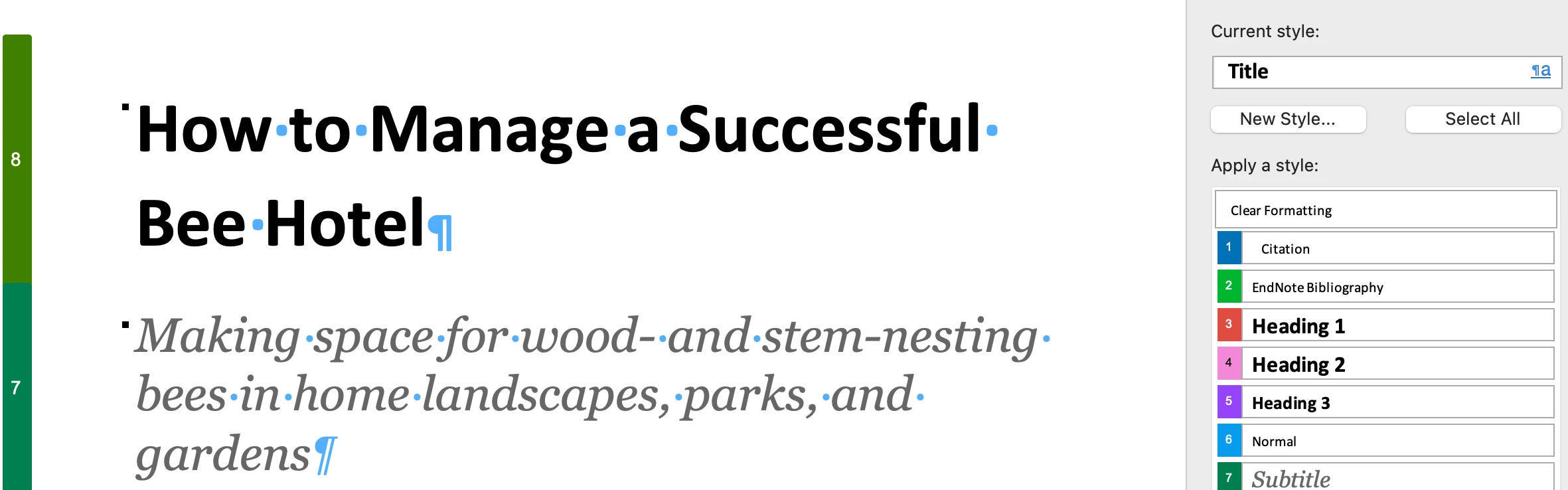
Styles applied in Word:
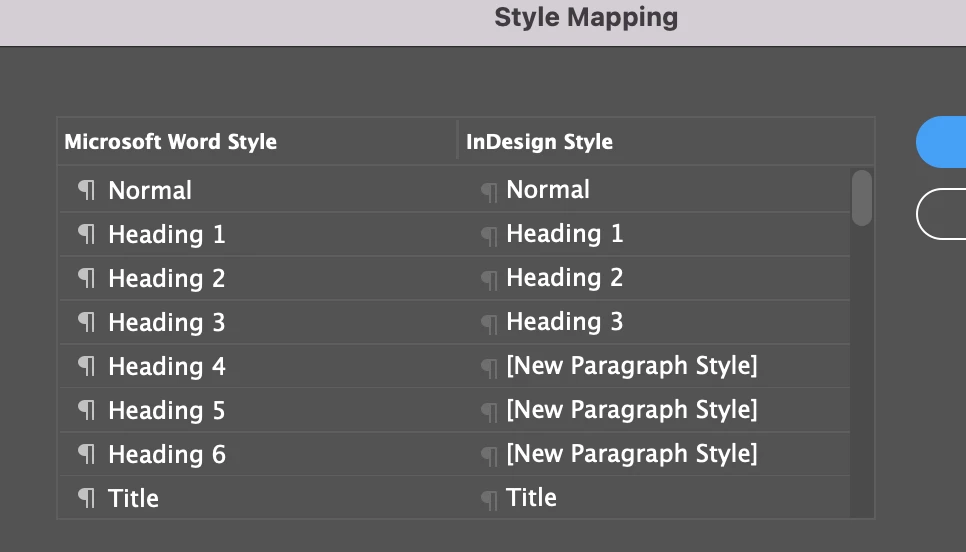
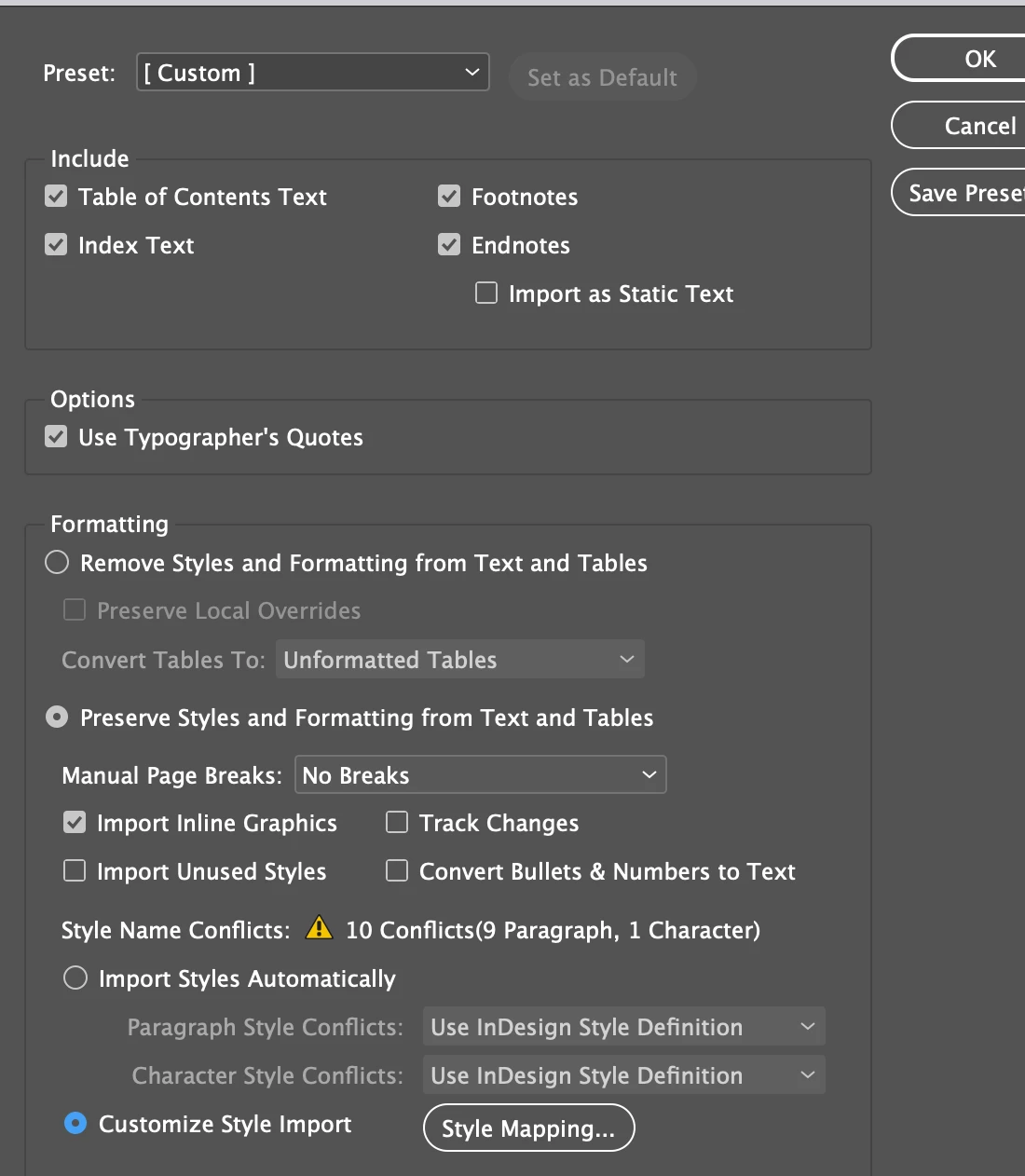
Styles mapped in InDesign:
 

End result with no styles applied:
 

This topic has been closed for replies.
Correct answer debrai41667317

Huh. That's definitely more systemic. Acting as if you have "remove all styles" selected instead of one of the import/remap options. (Stoopid question: you don't have that selected, do you?)


So you can't get any Word doc to import with styles? Maybe time to reset ID preferences as a start.


An ID preferences reset managed to set things right again. Not sure how it got so mixed up to begin with, but I'm relieved that it's not just in my head!

2 replies

James Gifford—NitroPress
Legend
April 21, 2022

I use this workflow fairly often, usually with rather complex book mss that include footnotes, endnotes and placeholder images and captions. I tend to just do a raw import and then clean up styles in ID, but that's because my work and the contributors who write stuff for me to publish follow pretty close, pro rules and there's not a lot of need to remap styles. (I do at least some remap when I get documents from less disciplined writers and committees.)


Anyway, just did this twice in the last two days with two big, spiky Word mss, and no problems along the lines you're describing. Win11, ID 17.2.


Possibly a corrupt doc? Word is so fragile when it gets past memos. 🙂


Participant
April 21, 2022

The thing that's really throwing me off with this is that it's not even importing the Word styles. I just did a raw import into a blank InDesign file with no paragraph styles set up and it just strips everything away and replaces all styles with [Basic Paragraph] except bold overrides.


I suspect there's an issue with Word as it seems to do this with other files as well. I just created a basic test file in Word using the built-in styles and InDesign does not even import them. Maybe I need to reinstall one or both apps.


I'm on macOS Monterey 12.3.1, ID 17.2, Word for Mac 16.60

James Gifford—NitroPress
Legend
April 21, 2022

Huh. That's definitely more systemic. Acting as if you have "remove all styles" selected instead of one of the import/remap options. (Stoopid question: you don't have that selected, do you?)


So you can't get any Word doc to import with styles? Maybe time to reset ID preferences as a start.


Diane Burns
Inspiring
April 21, 2022

Haven't experienced this problem. Just out of curiosity, since it looks like you are using the same names for your styles in InDesign as those in Word, e.g. "Heading 1," what happens if you check instead "Import Styles Automatically" and use InDeign Style Definition. Looks like that would take care of at least 10 styles, which are now showing as conflicts.

Participant
April 21, 2022

The same exact result happens when I tried "Import Styles Automatically." It also does not create any new paragraph styles from Word (even though there are styles in the list that I leave as "[New Paragraph Style]" on the InDesign side of the map), but it does add some of the Word character styles.