

ellens25
Participant
July 22, 2022
Answered

Style Sheet Overrides

  • July 22, 2022
  • 3 replies
  • 756 views

I'm working on a new InDesign document using style sheets, and when I change a word size, font or color, it highlights the word. I can't make the highlight thing go away. Looked through Preferences, Type, Object, etc. Help!
This topic has been closed for replies.
Correct answer Geоrge

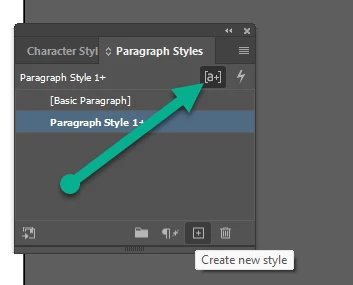
Uncheck this - 


In addition here the video:

https://youtu.be/seLqZfOTO_Y


3 replies

Rishabh_Tiwari
Community Manager
Community Manager
July 22, 2022

Hi @ellens25 ,


Thanks for reaching out. I found a similar discussion which you can refer to here https://community.adobe.com/t5/indesign-discussions/highlighted-text-when-making-changes-to-font-and-size/m-p/10972802#M178497 Let us know if this helps or if you need any further assistance.


Regards

Rishabh

ellens25
ellens25Author
Participant
July 22, 2022

Thank you! It worked like a charm.

BobLevine
Community Expert
Community Expert
July 22, 2022
Geоrge
GeоrgeCorrect answer
Legend
July 22, 2022

Uncheck this - 


In addition here the video:

https://youtu.be/seLqZfOTO_Y


Remember, never say you can't do something in InDesign, it's always just a question of finding the right workaround to get the job done. © David Blatner
Willi Adelberger
Community Expert
Community Expert
July 22, 2022

A better solution would be, not to make any style overrides at all. Use character styles. That is correct work. 

ellens25
ellens25Author
Participant
July 22, 2022

I agree. I do use character style sheets (and teach students how to use them) but occasionally there's a one-time aberration needed, like a big exclamation point. I don't want or need to create a character style for it.