Inspiring
August 24, 2022
Answered

Styling paragraph numbers with circle under

  • August 24, 2022
  • 1 reply
  • 241 views

Hi  - Does anyone know if its possible to style paragraah numbers like the above with the circle under the number?


There are quite a few of them in the document - aso ideally I want a method, either using the styling panels or an embedded object circle.... or perhaps there is another solution....?

The text may all move in the editing process so I'm looking for a solution where the circle will move with the text.


Thanks in advance!
This topic has been closed for replies.
Correct answer jmlevy

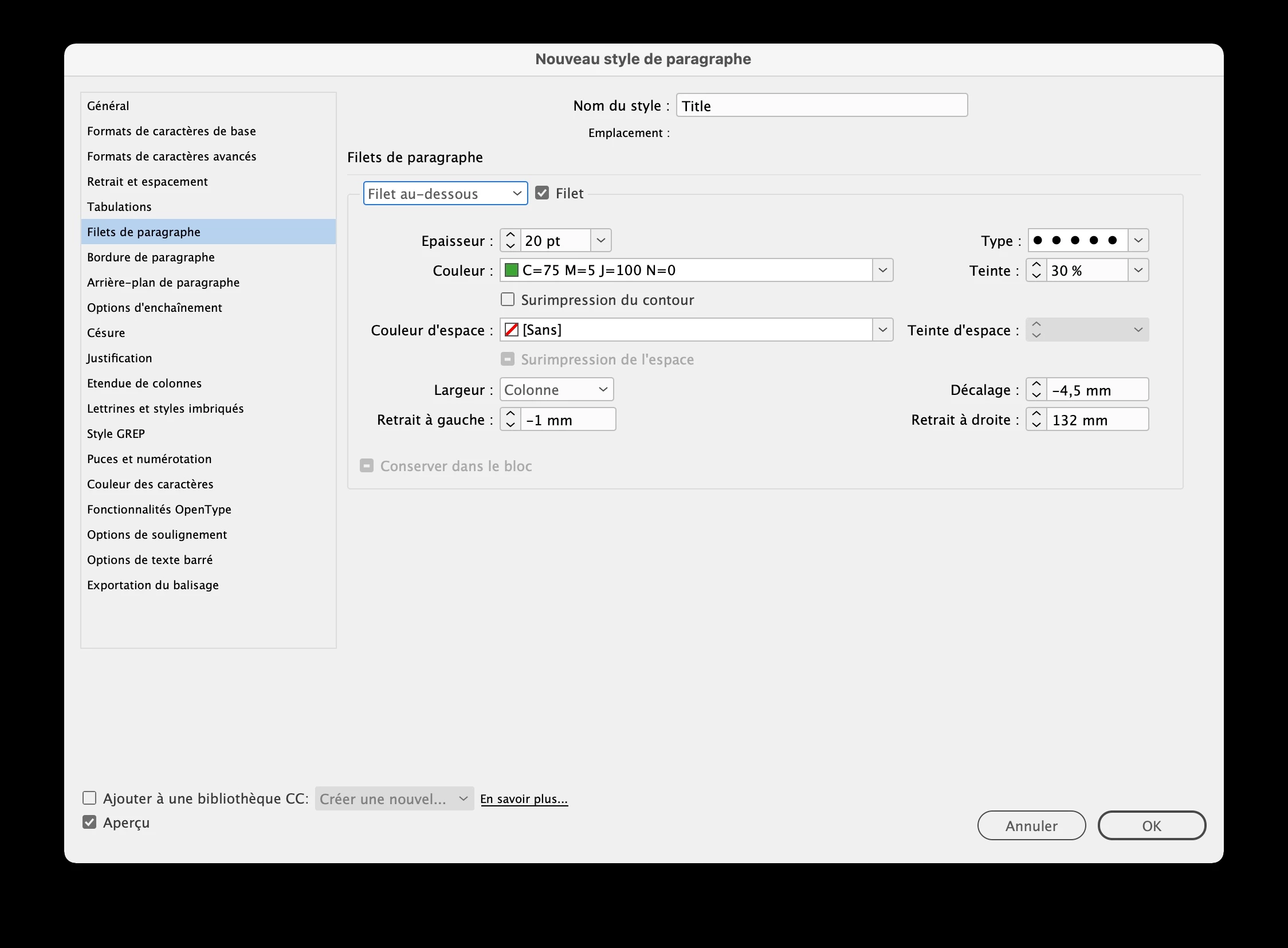
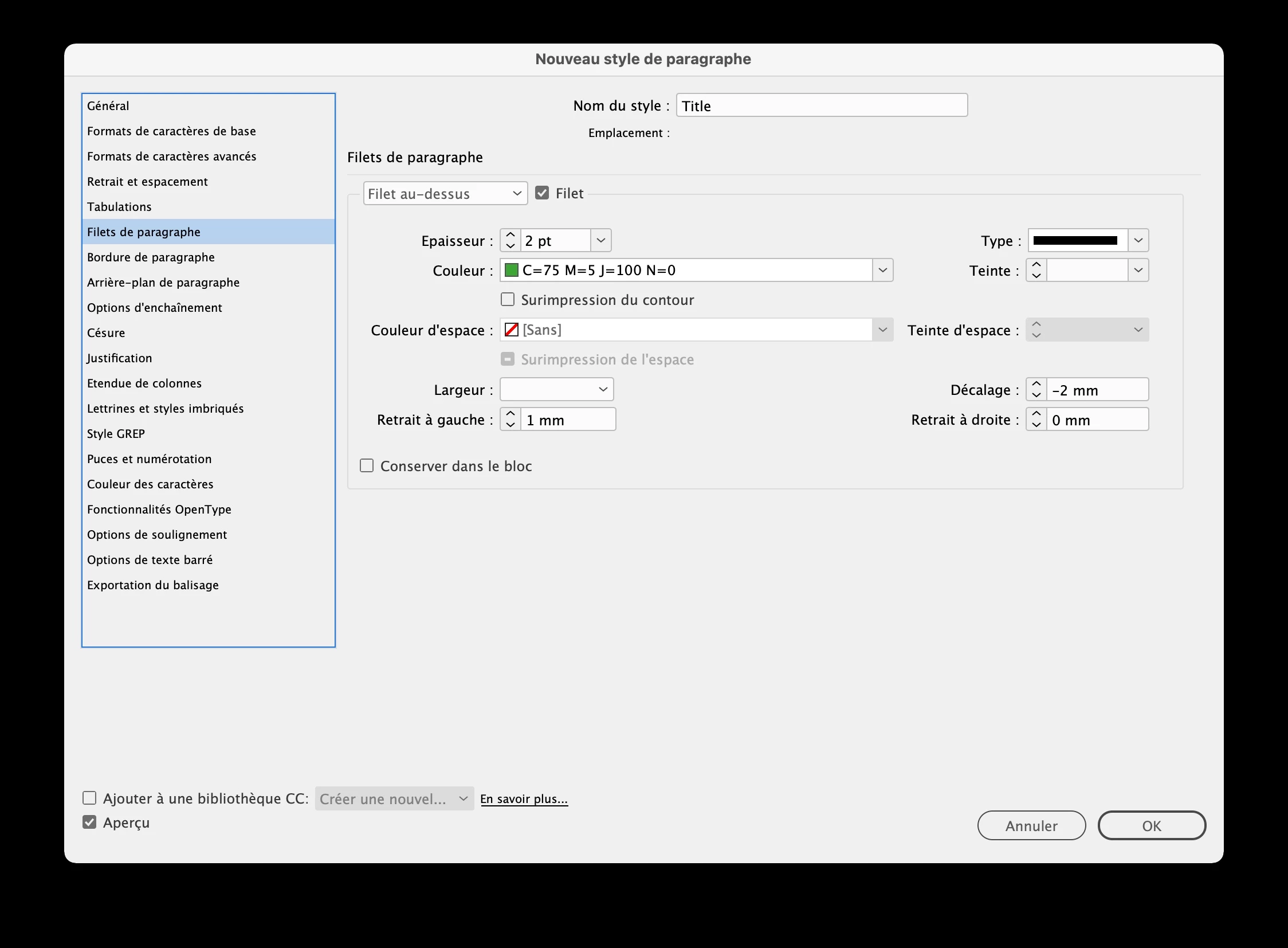
You can use a rule above and a rule below, as shown in my screenshots. It is a French version, but I am quite sure that it is understandable even if you do not read French. Of course, you will have to adjust the settings, especially the right inset (132 mm) which will change according the width of the frame.

1 reply

jmlevy
Community Expert
jmlevyCommunity ExpertCorrect answer
Community Expert
August 24, 2022

You can use a rule above and a rule below, as shown in my screenshots. It is a French version, but I am quite sure that it is understandable even if you do not read French. Of course, you will have to adjust the settings, especially the right inset (132 mm) which will change according the width of the frame.

Inspiring
August 26, 2022

Thank you so much @jmlevy  - genious move! I never would have thought of that.