
Known Participant
November 16, 2024
Question

Swashes not printing?

  • November 16, 2024
  • 4 replies
  • 1083 views

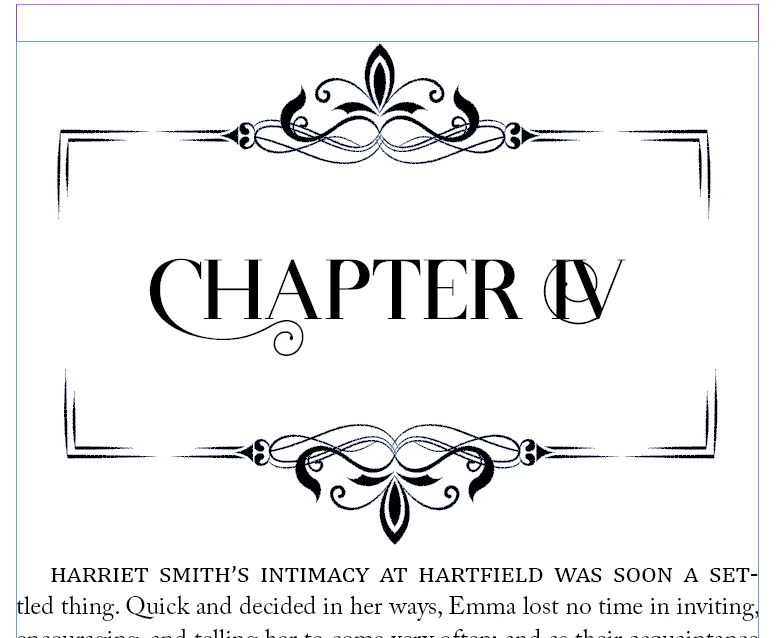
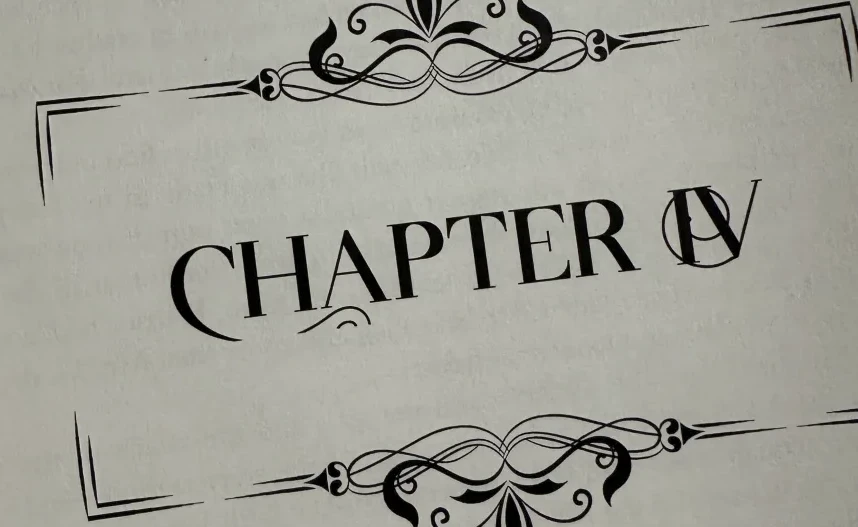
I have a font with swashes (image below,) and when I export it to PDF they appear just fine. However, when I print, they get cut off as though they are at the edge of a box. But the text box covers the entire page. The frame around it is the bottom layer, and locked. It works when I outline my type, but outlining type changes the spacing a bit, and given that this has a long of chapters I really do not want to have to go through and manually do that. Has anyone else run into this? I'm baffled


This is how it looks in ID and PDFs:
 

and this is how it prints:
 

This topic has been closed for replies.

4 replies

A.E.D.Author
Known Participant
November 16, 2024

Edit, clarifying: when I print directly from InDesign the swashes break. They do appear on PDF export, but I need to print from ID.

Community Expert
November 16, 2024

As per @Peter Spier  - acrobat is better - if you're exporting to PDF print from there. 


No idea why it's not working directly from InDesign

What printer is it? What print settings are you using? What options do you have?
Hard to know

A.E.D.Author
Known Participant
November 16, 2024

Brother HDL8360. Duplex, high quality settings. But I've tested with a couple others and this seems to happen with every font whose swashes go a certain area out, so I think it has to be an issue with indesign font processing somehow

Community Expert
November 16, 2024

Open your pdf file in Acrobat Pro.

Find the Preflight.

In the Preflight Dialogue Box search for Outlines and select the Convert Fonts to Outlines Preflight


This will convert all the fonts to outlines in the PDF only (InDesign file will still be editable)


See if it prints ok now.

A.E.D.Author
Known Participant
November 16, 2024

It always printed fine from PDF, it's InDesign that I can't print from--and I need to beacuse I'm using the booklet feature 😞

Peter Spier
Community Expert
Community Expert
November 16, 2024

You should be able to print a booklet from Acrobat using the PDF and it should give better results than using Print Booklet froom InDesign.

Brad @ Roaring Mouse
Community Expert
Community Expert
November 16, 2024

Can you share a sample PDF?

A.E.D.Author
Known Participant
November 16, 2024

Here's the page I posted an image of!

Willi Adelberger
Community Expert
Community Expert
November 16, 2024

Can you move the text to the top layer above the frame and expand the text frame to the maximum?

Export as PDF/X-4

Don't makes outlones of the text. 

A.E.D.Author
Known Participant
November 16, 2024

It's already on the top layer, and the text frame is to the margins, if that's what you're referring to. Unfortunately exporting to PDF doesn't really help because I need to print from ID.