
Inspiring
July 3, 2017
Question

Swatches panel bugs

  • July 3, 2017
  • 2 replies
  • 909 views

C'mon Adobe... Stop making mess with updates and try do something right. After updating Indesign all functions in Swatches menu are dead. Why broke something that was working, or adobe just want to kill swtach panel for all. From CC2017 there is so much bug with this - not only the latest issue, becouse another iritating is that I cannot drag color from Colour panel to add it as swatch. No matter how I try, it don't create swatch with active foreground, but from background colour. But when Background color is active in Colour panel, the background colour is added to swatches.

What is going on with swatch panel?!?!?!
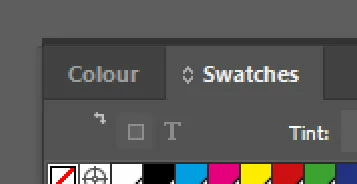
And Yes, yet another time this year I tried reseting or reinstalling Indesign and with no effect. As this bug was, that still are

    This topic has been closed for replies.

    2 replies

    Bill Silbert
    Community Expert
    Community Expert
    July 3, 2017

    Problems within Panels can often times be fixed by deleting your InDesign Cache files.

    To delete Caches:

    For Macintosh Users: With InDesign closed launch a Finder Window in column view and click on your home folder. With the Option Key pressed choose Library from the Finder Go Menu. Within the Library folder find the “Caches” folder. Within the Caches folder find and delete the entire file “Adobe InDesign”. I find that deleting the cache file completely leads to a lasting change. 

    Frans v.d. Geest
    Community Expert
    Community Expert
    July 3, 2017

    Rebuild your preferences.

    Inspiring
    July 3, 2017

    As I said, clearing all preferences and even clrear installation doesn't fix that.

    And it is ridiculous reseting all peferences becouse of so many bugs. It's my five time this year I have to install previous version to working normally as so far it was possible.

    As I tested, previus version of Indesign is working fine, even on copied workspaces and some preferences from latest release!

    Bill Silbert
    Community Expert
    Community Expert
    July 3, 2017

    The cache files are independent of the preference files so deleting them could be worth a try. Also, reinstalling will not always solve problems if the background files—preference files and/or Cache files are corrupt.