Participant
April 30, 2018
Answered

table cell issue

  • April 30, 2018
  • 1 reply
  • 582 views

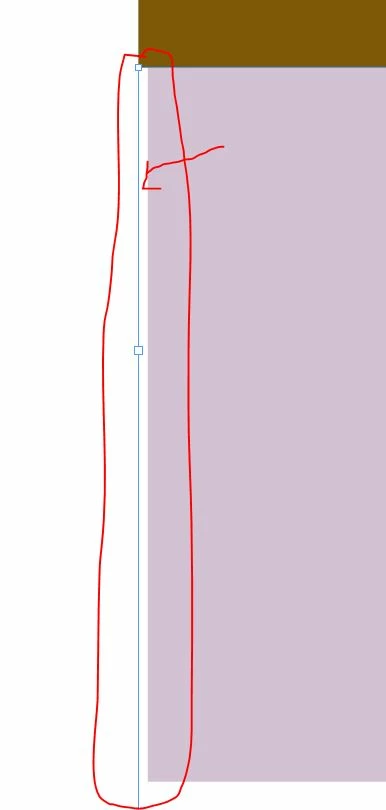
Note: this is ZOOM in to the max.

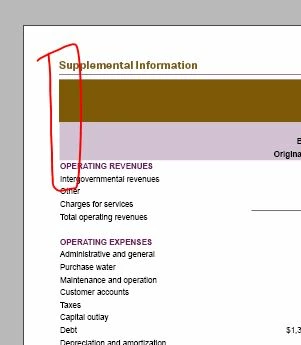
The chrome box is a text box. the purple is a big table cell with tons of data. But my issue is the white space. It won't line up because of the white space. I know it's not a stroke. I can't get rid of it. Please help.
This topic has been closed for replies.
Correct answer dave c courtemanche

Is there a border on any of the cells on the left side of the table? If I create a table with no border on left (left side of screen shot) fill goes all the way to the edge. Put a .25 white border on center row of table (right side of screen shot), now the cells above and below have slight indent off fill.

1 reply

Bevi Chagnon - PubCom.com
Legend
April 30, 2018

Does the purple cell have an inset on the left side?

|    Bevi Chagnon   |  Designer, Trainer, & Technologist for Accessible Documents ||    PubCom |    Classes & Books for Accessible InDesign, PDFs & MS Office |
bongmAuthor
Participant
April 30, 2018

no inset

dave c courtemanche
dave c courtemancheCorrect answer
Inspiring
May 1, 2018

Is there a border on any of the cells on the left side of the table? If I create a table with no border on left (left side of screen shot) fill goes all the way to the edge. Put a .25 white border on center row of table (right side of screen shot), now the cells above and below have slight indent off fill.