May 27, 2020
Answered

Table cells auto numbering

  • May 27, 2020
  • 2 replies
  • 11174 views

Hi,

I want to know is there any way to auto number the table cells in whole document?

For example;
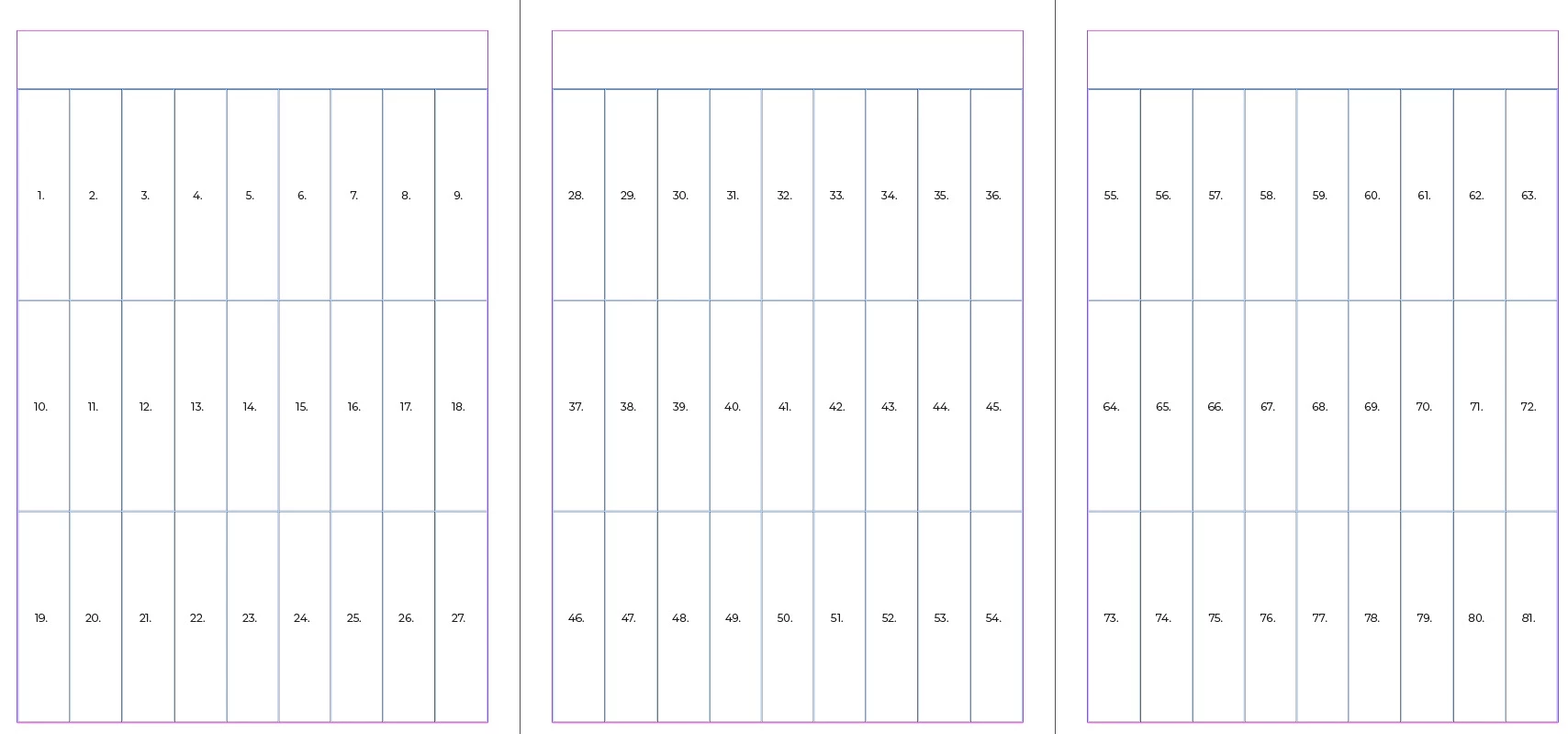
In master page I create a table with 27 cells. This table repeated in every page. I want in every cell there is an auto number procedure that show cell Number.
First page; cell number 1, 2, ..., 27.

Second page; cell number 28, 29, ..., 54 and etc.
Correct answer jmlevy

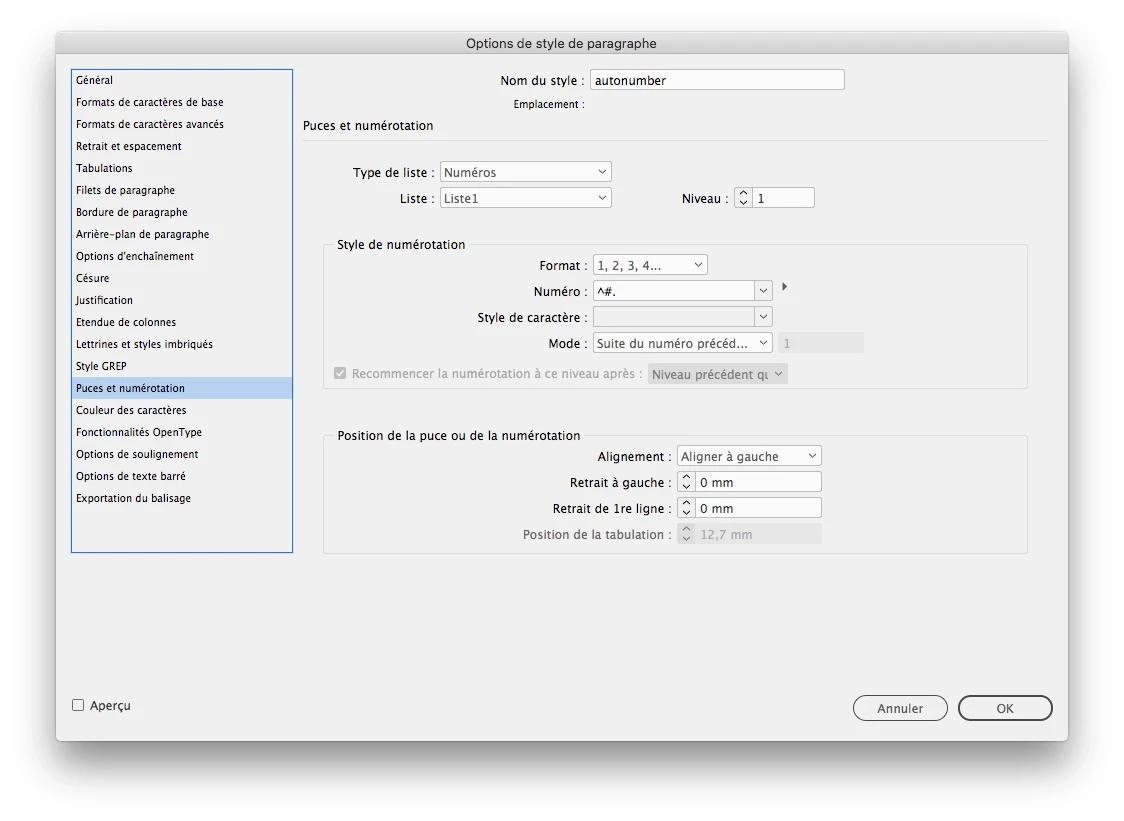
Yes, it is easy: create a paragraph style and set it up like this in the “bullet and numbering” options. The important trick is to define a list

Apply this paragraph style in every cell and type a space (or any other character) to see the autonumbering. Create the pages you need, then select each table on every page and override it by Command+Shift keys (macOS) or Ctrl+Shift keys (Windows). You will see the numebering automatically changing.

2 replies

May 27, 2020

Thank you very much,

There is one more question:
If I want to insert auto numbering inside a frame, what should Ido?
It means that I don't want to insert auto numbering inside the table cells directly, but of course inside the Frames that are inside the table cells.
I use paragraph style but the numbers aren't continued and all of them are te same "1".
Like that:


jmlevy
Community Expert
Community Expert
May 28, 2020

But why would you want to do that ? Why don't you type the text directly in the cells? Anyway, the process is the same: you have to create the paragraph style as I explained in my first post, using the autonumbering feature AND a list.

May 28, 2020

First of all;
Spesial thanks for your information and helps.
I did your suggestion and it was OK.

You ask me, why I don't type the text directly in the cells.
well, I am going to prepare flash karts, so each paper cut into 27 peaces.
As I want the flash karts look like good for student, I decided to do that.

So I  would appreciate that there is any information or suggestion for me to do it better and easier.
Finally, there are two more questions related to previous topic.

1- For auto numbering, we should click inside the frame and insert a space for example.

Is there any procedure that make it automatically for each new page that is added without clicking insid it or etc.???
2- I insert a table in master page and after that use a frame inside each cell to have the auto numbering, but the problem is that, when I want to click inside a frame in normal pages (not master page), the frame is not selected. How can I solve this problem?

[By ctrl+shift+click inside the frame, the table cell is selected not the frame]

Thanks


jmlevy
Community Expert
jmlevyCommunity ExpertCorrect answer
Community Expert
May 27, 2020

Yes, it is easy: create a paragraph style and set it up like this in the “bullet and numbering” options. The important trick is to define a list

Apply this paragraph style in every cell and type a space (or any other character) to see the autonumbering. Create the pages you need, then select each table on every page and override it by Command+Shift keys (macOS) or Ctrl+Shift keys (Windows). You will see the numebering automatically changing.

May 27, 2020

Thank you very much,
There is only one more question. If I want to apply this auto numbering inside a frame tool in every table cells, what can I do?
I mean that I don't want to insert number directly into the cells. Of course inside the frame wich is itself inside the table cell.