cassi068522616
Participant
May 18, 2017
Answered

Table header rows disapear when copy-pasting

  • May 18, 2017
  • 7 replies
  • 6478 views

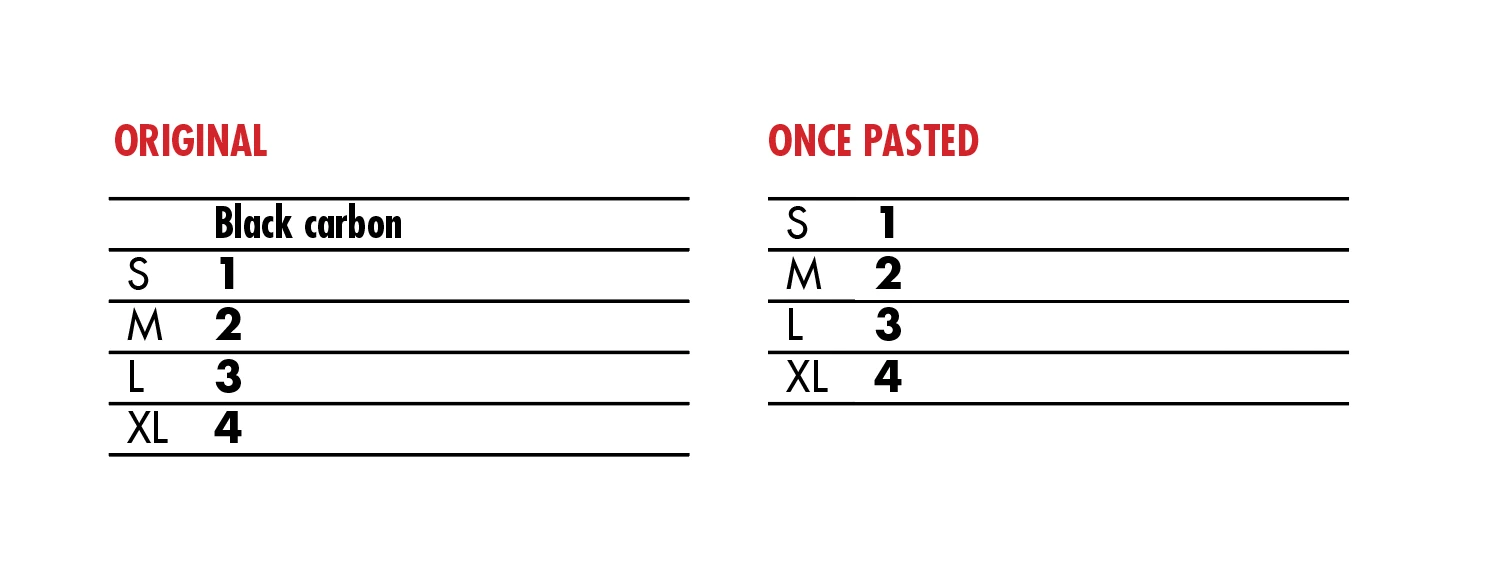
When copy-pasting a table our header row disappears is the pasted version.

We must click the "Fit frame to content" icon in order for the header row to reappear.

Is there anyway to fix this problem?

Thank you
    This topic has been closed for replies.
    Correct answer amaarora

    Hi,

    This bug is known to occur with InDesign CC 2017.1. I request you to report it to Adobe Feature Request/Bug Report Form

    Also, as a workaround can you try moving the table a little after pasting and check if the footer/header rows re appear?

    There is no permanent fix as of yet.

    -Aman

    7 replies

    Participant
    February 2, 2018

    Bug fix worked here. It was easy to 'repair' the tables by clicking Alt-Cmd-C, but as someone said earlier it was not always obvious this error had happened. But I've installed the fix and done a few tests and it's looking good.

    Seems odd the fix was uploaded 7 months ago and the app still errors!

    F_Rivera
    Known Participant
    November 15, 2017

    copied from above user

    In an English version it should be in:

    Section : Text and Tables

    Recompose all stories

    then I changed the shortcut to Ctrl + R and boom everytime I copied and pasted I hit the shortcut and everything else returned to its normal fashion.

    Participant
    September 16, 2017

    Just resize the bounding box

    Participant
    September 1, 2017

    This doesn't work all the time. In my instance, the proposed solution did not work so I created a fresh brand new table and from the start the header/footer rows were not showing up. Only solution is adding body rows in place of header/footer rows and applying the respective styles manually.

    This has been around since at least May of this year. It's pretty annoying.

    Participant
    August 14, 2017

    Hi Mike,

    I just had the same problem and accidentally found a solution! After I paste the table and the header disappears, I just adjust the bounding box around the table and the header came back. I was also able to get it to appear by selecting the Fit Frame to Content option but I am noticing it's not as consistently working.

    Hope this helps!

    Community Expert
    August 30, 2017

    jl0730  wrote

    … After I paste the table and the header disappears, I just adjust the bounding box around the table and the header came back. …

    Hi,

    this is only a workaround.

    Do the bugfix Aman suggested and is listed here for a permanent fix:

    Troubleshoot issues after updating to InDesign CC 2017.1

    Best,
    Uwe

    Monica Singh
    Adobe Employee
    Adobe Employee
    June 21, 2017

    Hi cassi,

    A fix for the issue reported by you is available at https://helpx.adobe.com/indesign/kb/troubleshoot-issues-indesign-cc-2017_1.htmlPlease follow the steps mentioned in the link above and install the fix.

    Also, note that fix is only for InDesign CC 2017.1 application.

    Kindly, share your feedback.

    Thanks,

    Monica Singh

    Participant
    July 28, 2017

    Laubender​ This shortcut made my day. 140 pages of tables without headers...

    Monica Singh I can't believe this is your solution to this incredible bug.

    Remember, we are trying to *work* with this software, that costs quite a lot each month.

    Why can't such a crucial bugfix be deployed by the Creative Cloud update application?

    Community Expert
    July 28, 2017

    … Why can't such a crucial bugfix be deployed by the Creative Cloud update application?

    A really good question.

    I agree. Crucial bug fixes should be deployed as new dot versions by the CC Desktop app.

    Best,

    Uwe

    amaarora
    amaaroraCorrect answer
    Inspiring
    May 18, 2017

    Hi,

    This bug is known to occur with InDesign CC 2017.1. I request you to report it to Adobe Feature Request/Bug Report Form

    Also, as a workaround can you try moving the table a little after pasting and check if the footer/header rows re appear?

    There is no permanent fix as of yet.

    -Aman

    Community Expert
    May 18, 2017

    Hi Aman,

    one of the main problems of this bug is, that there is nearly no visual indication that something's wrong with a duplicated table.
    The Story Editor should show overset cells. Usually it does, but sometimes it doesn't.

    But even if the Story Editor is showing overset cells:
    InDesign's preflight is still showing a green dot for "No Error".

    Regards,
    Uwe