Participant
January 10, 2024
Answered

TABLE OF CONTENT CUSTOMIZATION. TITLE LINES ALIGNMENT

  • January 10, 2024
  • 1 reply
  • 382 views

Good afternoon everyone, 


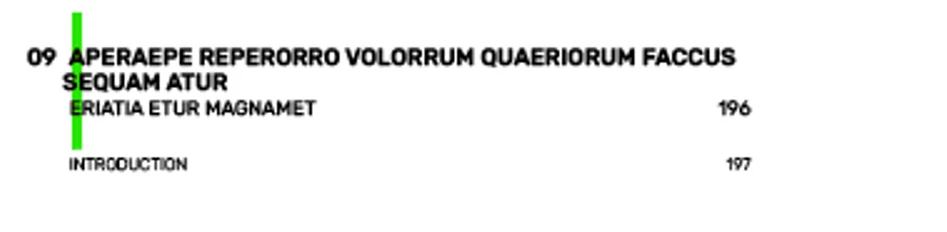
When customizing a Table of content, does anyone know how to align when you have several lines when the automatic numbering is on ( see second image below) ? Many thanks!!


This topic has been closed for replies.
Correct answer Bevi Chagnon - PubCom.com

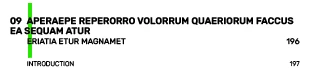
Your screen capture shows what appears to be a "hanging indent" design:  That is, the frst line's page number is "hanging" outside in the left margin and the remaining text is aligned underneath it, indented.


This part of the TOC is controlled by the settings in the Paragraph Style's indents /margins settings and tab stops. It's similar to how we set a style for hanging bullets and other lists.


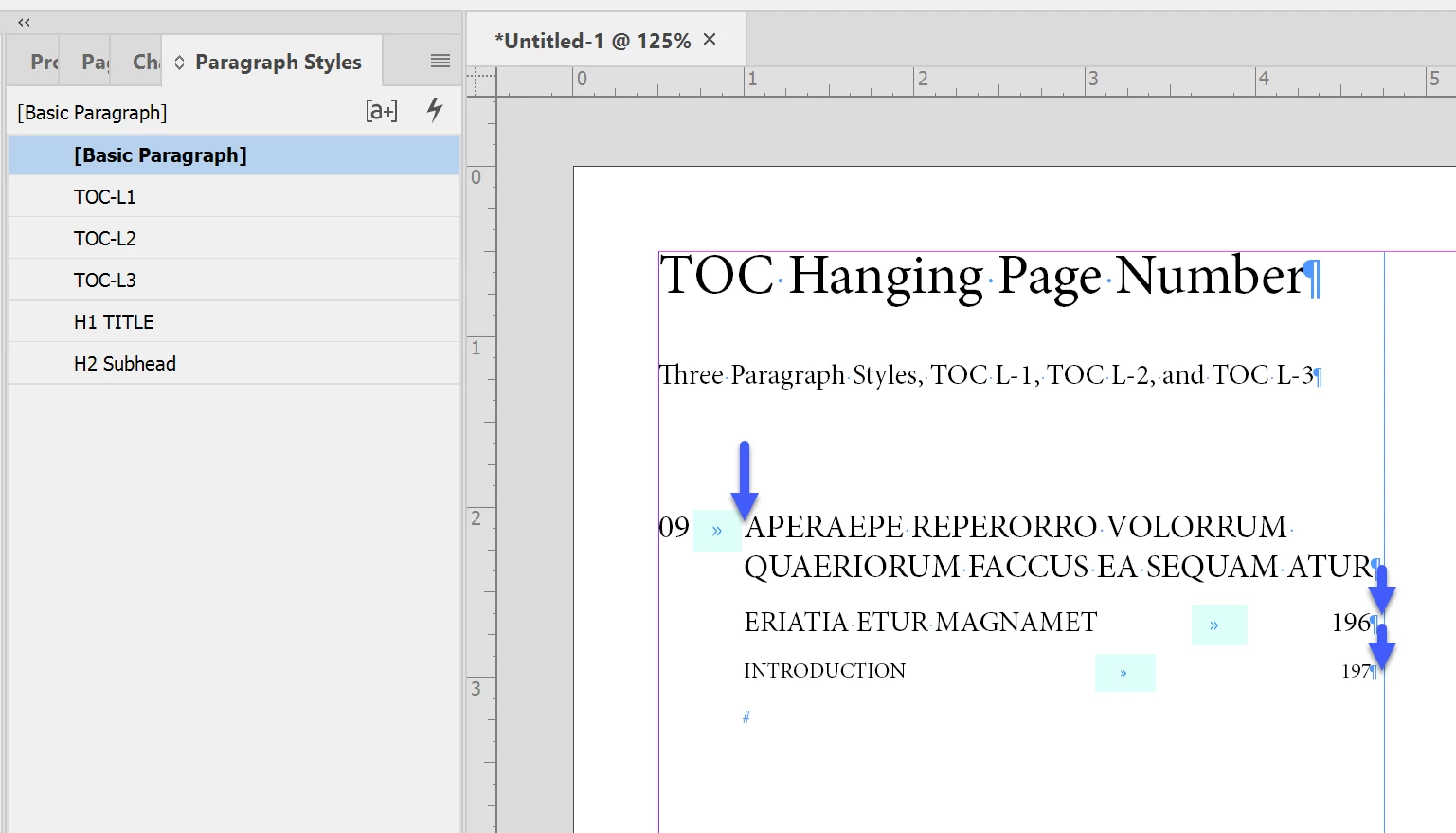
Here's what I think you're trying to achieve (ignore the different fonts and sizes):
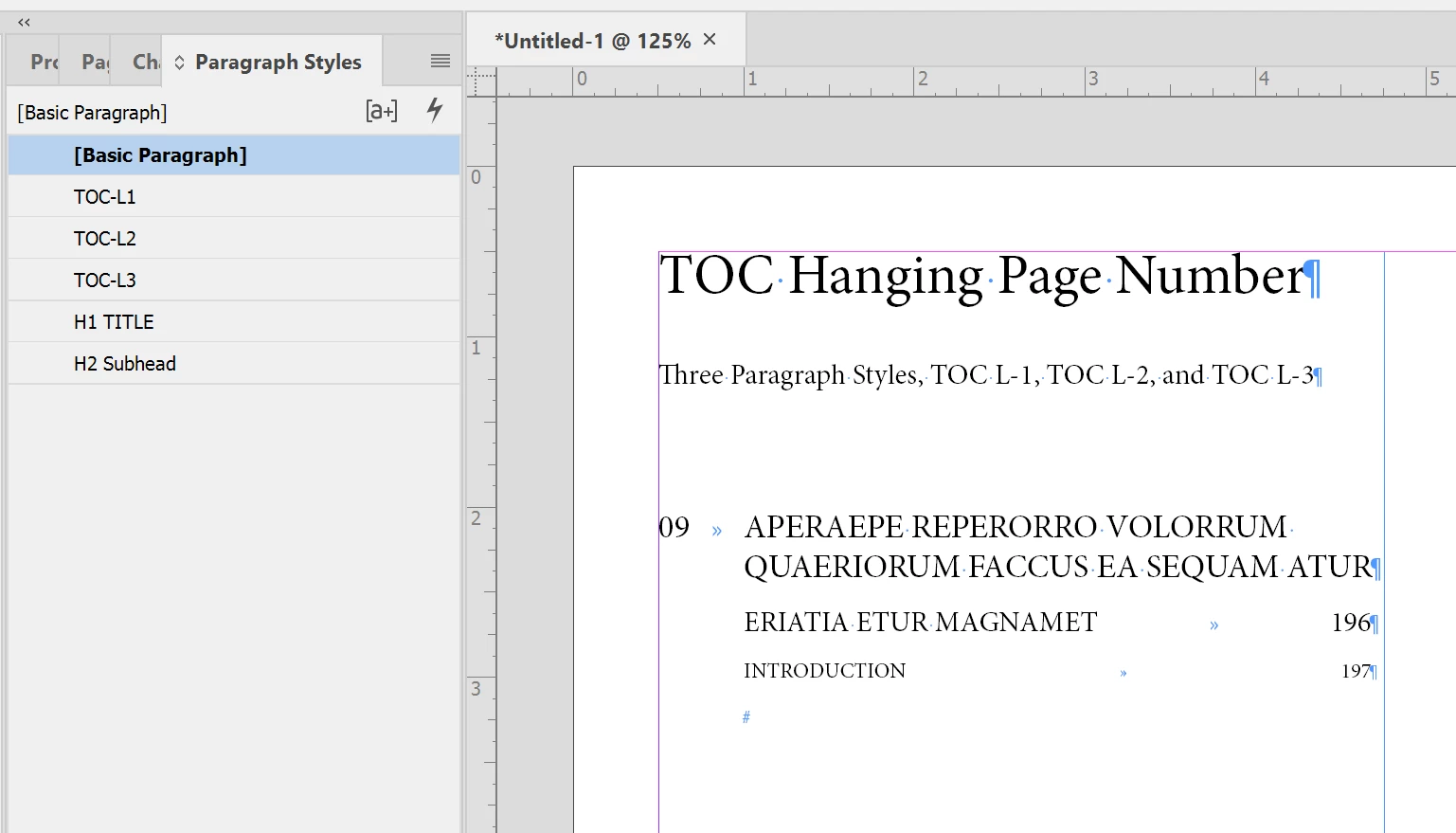
 

Because you have 3 different levels of TOC entries, each with a different font size and alignment, you'll need to build 3 different Paragraph Styles: TOC L-1, TOC L-2 and TOC L-3. You can see mine in the Paragraph Styles panel.


L-1 has the hanging page number and it's created using a back-dent or outdent — where the left margin is indented and the first line is a negative of that indent.
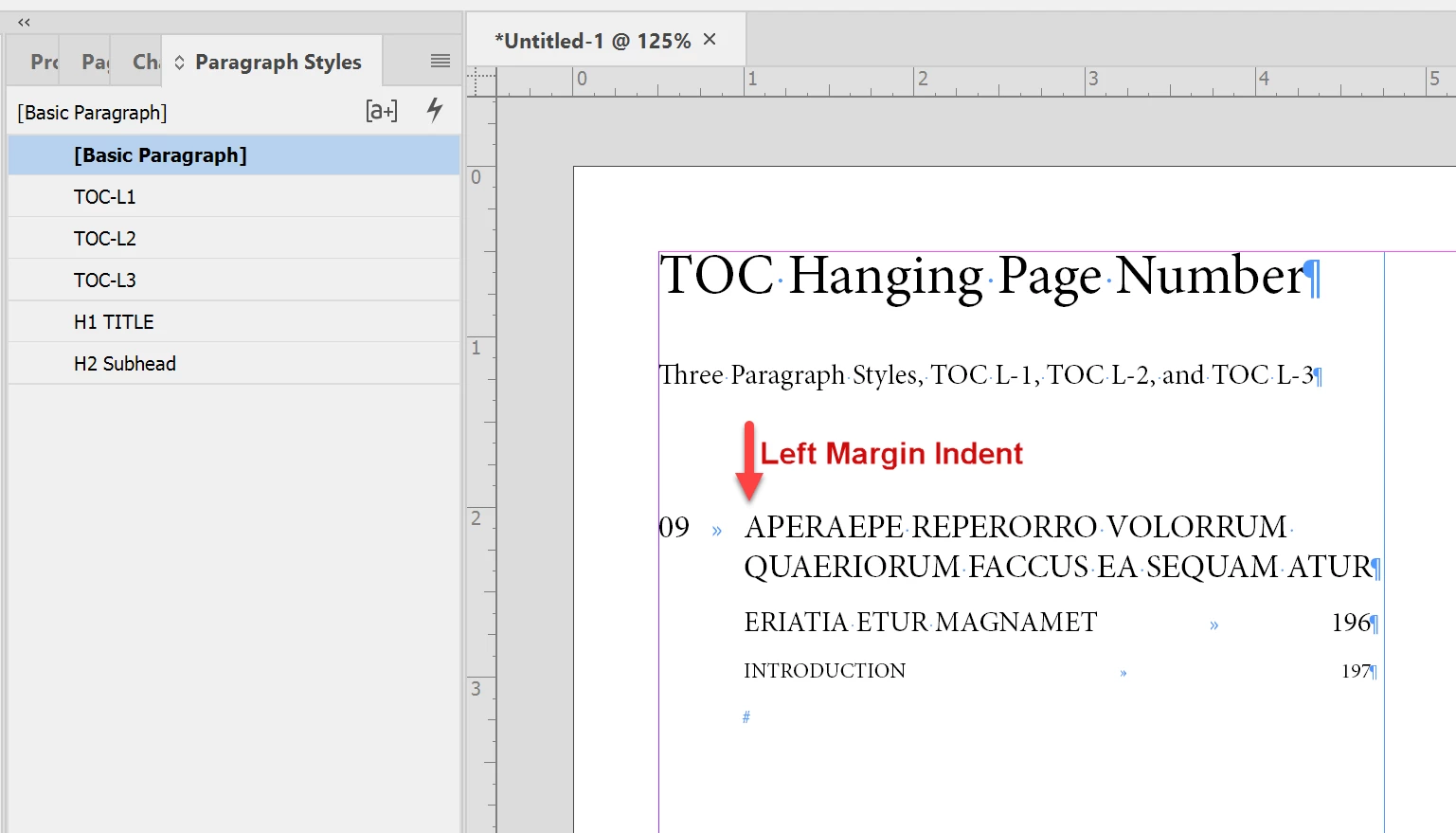
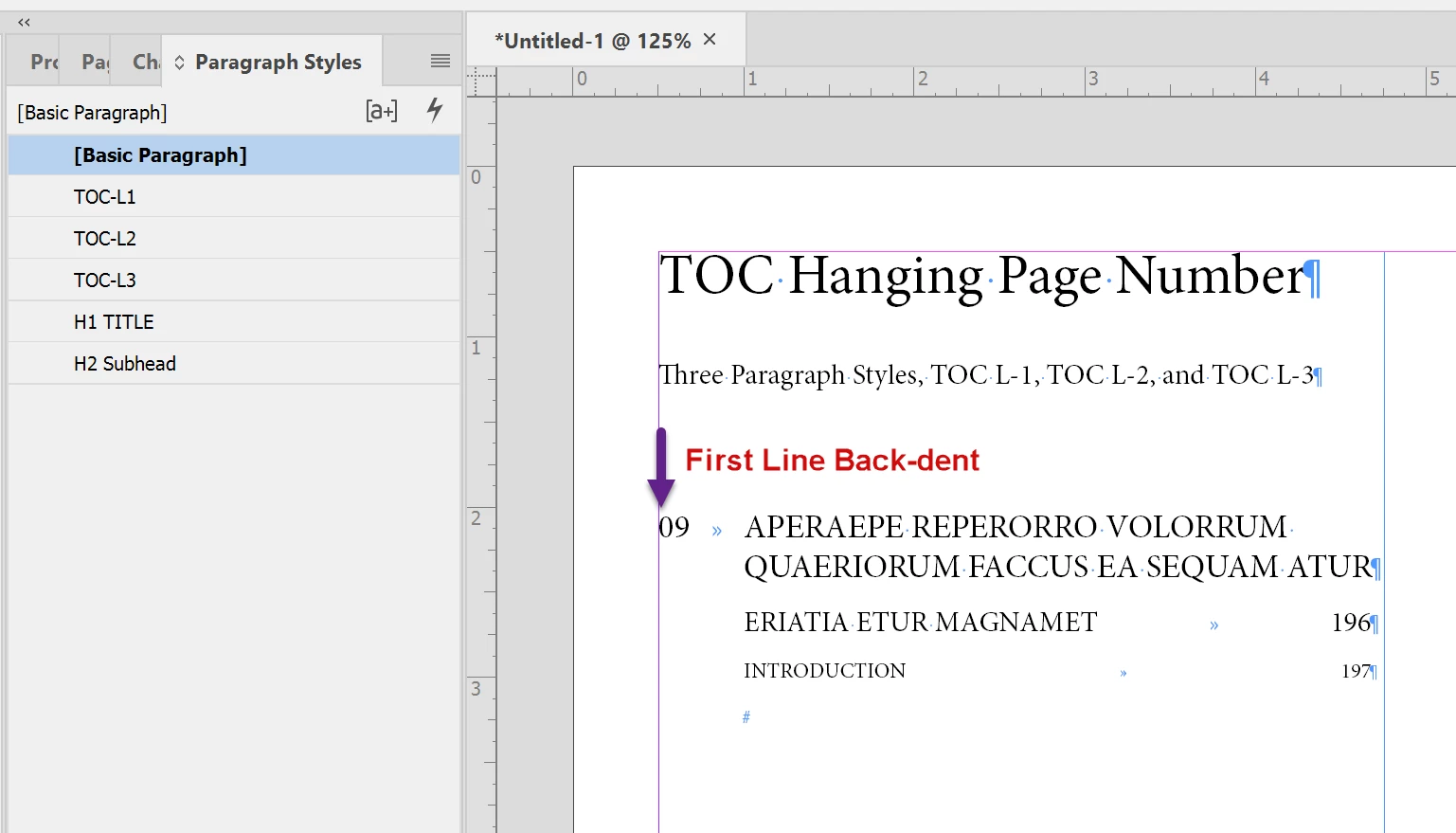
 

See #1 and #2 below. Notice the negative sign in #2.
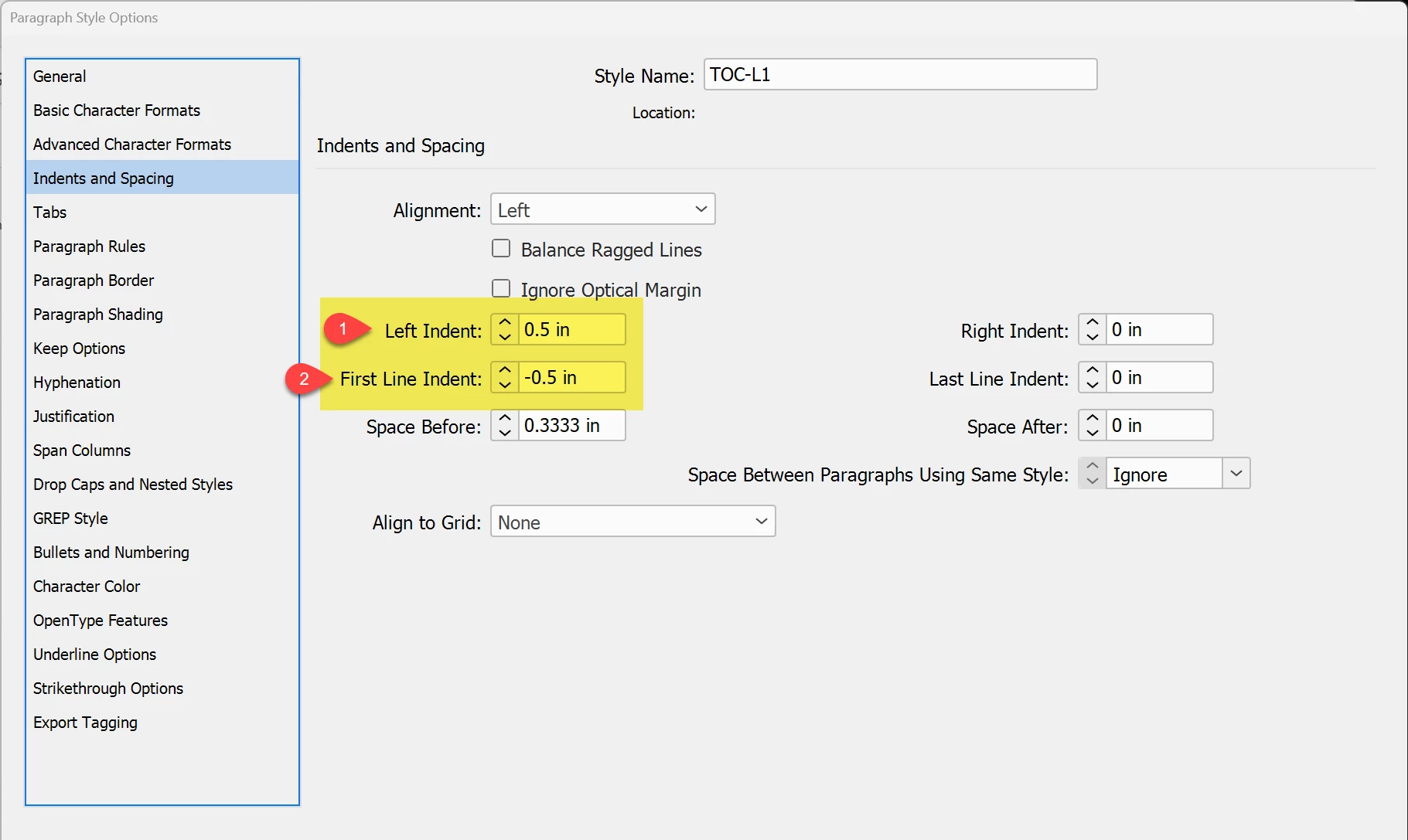
 

L1 also has a tab stop set to match the left margin indent:
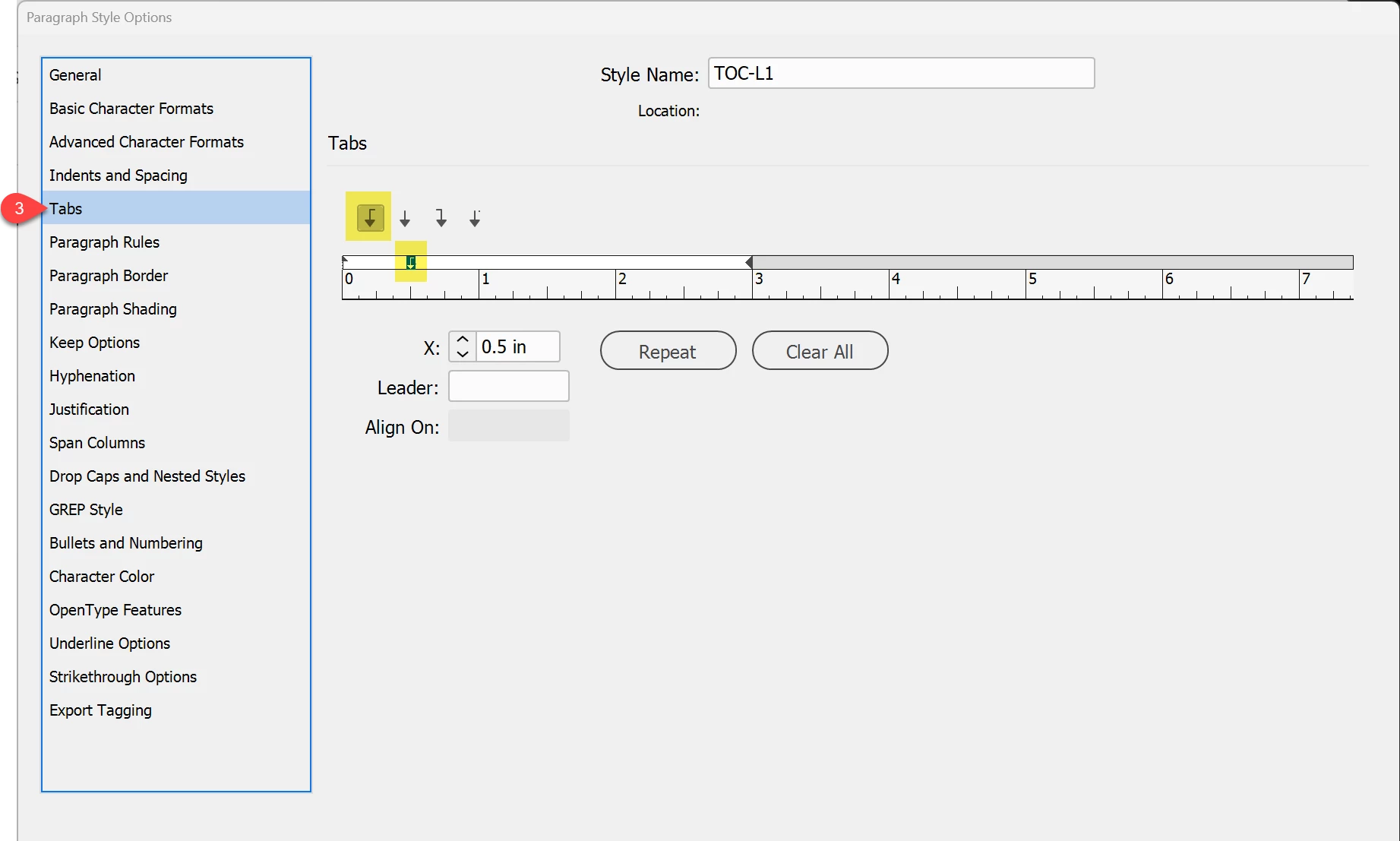
 

L-2 and L-3 are similar, except they:

  • Don't have the first line's back-dent, just the left margin indent.
  • They have a right-aligned tab stop at the far right end of the paragraph (or edge of the text frame).


Here are the tab stops for all 3 styles:


Hope this helps!



1 reply

Bevi Chagnon - PubCom.com
Legend
January 10, 2024

Your screen capture shows what appears to be a "hanging indent" design:  That is, the frst line's page number is "hanging" outside in the left margin and the remaining text is aligned underneath it, indented.


This part of the TOC is controlled by the settings in the Paragraph Style's indents /margins settings and tab stops. It's similar to how we set a style for hanging bullets and other lists.


Here's what I think you're trying to achieve (ignore the different fonts and sizes):


Because you have 3 different levels of TOC entries, each with a different font size and alignment, you'll need to build 3 different Paragraph Styles: TOC L-1, TOC L-2 and TOC L-3. You can see mine in the Paragraph Styles panel.


L-1 has the hanging page number and it's created using a back-dent or outdent — where the left margin is indented and the first line is a negative of that indent.


See #1 and #2 below. Notice the negative sign in #2.


L1 also has a tab stop set to match the left margin indent:


L-2 and L-3 are similar, except they:

  • Don't have the first line's back-dent, just the left margin indent.
  • They have a right-aligned tab stop at the far right end of the paragraph (or edge of the text frame).


Here are the tab stops for all 3 styles:


Hope this helps!


|    Bevi Chagnon   |  Designer, Trainer, & Technologist for Accessible Documents ||    PubCom |    Classes & Books for Accessible InDesign, PDFs & MS Office |
Participant
January 10, 2024

Exactly what i needed! Thanks a lot for the help! 🙂


Bevi Chagnon - PubCom.com
Legend
January 10, 2024

That's wonderful!

Glad to help.


|    Bevi Chagnon   |  Designer, Trainer, & Technologist for Accessible Documents ||    PubCom |    Classes & Books for Accessible InDesign, PDFs & MS Office |