
Question
Table of Contents deleted - but still prevents EPUB export
Hi I’ve run into an interesting challenge trying to convert my print book design into an EPUB in InDesign. I deleted the table of contents. But KindlePreviewer 3 gives the error message below when I try to download as EPUB, saying TOC hyperlinks have been found without target text anchor info.
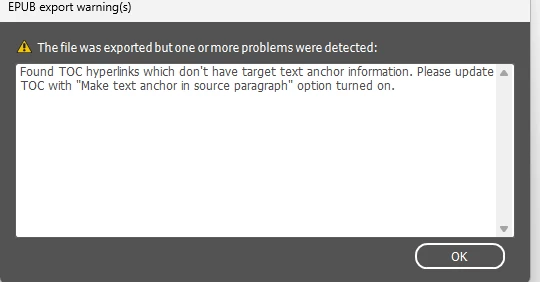
I’m concerned that if I do what the error message says, (which is make text anchor in soucre paragraph), the document will still have a print TOC and that will mess with the EPUB’s TOC with hyperlinks.
Here’s the process I went through to try to fix the problem:
- On the contents page, I selected the text frame the TOC sat within and deleted the frame.
- Then I deleted the page that the TOC was on.
- Then tried to download it as EPUB and got the error message.
So I followed online instructions as follows:
- Deleted the para styles that I had applied to TOC body copy and chapter heading.
- Created new chapter heading para style.
- The TOC was not linked to a specific table of contents file
- In Windows > Links, the only links are photos
- I removed guides via View > Grids & Guides > Delete all guides in spread
- I restarted InDesign
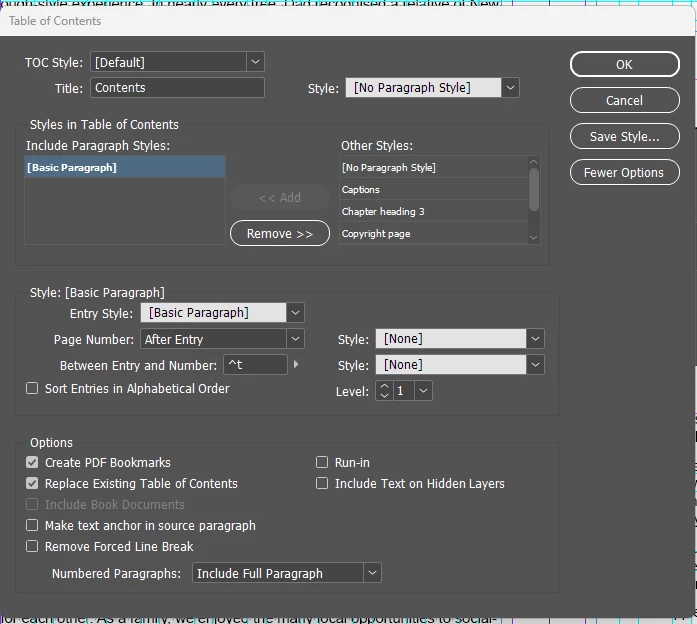
Below I include what I see in Layout > Table of Contents
I hope you can help!
 AdChoices