
December 18, 2018
Frage

Table of Contents Help

  • December 18, 2018
  • 2 Antworten
  • 1292 Ansichten

Dear all,

I am unable to figure out why InDesign Table of Contents is adding page numbers two times.  Can someone help me out?

Here is the dialog.  For each file within the book, I have defined Paragraph Styles for "Title" and "Author" and selected them both under "Include Paragraph Styles"
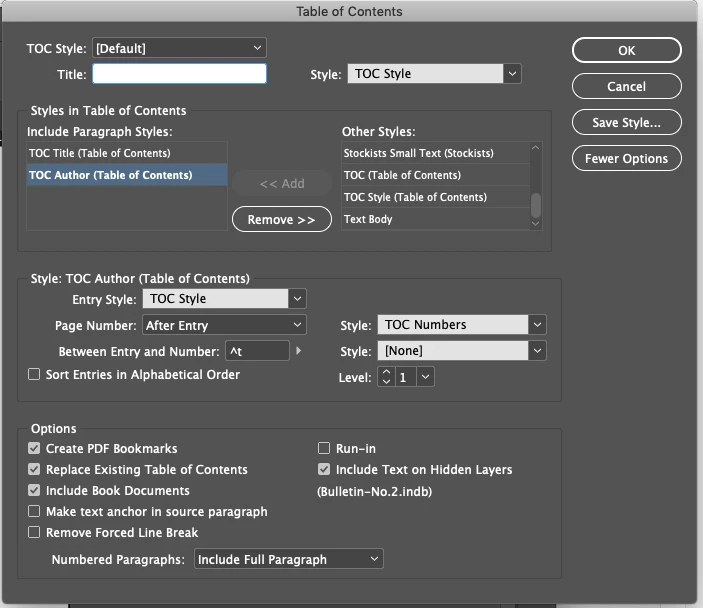
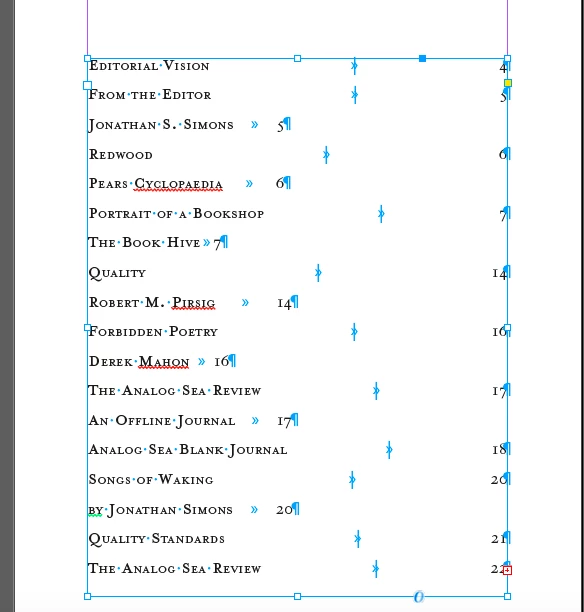
But then InDesign adds page numbers two times and forces author onto a separate line. (Note that not all entries have authors, such as the first one...):
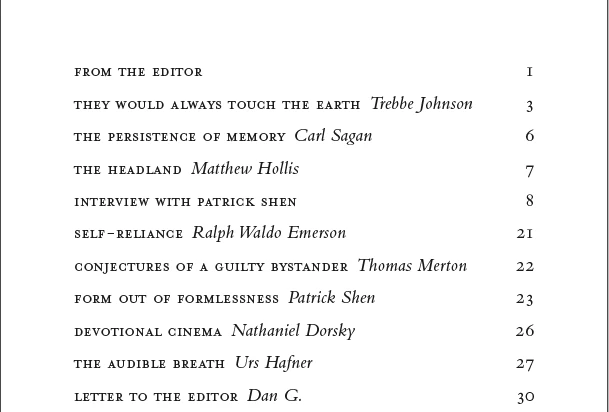
The way it should look (after I also figure out how to format title and author differently) is similar to this:
Does anyone know how I can fix this?  Thanks so much!


Warmly,

Jonathan

    Dieses Thema wurde für Antworten geschlossen.

    2 Antworten

    December 18, 2018

    Dear Bob, dear all,

    I can't imagine that something in the individual files is affecting this problem.  As you can see below, I simply have two text boxes at the top — one for "Title" and one for "Author" — but neither of them have any formatting whatsoever (Style Settings : [No Paragraph Style].  Therefore, I don't think anything is getting inherited from the individual files into the TOC.  So it must be something in my TOC settings that is adding duplicate page numbers.  Can you or anyone identify what might be causing this problem?

    Thanks!

    Jonathan

    The two boxes at the top define Paragraph Styles for "TOC Title" and "TOC Author"  They have no formatting applied whatsoever.

    Here you can see that the styles have no added formatting.

    Therefore, there must be something in my TOC settings causing this problem:

    BobLevine
    Community Expert
    Community Expert
    December 18, 2018

    Try the run in feature and set a character style to Italicize the author.

    December 18, 2018

    Hi Bob,

    I tried the run in feature but came out with the same results.  Can you spot anything else that might fix this problem?

    Thanks,

    Jonathan

    BobLevine
    Community Expert
    Community Expert
    December 18, 2018

    Without examining the files, not really.