
Participating Frequently
May 19, 2024
Answered

Table of Contents levels don't abide?

  • May 19, 2024
  • 3 replies
  • 488 views

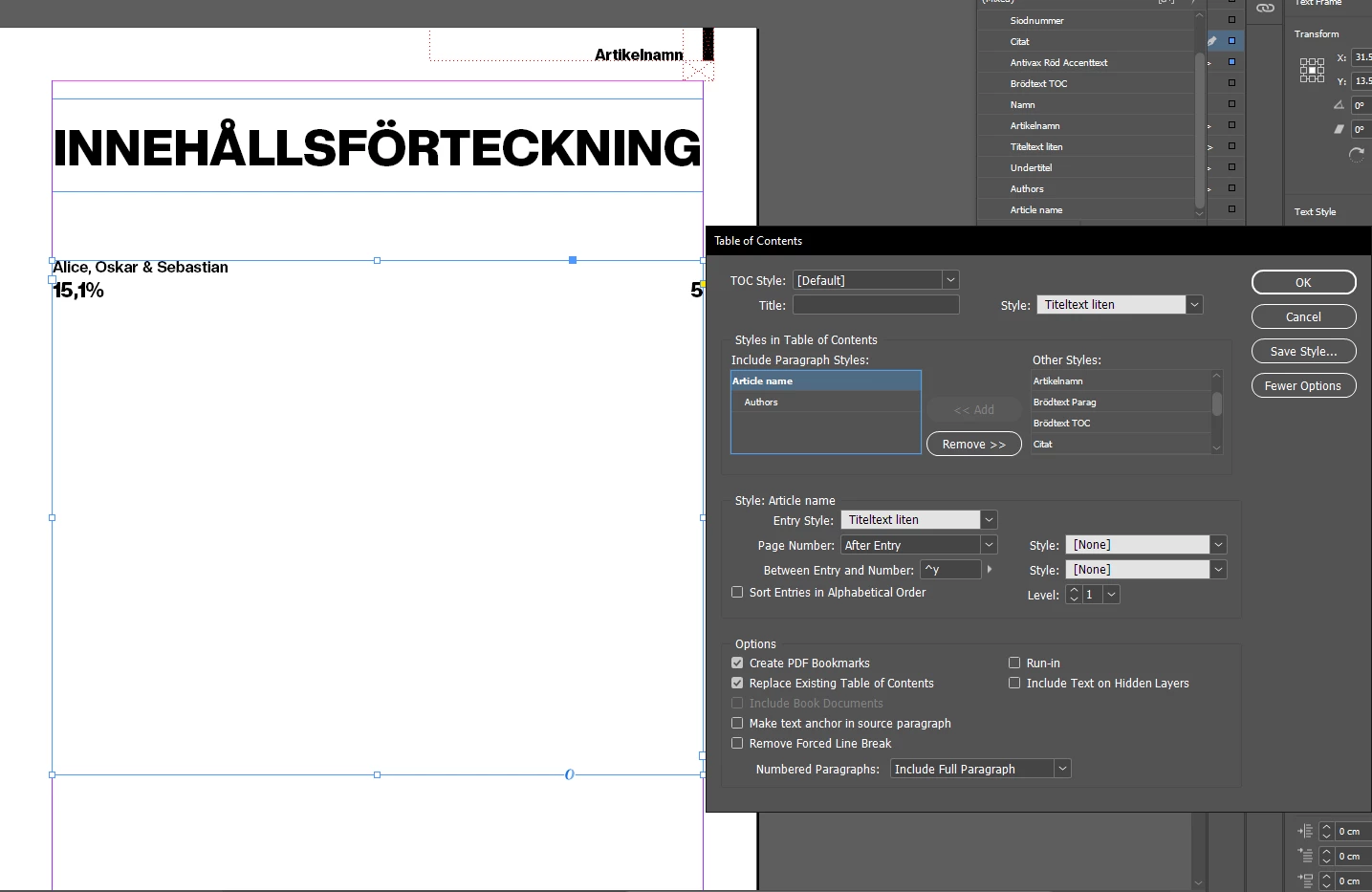
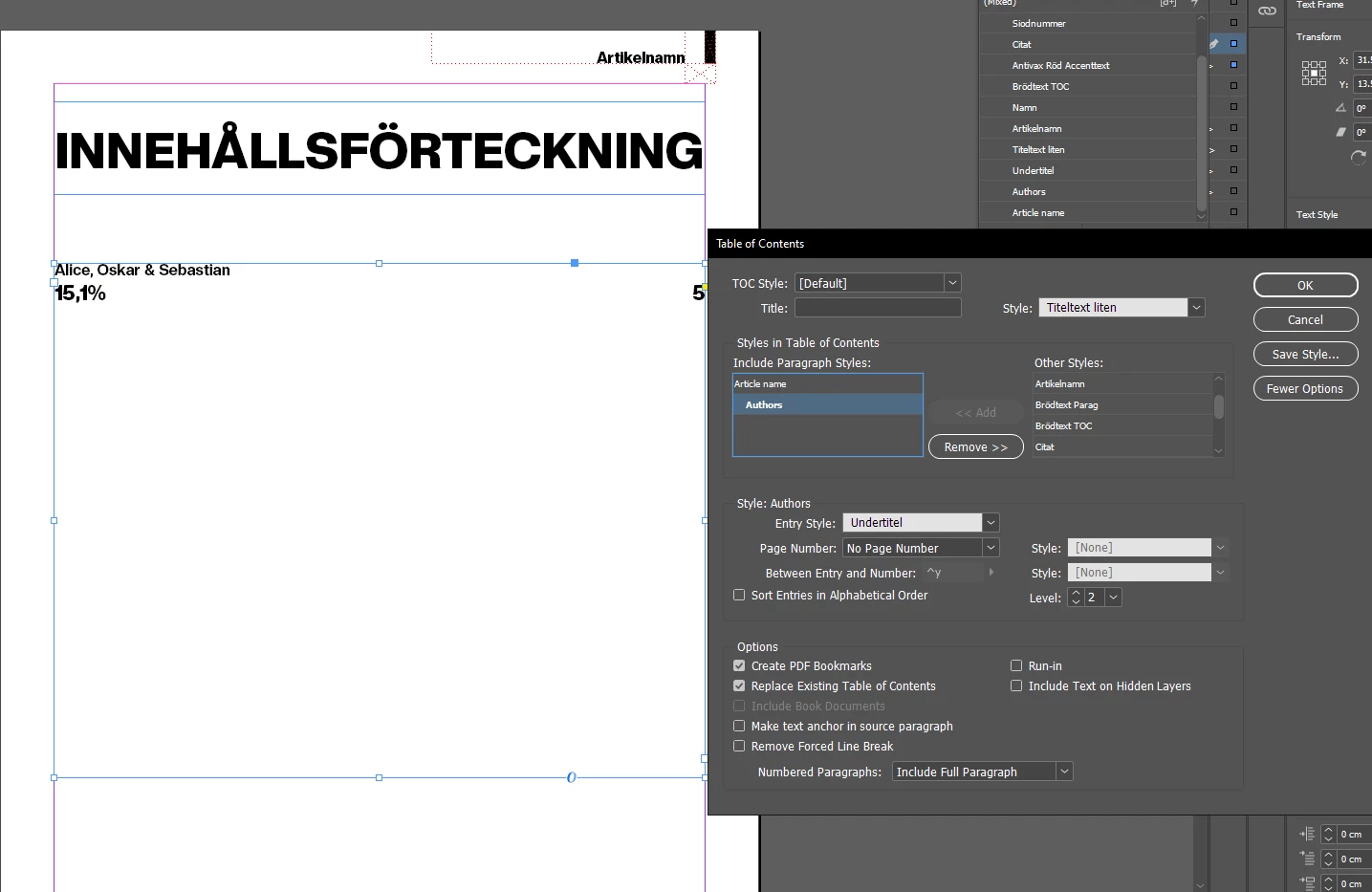
Hello. I've been trying to make a Table of Contents in InDesign. I've managed to make it work, except for this small issue I have. The levels of the styles refuse to work as they are assigned. My "Level 2" style (in this case "Alice, Oskar & Sebastian") appears above my "Level 1" style ("15,1%"), and it's driving me crazy! I can't figure out what's wrong! I just want "15,1%" to be placed above "Alice, Oskar & Sebastian".
This topic has been closed for replies.
Correct answer Barb Binder

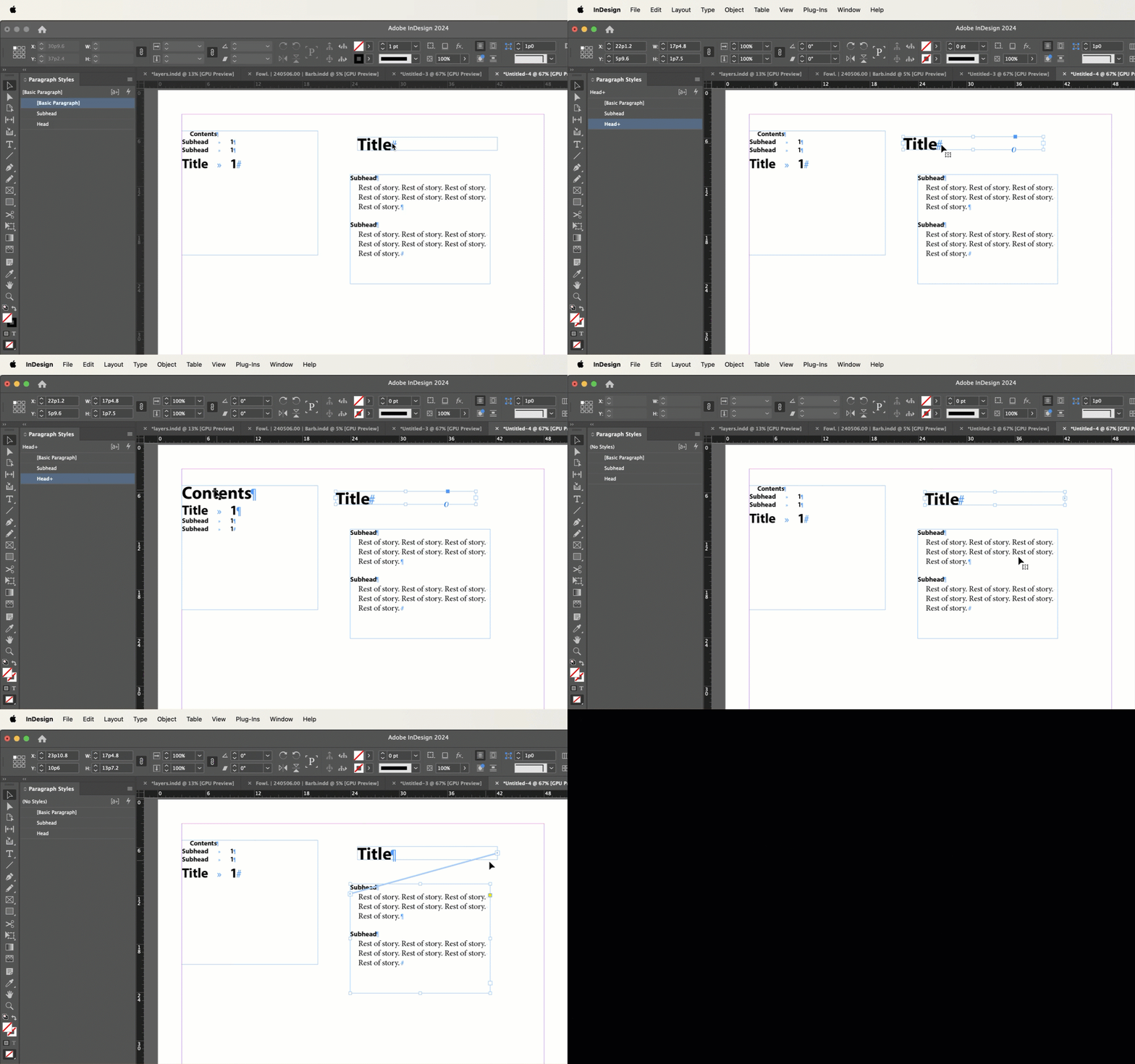
What I'm saying is that InDesign isn't always able to acertain the order when we are using unthreaded frames. Sometimes manually moving the frames helps, as in the video below, but threading the frames always solves it. 


And we use paragraph styles to ID the heads/subheads or titles/authors.


~Barb


3 replies

Barb Binder
Community Expert
Community Expert
May 19, 2024

Great. As I showed in the video, that is supposed to work, but we get a lot of reports that it doesn't. Glad it worked for you. 


~Barb

~Barb at Rocky Mountain Training
Barb Binder
Community Expert
Barb BinderCommunity ExpertCorrect answer
Community Expert
May 19, 2024

What I'm saying is that InDesign isn't always able to acertain the order when we are using unthreaded frames. Sometimes manually moving the frames helps, as in the video below, but threading the frames always solves it. 


And we use paragraph styles to ID the heads/subheads or titles/authors.


~Barb


~Barb at Rocky Mountain Training
Participating Frequently
May 19, 2024

Thanks! I managed to solve it by moving the text boxes I used to denote article name and author names, so that the article name text box is above the author name text box.

Barb Binder
Community Expert
Community Expert
May 19, 2024

This happens when InDesign doesn't understand the content order when you use unthreaded frames. Threading the frames so that all of the content is in one story always solves it.


~Barb

~Barb at Rocky Mountain Training
Participating Frequently
May 19, 2024

Am I understanding you correctly that you want me to thread the text box with the title together with the text box with the names of the authors? How will it then know which part is the title and which part is the names of the authors?