Participant
November 15, 2023
Question

Table of Contents Order Error
  • November 15, 2023
  • 2 replies
  • 120 views

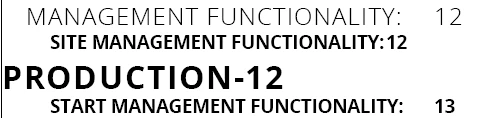
I have my TOC formatted like this. 

However, there are a few headers that are out of order. 

 

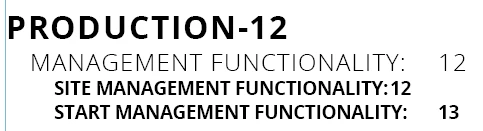
It should read like this:

 

I can get it to appear correctly, but as soon as I click Update Table, it resets to be out of order.

I have tried starting a new TOC from scratch, restarting the app, moving text around, etc. 

Any help is appreciated.


This topic has been closed for replies.

2 replies

Barb Binder
Community Expert
Community Expert
November 15, 2023

Using threaded text frames eliminates this issue:

https://helpx.adobe.com/indesign/using/threading-text.html


Sometimes you can juggle the position of standalone frames to fix the order issue in a TOC, and sometimes you can't. Threaded frames always takes care of it.


~Barb

~Barb at Rocky Mountain Training
James Gifford—NitroPress
Legend
November 15, 2023

These errors are typically caused by multiple text frames on a page, threaded out of order from their visual arrangement. If your content isn't in linearly-linked frames, you'll need to fix that.


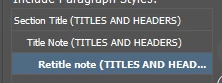
And if your content is 'linear' in all ways, there may be a definition problem with the TOC schema. Do you have more than one paragraph style assigned to each TOC level?


It also helps — moreso in the last release or two, it seems — to have a fully defined TOC schema (ID calls it a 'style') under a unique name, saved after each change, and not use the [default] TOC for any listing.