
Table of Contents / parent page elements
Background: I've never been a fan of the Table of Contents tool, but the place I just started working at prefers that we use it. I'm working on overhauling a number of InDesign template documents for consistent/effective formatting, and in so doing trying to make things as automated/simple for users who aren't as experienced in the program, with the end goal of standardizing our deliverables. IE, I can fix the problem I'm having manually, but I want to fix it for future users as well.
So, my problem:
The Table of Contents tool is applying a character style to multiple levels of my Table of Contents, and I can't figure out why in the world it's happening. I've deleted and rebuilt the Table of Contents style multiple times, renamed paragraph styles, tried exiting and reopening the program... I dont have any active GREP styles nor object styles acting... will someone please tell me what the heck is going on here?
To orient to the screenshots:
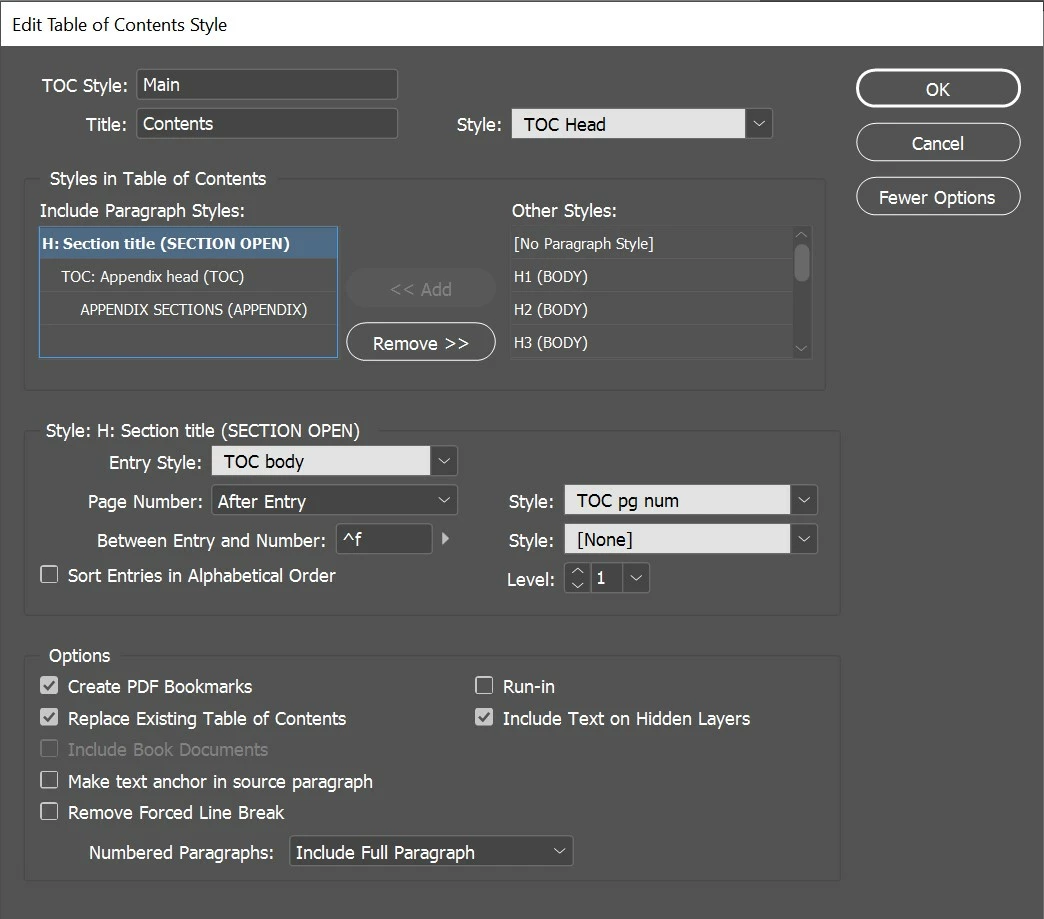
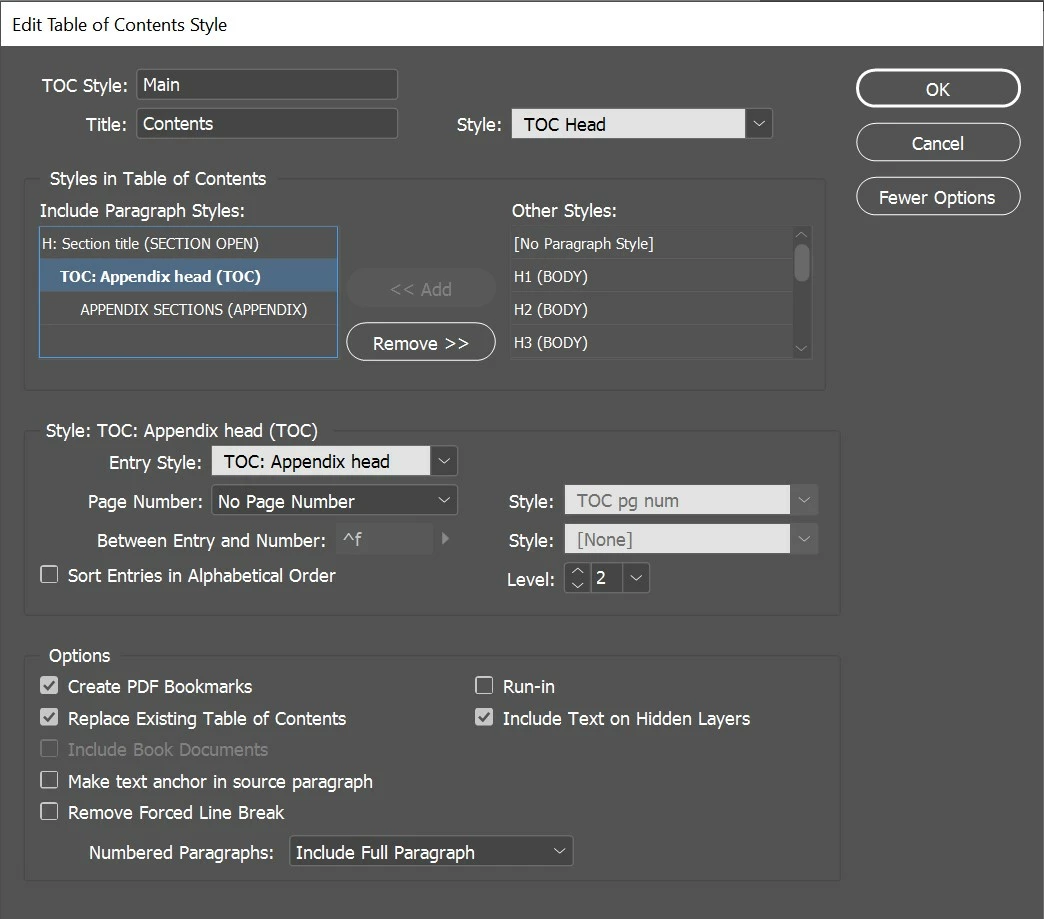
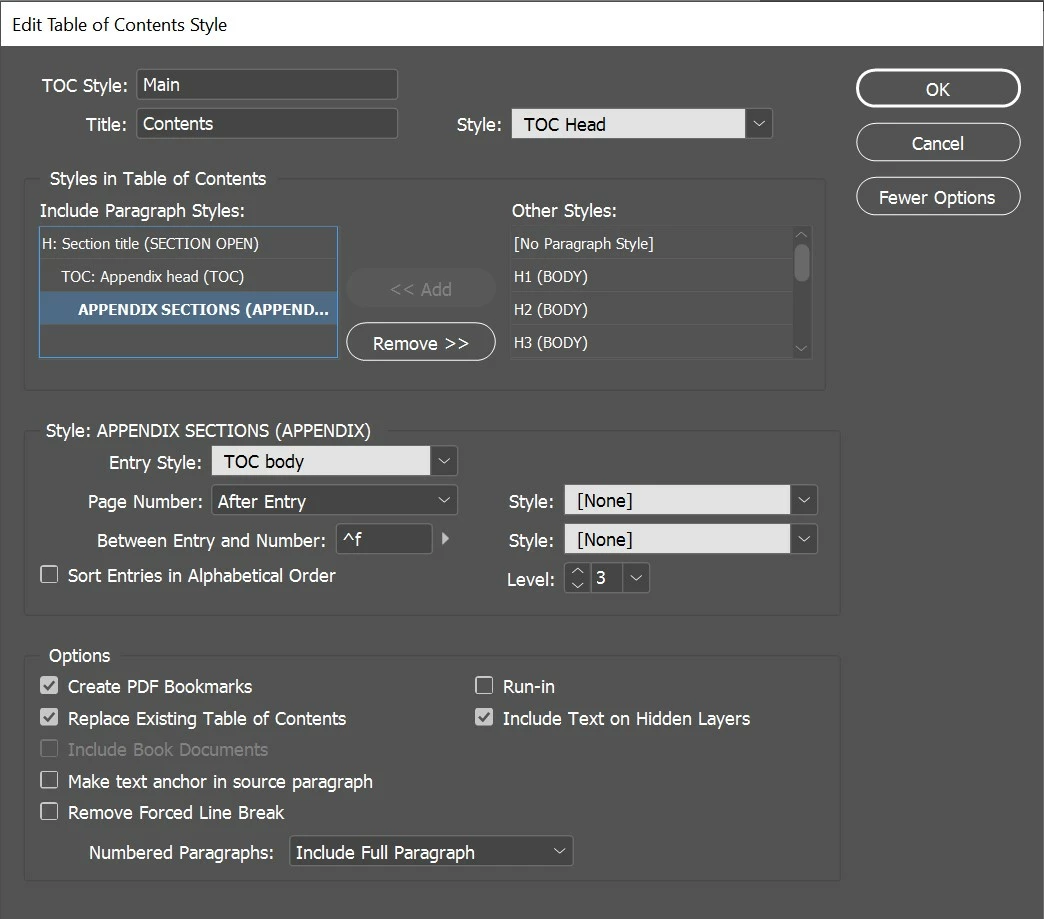
1–3 are the detailed paragraph style settings
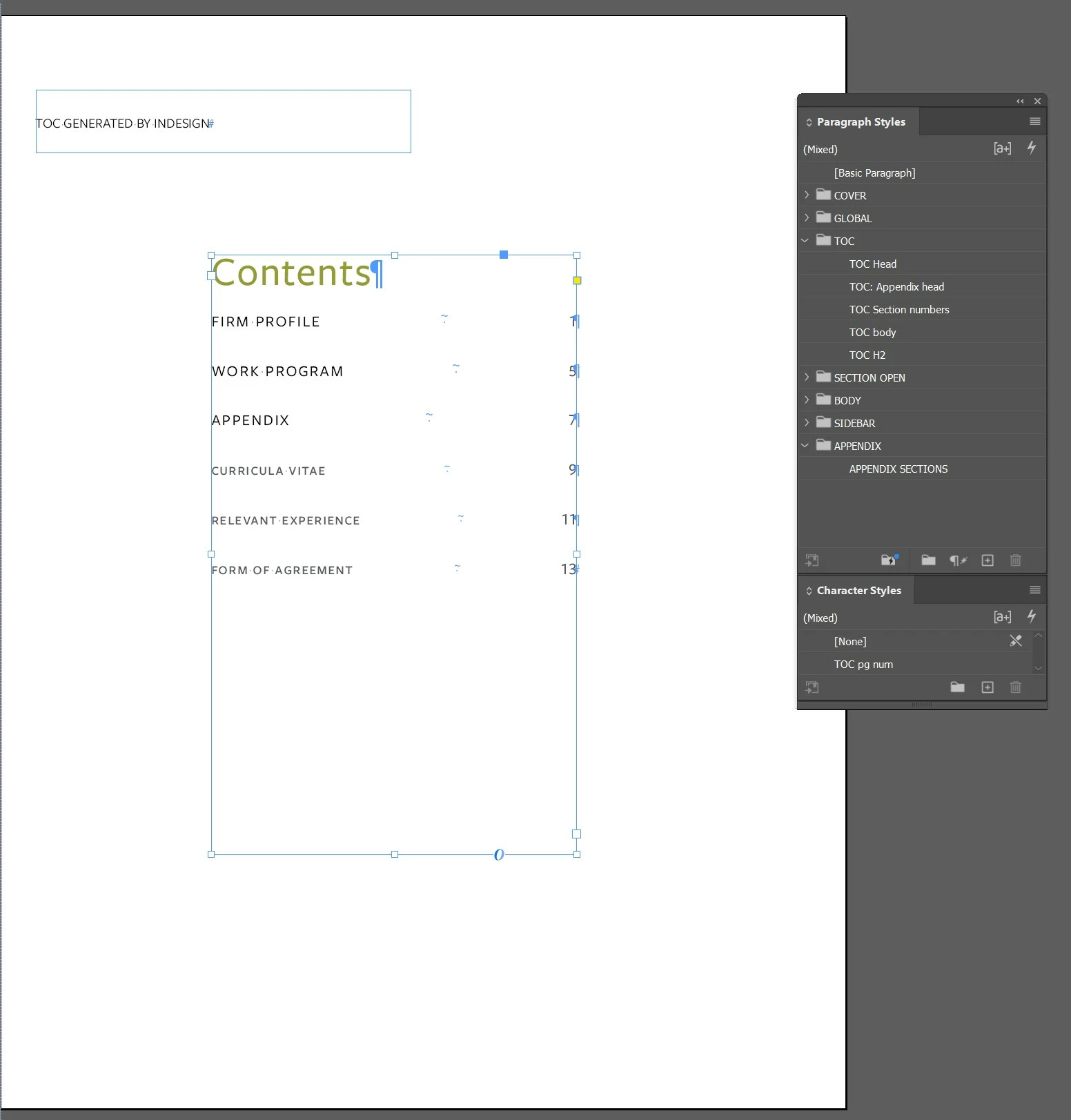
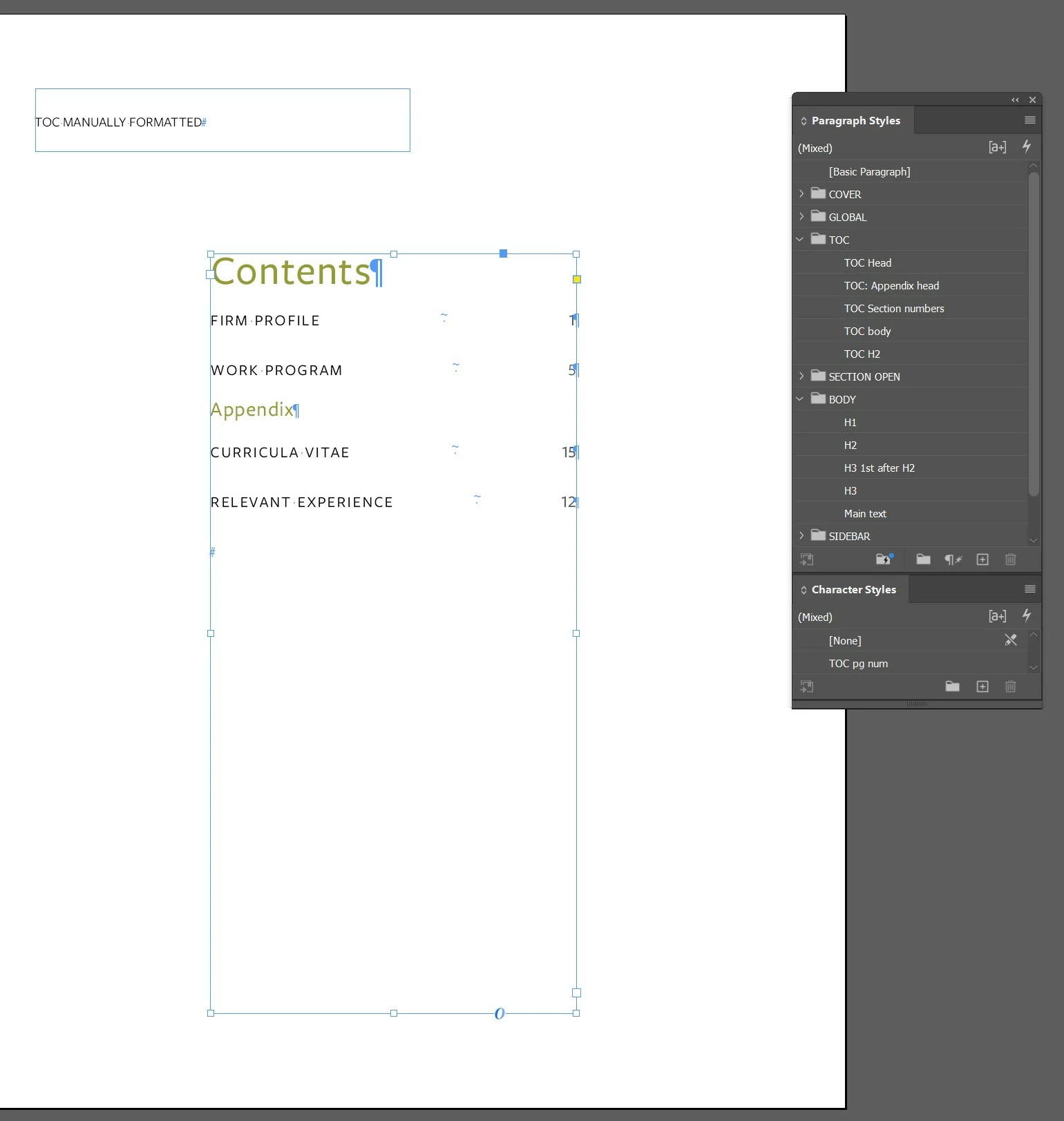
4 is the TOC as a result of those settings. From "curricula vitae" onwards, the TOC pg num character style is being applied. It's being applied correctly to the previous entries.
5 is what I'm trying to make happen. I think that the Table of Contents tool will indent Levels 2 and 3 and I'm fine with that.
I've literally spent hours trying to fix this at this point. Slowly but surely descending into madenss. SOS.
 AdChoices