
Inspiring
December 1, 2020
Answered

Table of Contents PDF bookmarks do not work

  • December 1, 2020
  • 1 reply
  • 858 views

Dear all,

I have just created my first ToC and checked the "Create PDF Bookmarks" option.

Sadly, the exported PDF shows no bookmark at all and clicking on the ToC entries in the PDF does nothing. They are not interactive as they should when you create a ToC. 

What am I missing? 

These are my options for creating the ToC.
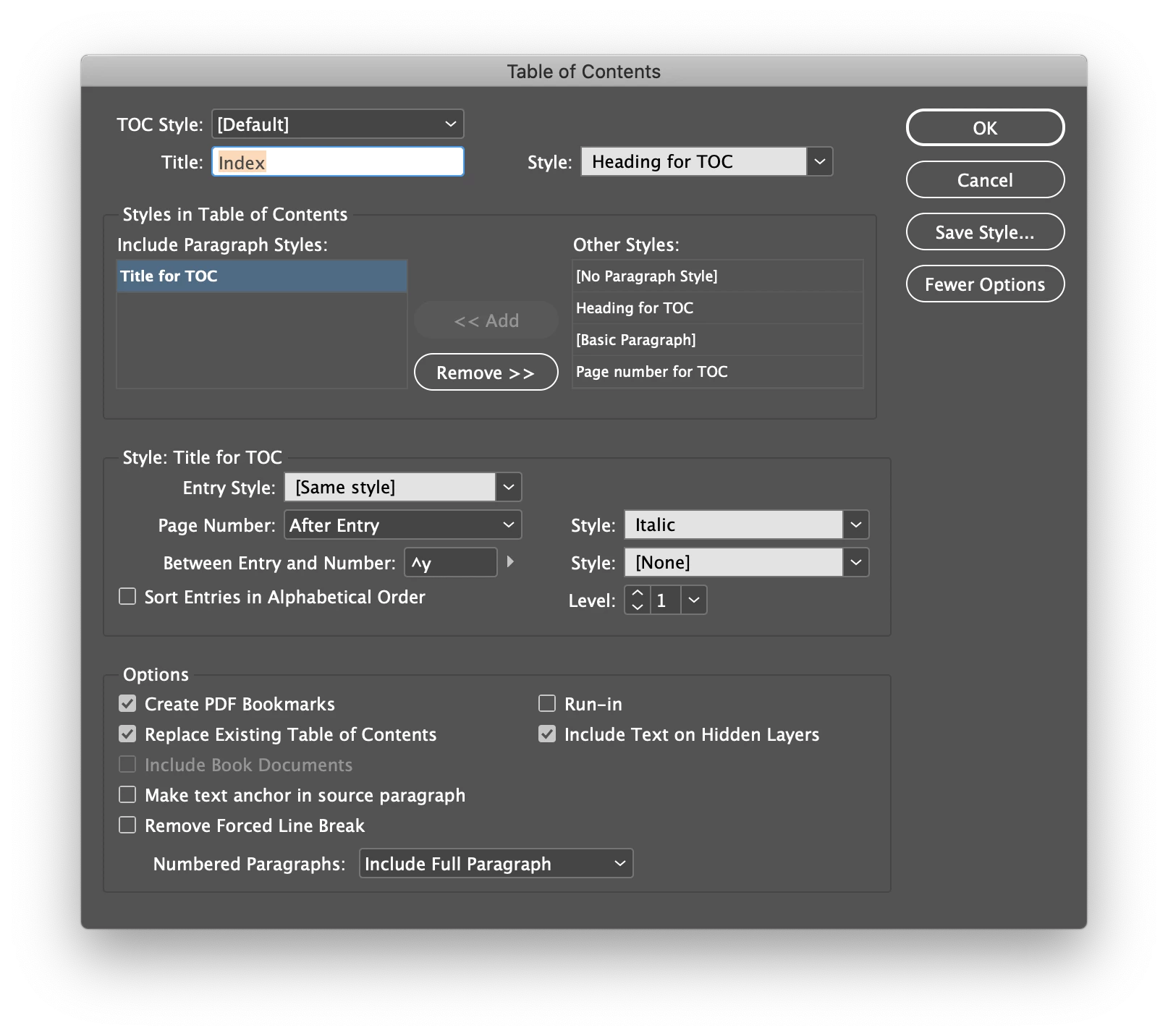
Thank you for your help.

This topic has been closed for replies.
Correct answer Laubender

Hi Inélsòre,

you may have not enabled bookmarks and hyperlinks in your PDF export settings.

Please show your PDF Export (Print) settings.


Minimum requirement would be:

Compatibility: Acrobat 5 (PDF 1.4)

Include:

[x] Bookmarks
[x] Hyperlinks


If you want automated linking from endnote references to endnote texts and back also do:

Options:

[x] Create Tagged PDF


Regards,
Uwe Laubender

( ACP )

1 reply

LaubenderCommunity ExpertCorrect answer
Community Expert
December 1, 2020

Hi Inélsòre,

you may have not enabled bookmarks and hyperlinks in your PDF export settings.

Please show your PDF Export (Print) settings.


Minimum requirement would be:

Compatibility: Acrobat 5 (PDF 1.4)

Include:

[x] Bookmarks
[x] Hyperlinks


If you want automated linking from endnote references to endnote texts and back also do:

Options:

[x] Create Tagged PDF


Regards,
Uwe Laubender

( ACP )

Known Participant
August 6, 2023

Can u please explain through screenshot..couldn't get u properly

Community Expert
August 7, 2023

Hi @Nithya30375401w9kl ,

I could offer a screenshot from my German InDesign 2023 version 18.5.0:


Compatibility: (Kompatibilität)

Acrobat 5 (PDF 1.4)


Options: (Optionen)

[x] Create Tagged PDF (PDF mit Tags erstellen)


Include: (Einschließen)

[x] Bookmarks (Lesezeichen)
[x] Hyperlinks (Hyperlinks)


Regards,
Uwe Laubender
( Adobe Community Expert )