
Participant
June 27, 2025
Question

Table rows not lining up on right edge

  • June 27, 2025
  • 2 replies
  • 160 views

I could really use some pointers on this. I'm crafting a large document that has many tables. The tables have a black, 100% fill on the first two rows, then an alternating fill of 25% black for the rest of the rows. On some of my tables, and always on a table that is near the right-hand edge of the page, the first row is slightly longer than the rows that follow it. This isn't every table, just specific ones. They weren't crafted differently than the other tables, so i'm at a loss.
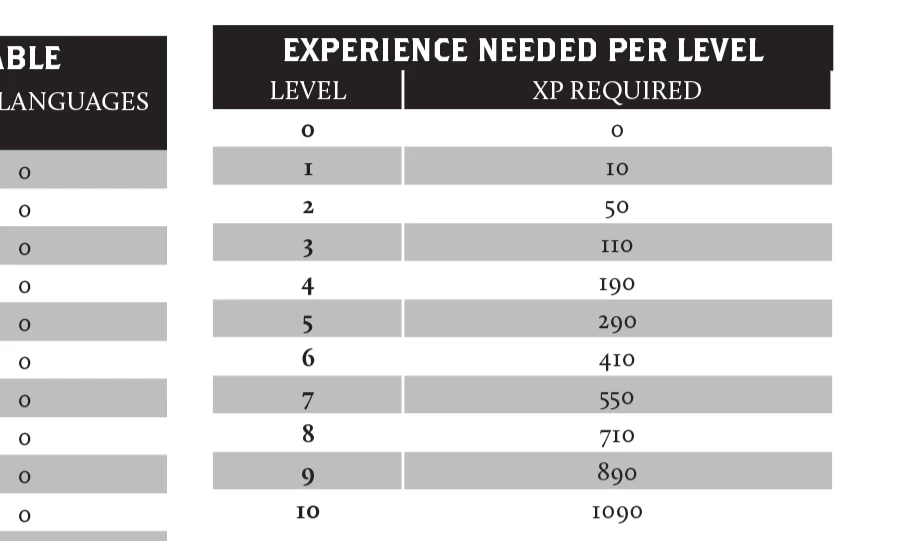
 Here's an example. The right-most table. 

2 replies

bislabAuthor
Participant
June 27, 2025

I got it! It was a hidden table border within the two 100% fill lines.

Community Expert
June 27, 2025

Hi @bislab ,

stack a colored rectangle behind the table to see if there is a white stroke at the edge of the cells.

Or check if the most right cell in the first row has a black stroke at the edge.

Could also be both with strokes of different widths.


Regards,
Uwe Laubender
( Adobe Community Expert )

bislabAuthor
Participant
June 27, 2025

I'd just come back to post that I had it figured, and your solution was exactly what I found was the issue.