
table shifts L > R when it crosses page boundary
Hi. I'm seeing an unwanted inset or shift to the right on a table that crosses page boundaries. I've played with the paragraph defintion on which the table sits (removing its first-line indent), but while that fixes page 2, it changes the inset of page 1. I haven't run into this before with tables; their insets have always behaved well across page boundaries. Looking for insight and help straightening this out.
Background:
I'm developing a layout per client's request in the form of a table on a landscape page. The table has numbered instructions in the left column, a "gutter" column in the middle, and a right-hand column for a screenshot. The general layout of the table is like this:

Of course, the big graphics allow only one or two rows on a page. The graphics push the table rows on to subsequent pages.
The guides arrangement is a little complex. Here is an annotated diagram:
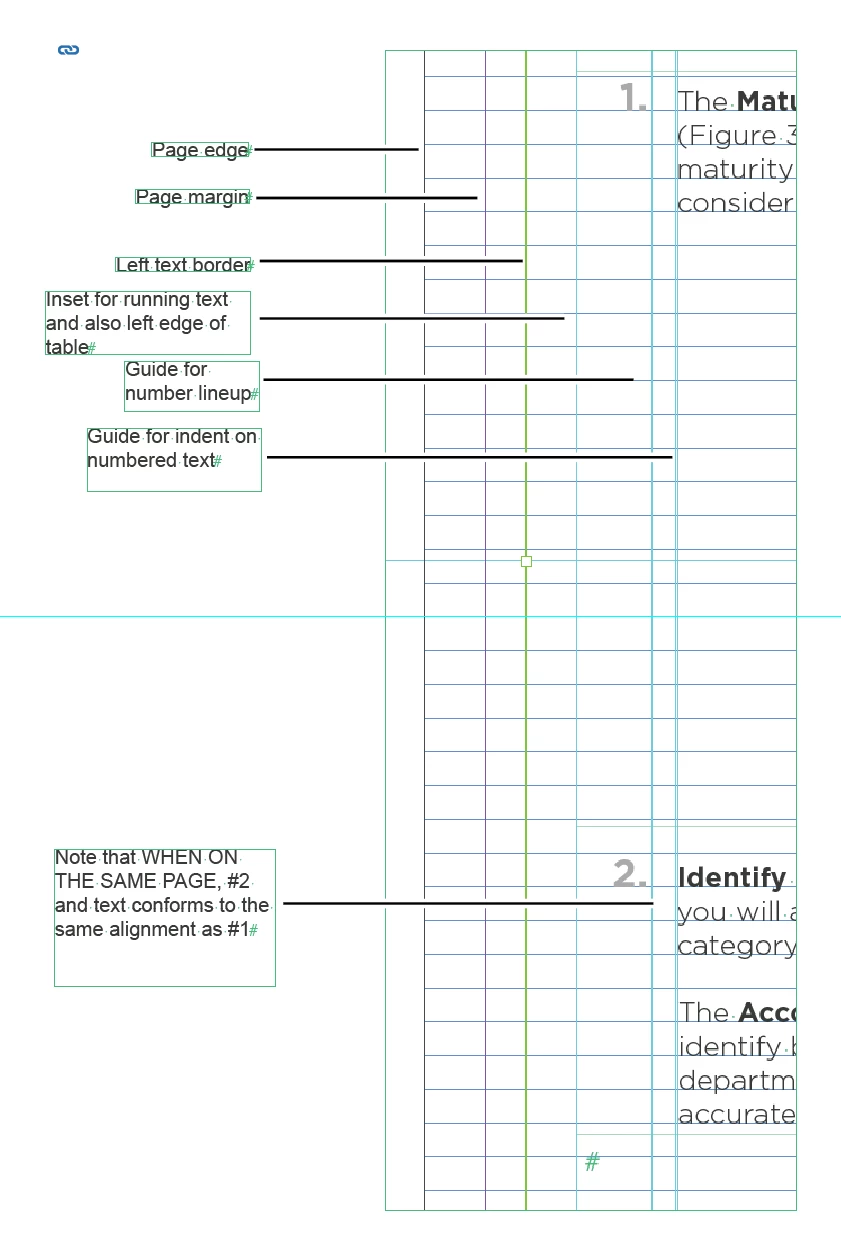
What happens is that when all table rows fit on page 1 (before inserting a bunch of graphics) the cells of the table line up as expected. When ID moves rows to page 2, the table is indented .25 inch and I can't seem to reposition it.
The paragraph definition the table sits on uses a .25" first line indent. When this is removed, page 2 lines up appropriately -- but returning to page 1, the table is now out-dented to the left by .25". It seems that either I can have an as-designed alignment on page 1 or an as-designed alignment on page 2, but not both at the same time.
Here is the change that occurs when the second row of the table is sent across the page boundary:
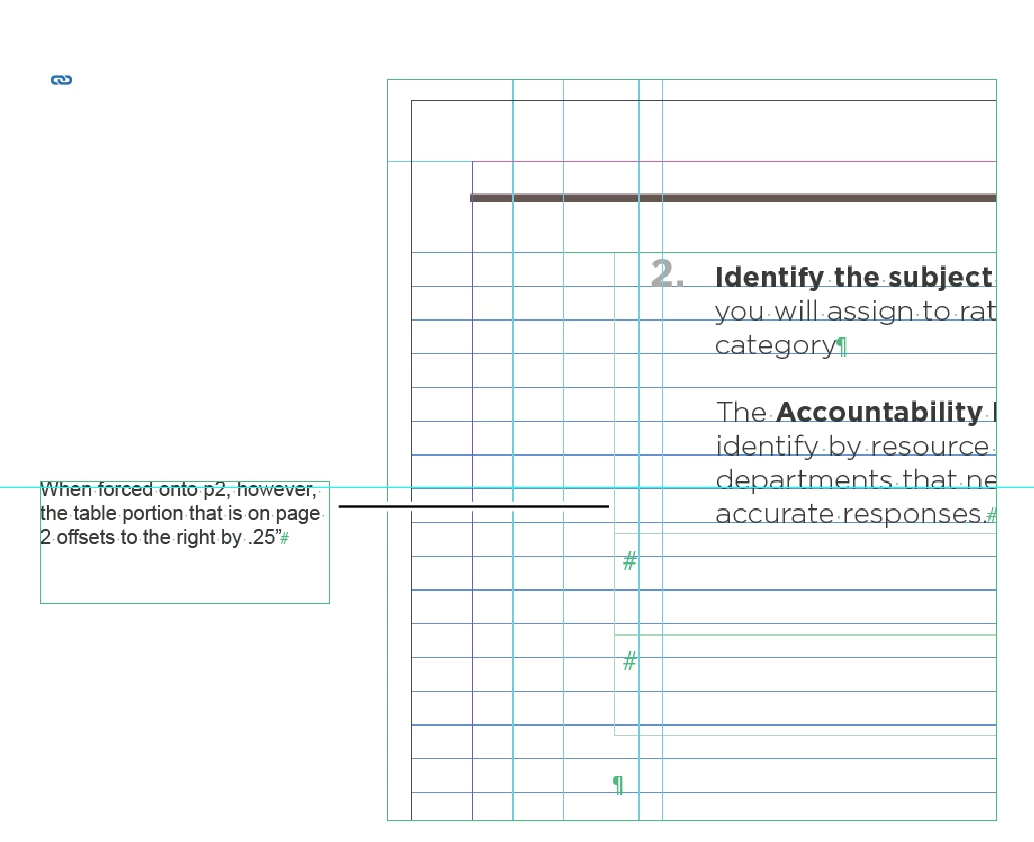
I have not run into this previously. When tables have extended across page boundaries for me in the past, they have adopted the same alignment -- and they have been carried by the same paragraph definition I'm using here.
Both page 1 and page 2 use the same master with the same guides and the same paragraph and text-column definitions. Afraid I'm mystified.
Thanks for any help.
 AdChoices