
Inspiring
August 4, 2017
Question

Table Spanning Across Two Columns Help

  • August 4, 2017
  • 2 replies
  • 4966 views

Hi all,

I am quite new to InDesign and need help with Tables. I cannot figure out how to span a table across a two-columns layout (see ref below). I've looked into the Tables options and I don't any options, and I use the Span column option in the paragraph style but no luck. Could anyone tell me what did I miss? Appreciate in advance!
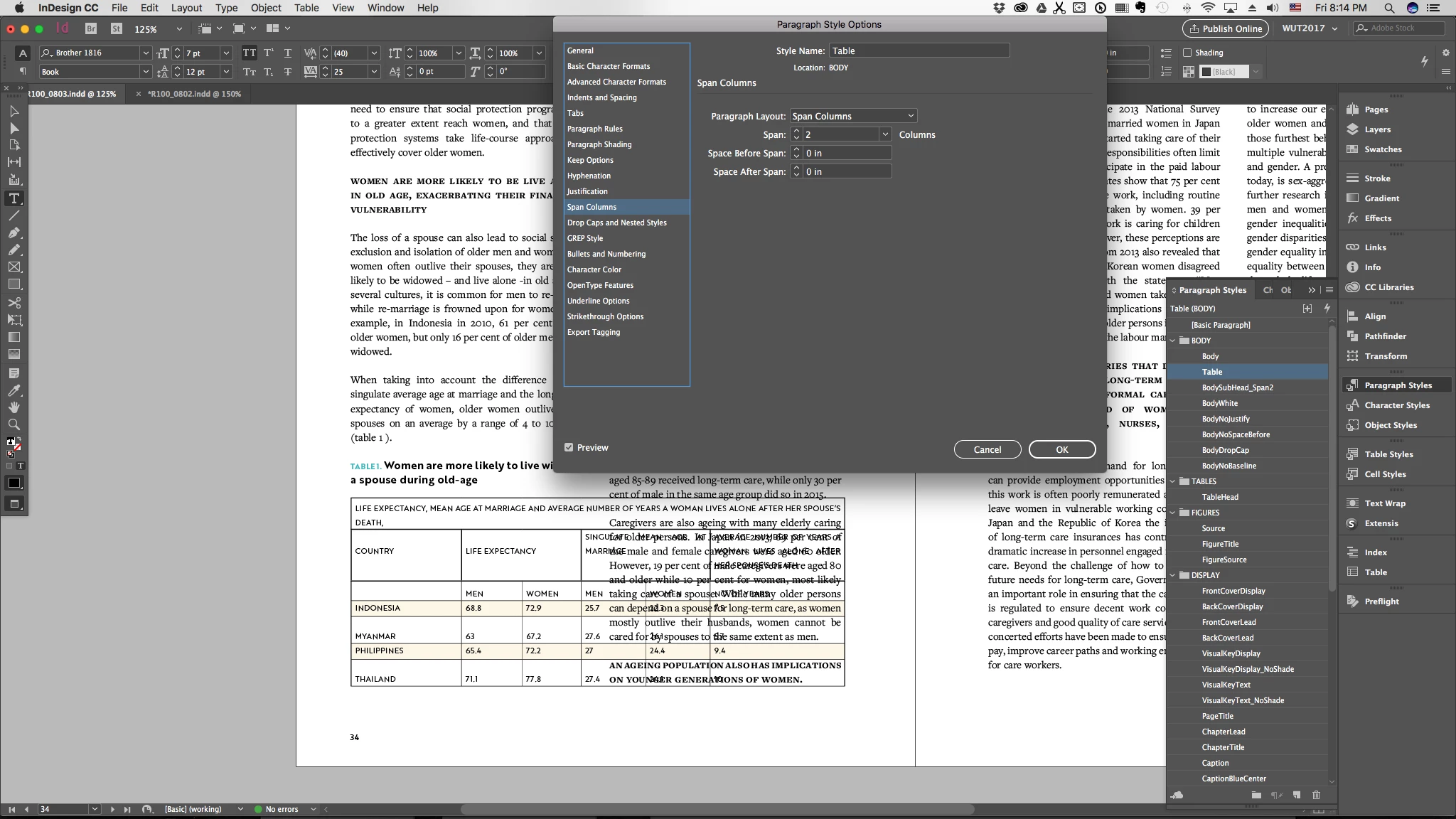
    This topic has been closed for replies.

    2 replies

    Barb Binder
    Community Expert
    Community Expert
    August 4, 2017

    I'd guess it is your cursor position. Place your cursor on the ¶ directly above the table (which I assume is embedded in the story) and tap the right or down arrow. Your cursor will now be on the ¶ with the table:

    Then set up the span. (I highlighted the last word above the table in magenta so that you can track it):

    But, this produces an awkward layout, and here is where InDesign falls short, IMHO. FrameMaker (Adobe's other page layout application) has table placement commands that allow you to put a spanned table at the top or bottom of the page automatically. You can simulate this by putting your table in an anchored frame in InDesign, activating text wrap and use anchoring controls to the same effect. It's not as simple, but it gets the job done.

    Or if there aren't that many tables, you might just position them on the page, and pull up the text frames, and hope for the best.

    ~Barb at Rocky Mountain Training
    Inspiring
    August 4, 2017

    Thank you very much Barb, I got the spanning to work after you specified the cursor placement. I will use anchored frame will text wrap as you suggest. Having a table as part of a story spanned across two columns in the middle of the page indeed does make an awkward layout. Hopefully table function will improve over the next update.

    Peter Kahrel
    Community Expert
    Community Expert
    August 4, 2017

    The problem with placing the table in an anchored frame is that text wrap on anchored frames works only if the frame is placed after the anchor. That means that the anchor should always be somewhere at the top of the left column -- in fact, you won't therefore be able to place the frame at the top of the page. If the text can reflow because of edits, the table might end up on a different page and the wrap might no longer be honoured. Those problems can be avoided by placing the table in a separate, unanchored, frame.

    Peter Kahrel
    Community Expert
    Community Expert
    August 4, 2017

    It's not clear from your screenshot where the cursor is. To have the table span columns, make sure that you select the paragraph that holds the table.

    But you should be cautious with this. I've had no end of trouble with spanning tables using the table's parent paragraph's span settings -- paragraph column spanning is fragile, to say the least. You often end up with bad compositions or crashes. It's much safer to place those tables in separate text frames with text wrap applied.

    Peter

    Inspiring
    August 4, 2017

    Thank you kindly pkahrel. I will take your advice and apply it.