Participating Frequently
August 27, 2024
Answered

Table stroke indesign

  • August 27, 2024
  • 1 reply
  • 558 views

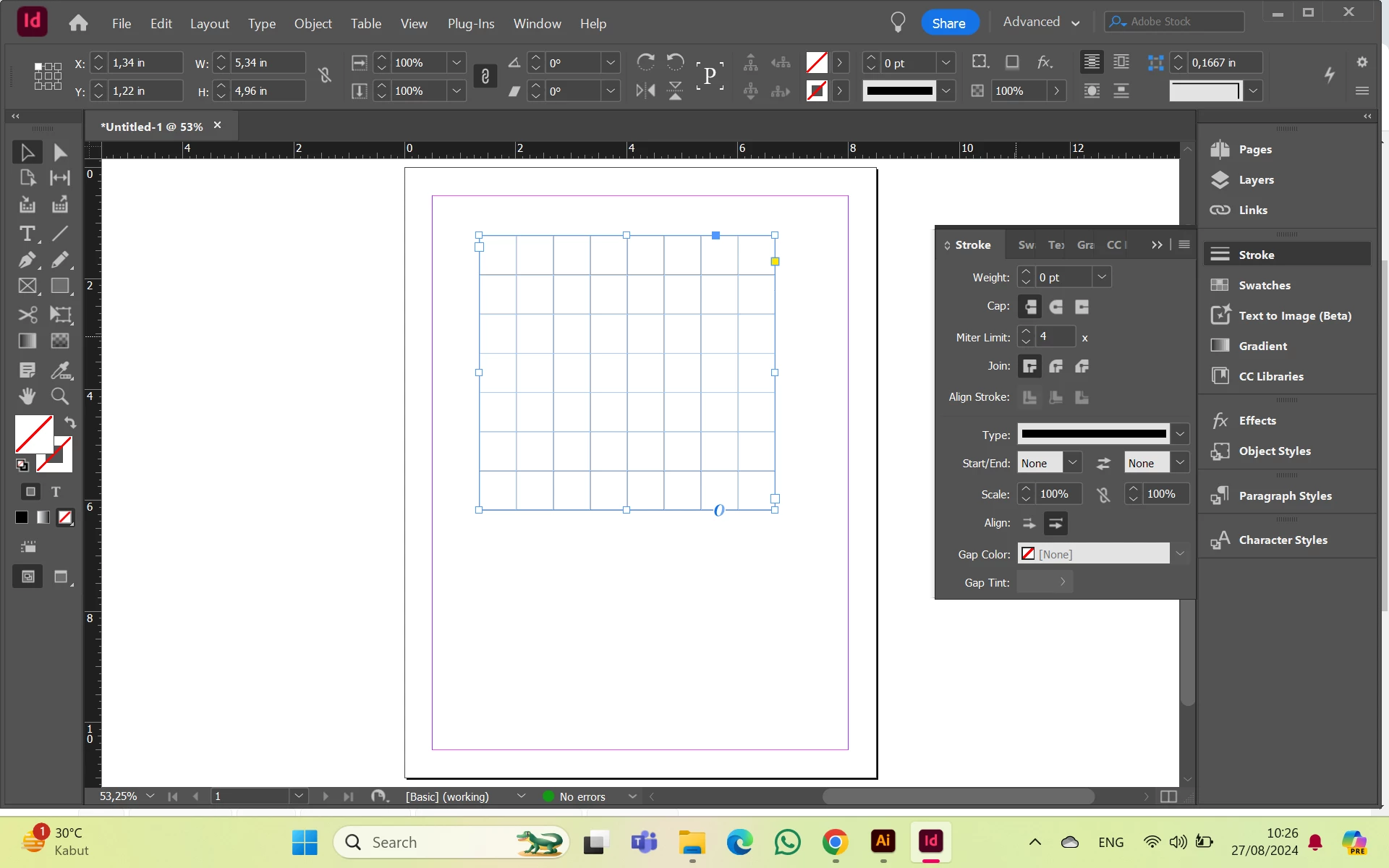
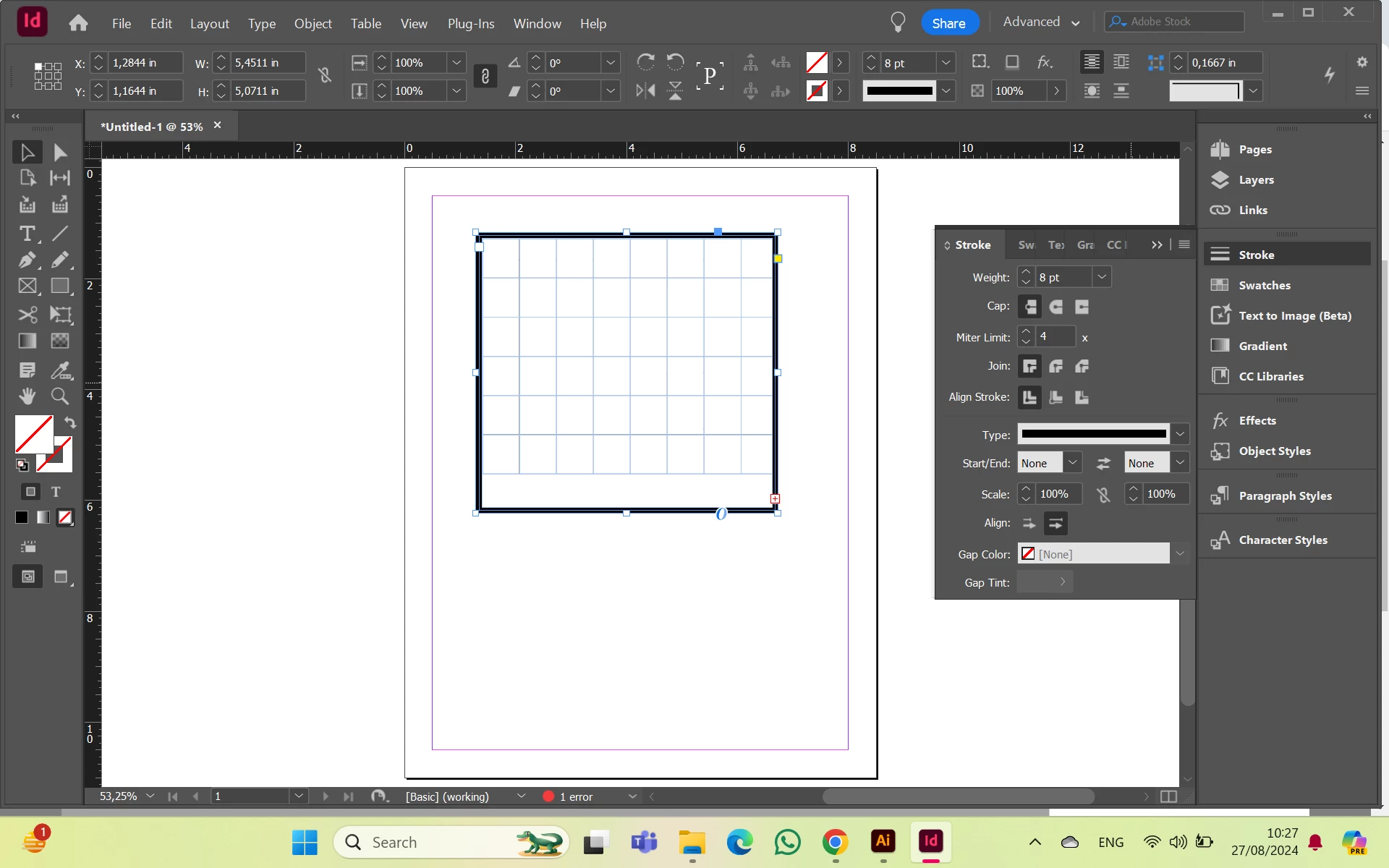
Why the result the table like this. I want to adjust the stroke of all line, but it just outside.

This topic has been closed for replies.
Correct answer Laubender

Hi @tresna_7812 ,

you assigned the stroke to the text frame that is holding the table. You did not assign it to the table itself.

For that you have to select the table and then you could use the widget for table strokes in the Control panel.


Select your table:

Put your text cursor into a cell. Hit the ESC key to select the cell. Use the keyboard shortcut for Select All to select all cells of your table. Then have a look into the Control panel where you can see the widget with the blue lines. Left to it the current settings of the cell strokes:
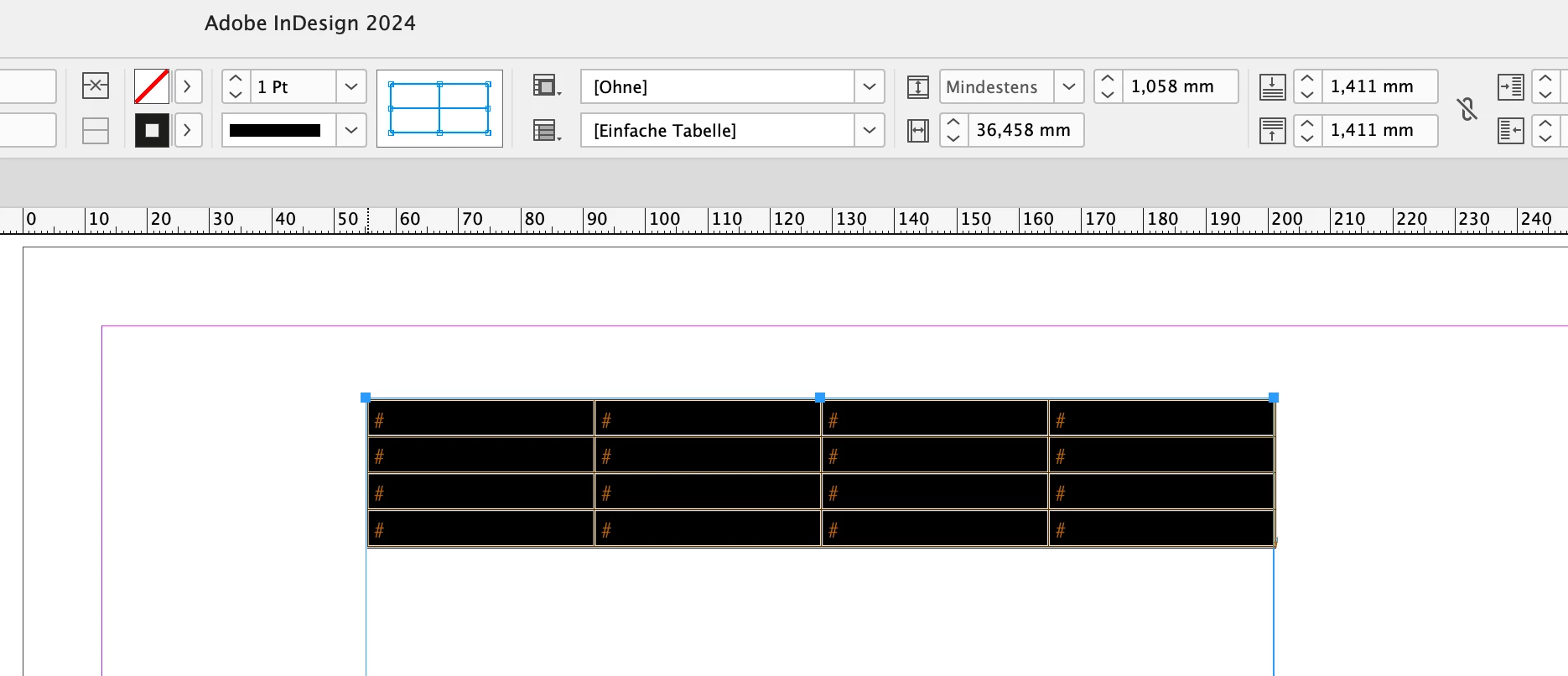


Change something, like with my example the color of the strokes:
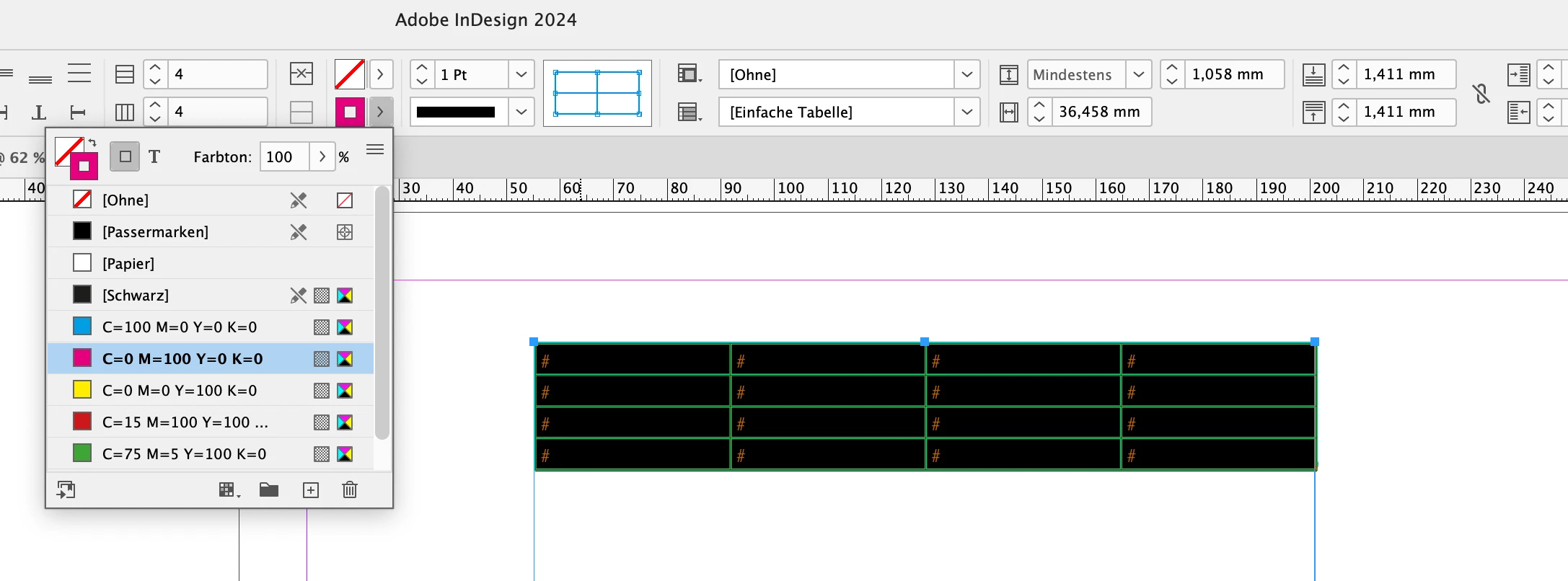
 

Result:
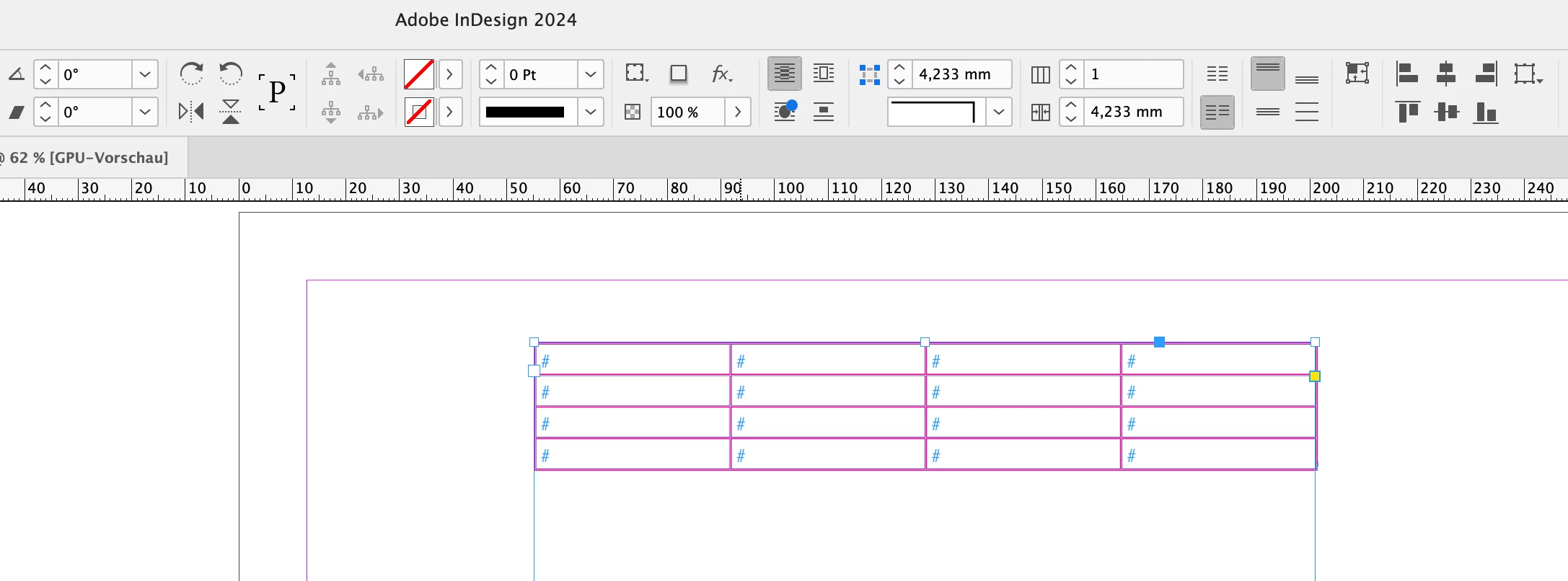
 

Also note that there are settings for the strokes around the table in the main menu for Tables.

If you want to change strokes only for left or right, or top or bottom, you have to unselect parts of the blue grid you see in the Control panel. The selected ones, the blue ones are affected only ( the vertical ones below ) :
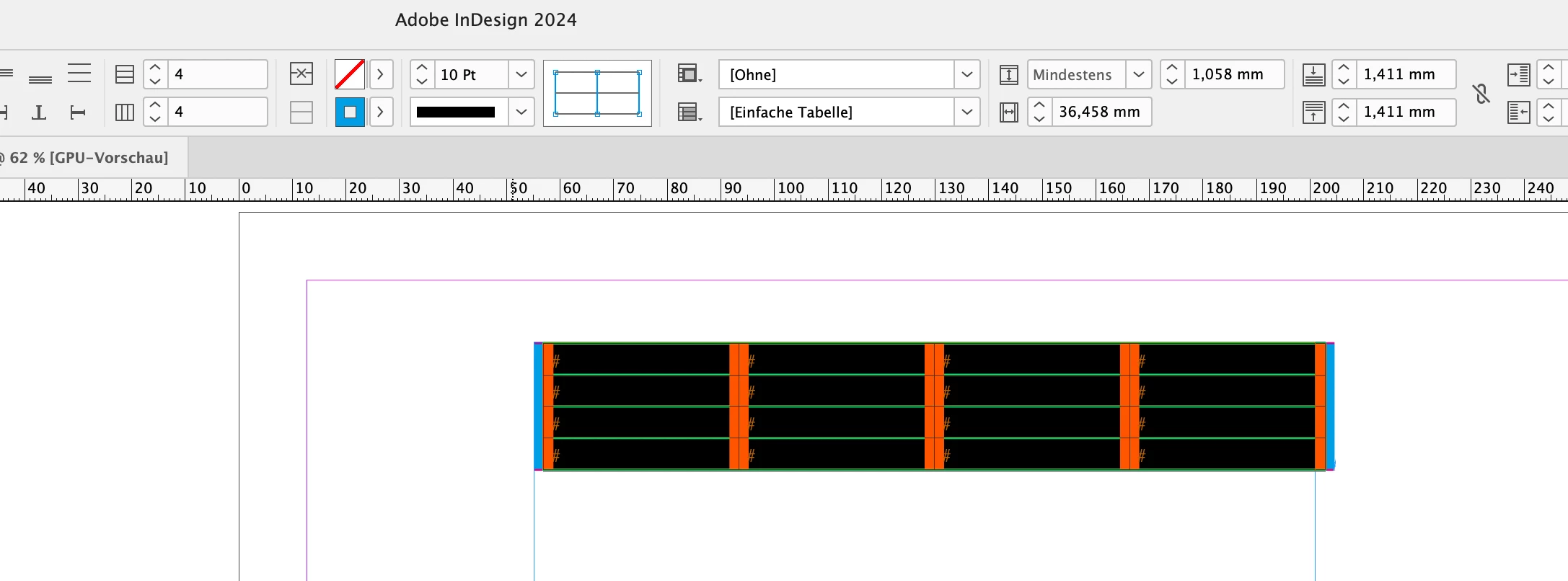


Regards,
Uwe Laubender
( Adobe Community Expert )

1 reply

LaubenderCommunity ExpertCorrect answer
Community Expert
August 27, 2024

Hi @tresna_7812 ,

you assigned the stroke to the text frame that is holding the table. You did not assign it to the table itself.

For that you have to select the table and then you could use the widget for table strokes in the Control panel.


Select your table:

Put your text cursor into a cell. Hit the ESC key to select the cell. Use the keyboard shortcut for Select All to select all cells of your table. Then have a look into the Control panel where you can see the widget with the blue lines. Left to it the current settings of the cell strokes:


Change something, like with my example the color of the strokes:


Result:


Also note that there are settings for the strokes around the table in the main menu for Tables.

If you want to change strokes only for left or right, or top or bottom, you have to unselect parts of the blue grid you see in the Control panel. The selected ones, the blue ones are affected only ( the vertical ones below ) :


Regards,
Uwe Laubender
( Adobe Community Expert )

Participating Frequently
August 27, 2024

thanks @Laubender 

do you know how to delete the blue line on this table ?

Robert at ID-Tasker
Legend
August 27, 2024

@tresna_7812


What blue line?


If you are referring to the frame slightly bigger than your table - it's a TextFrame - container for the text - and Tables are always part of the text. 


Color depends on the color of the Layer this TextFrame is placed on.