Hosun
Inspiring
December 15, 2022
Answered

table style

  • December 15, 2022
  • 3 replies
  • 690 views

Hi,


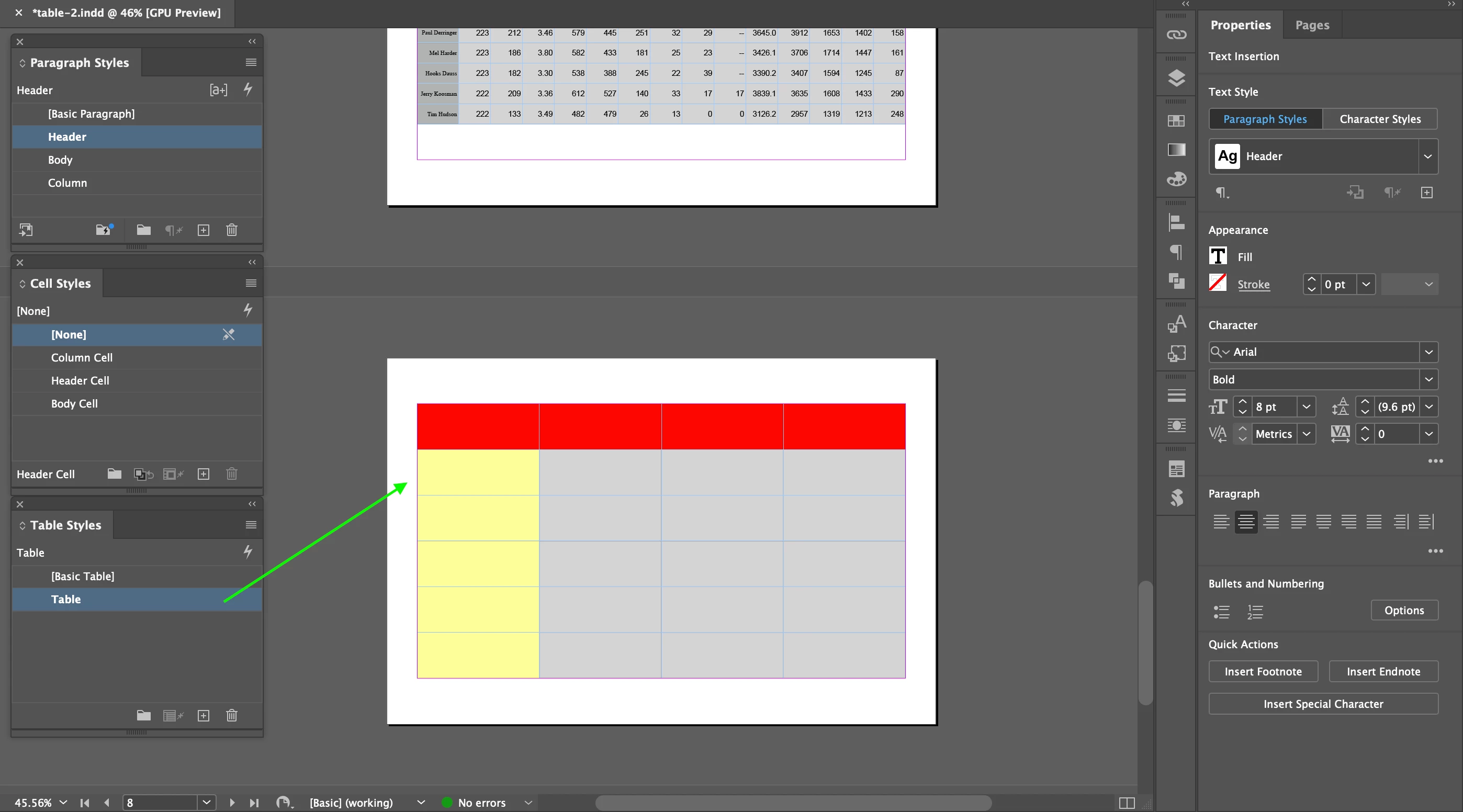
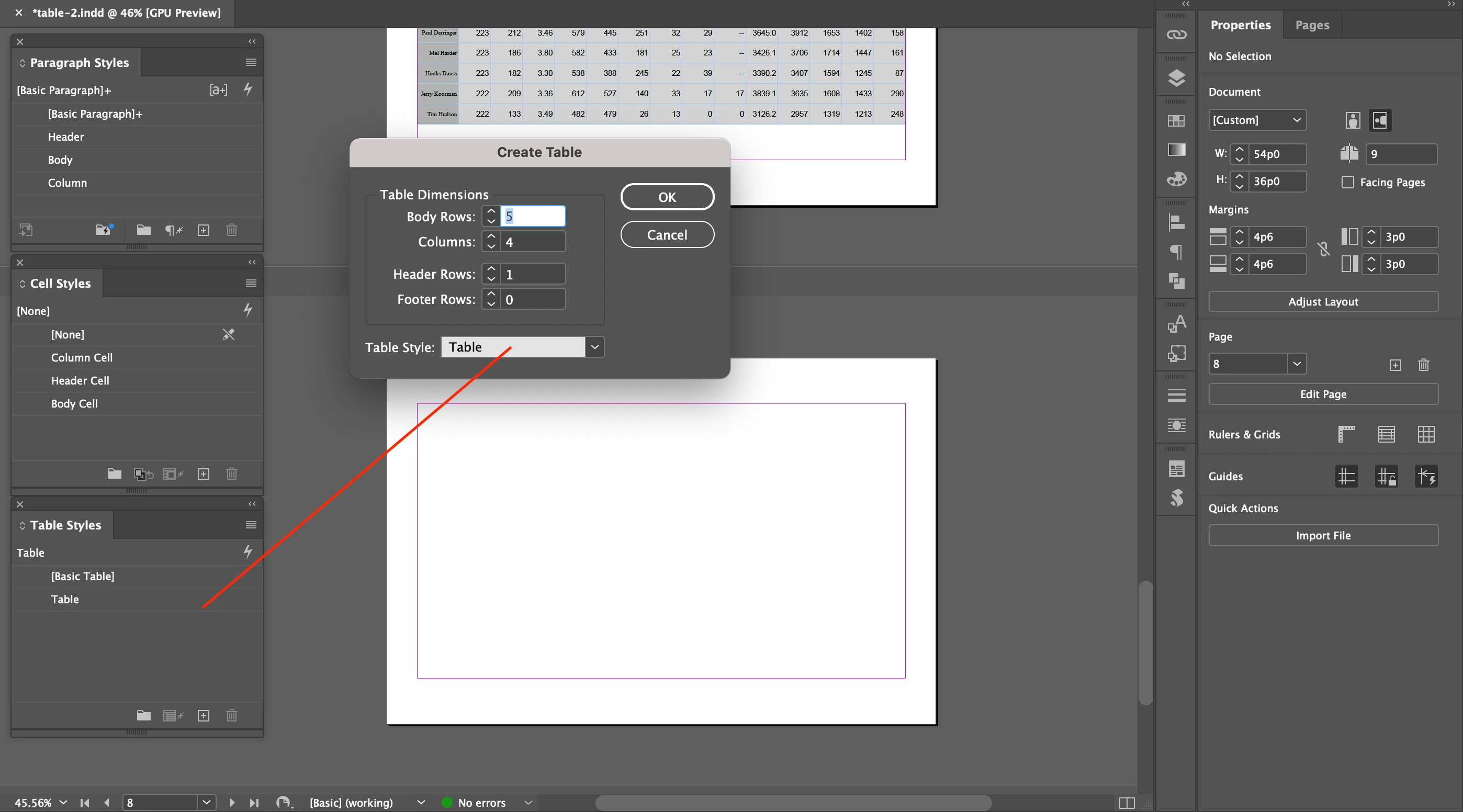
I drew a table with a table style (Table).


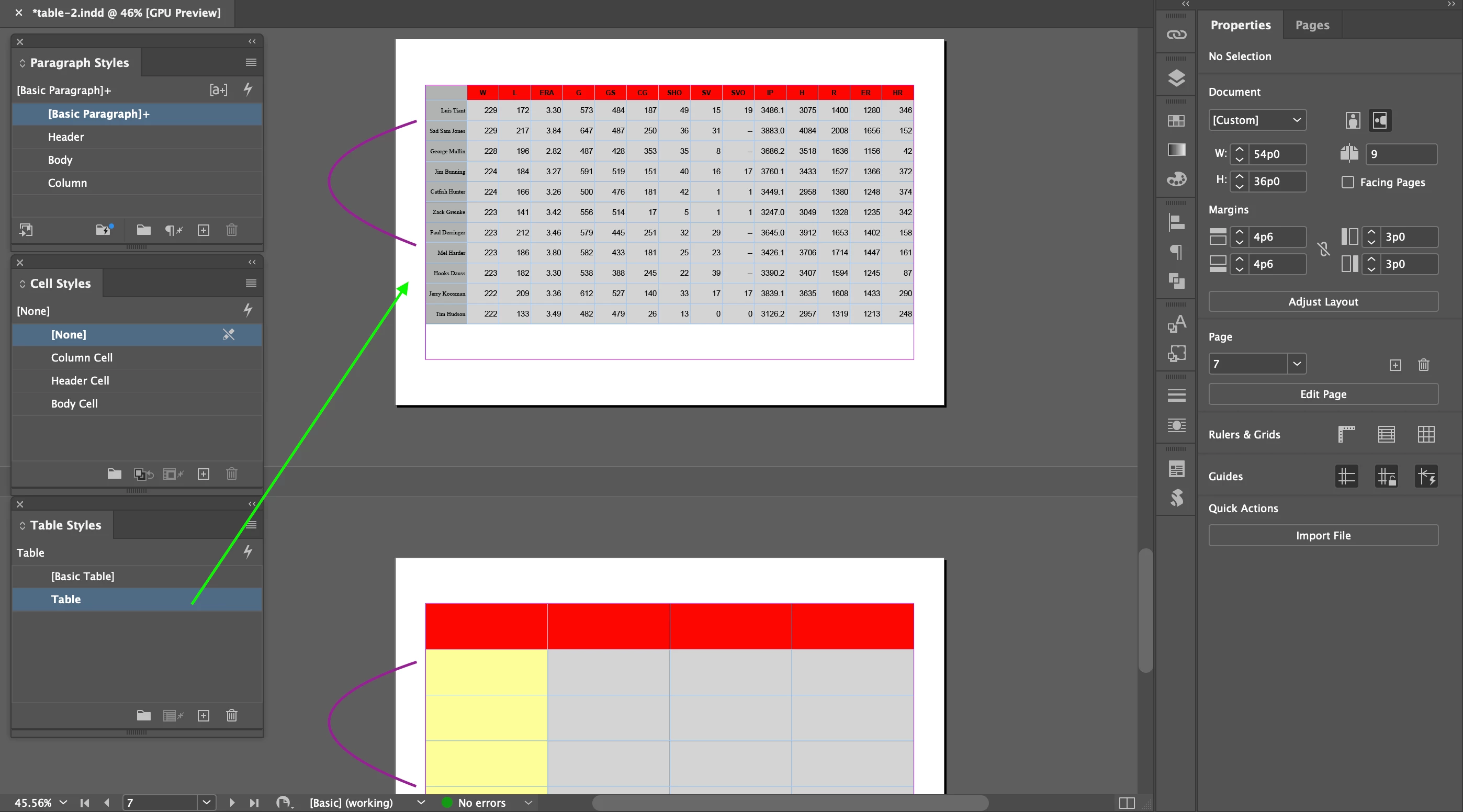
In the 3rd screenshot, I applied the table style (Table) to a table above.

But the yellow column doesn't appear.


Do you have any comment on it?


Hosun
 

This topic has been closed for replies.
Correct answer Barb Binder

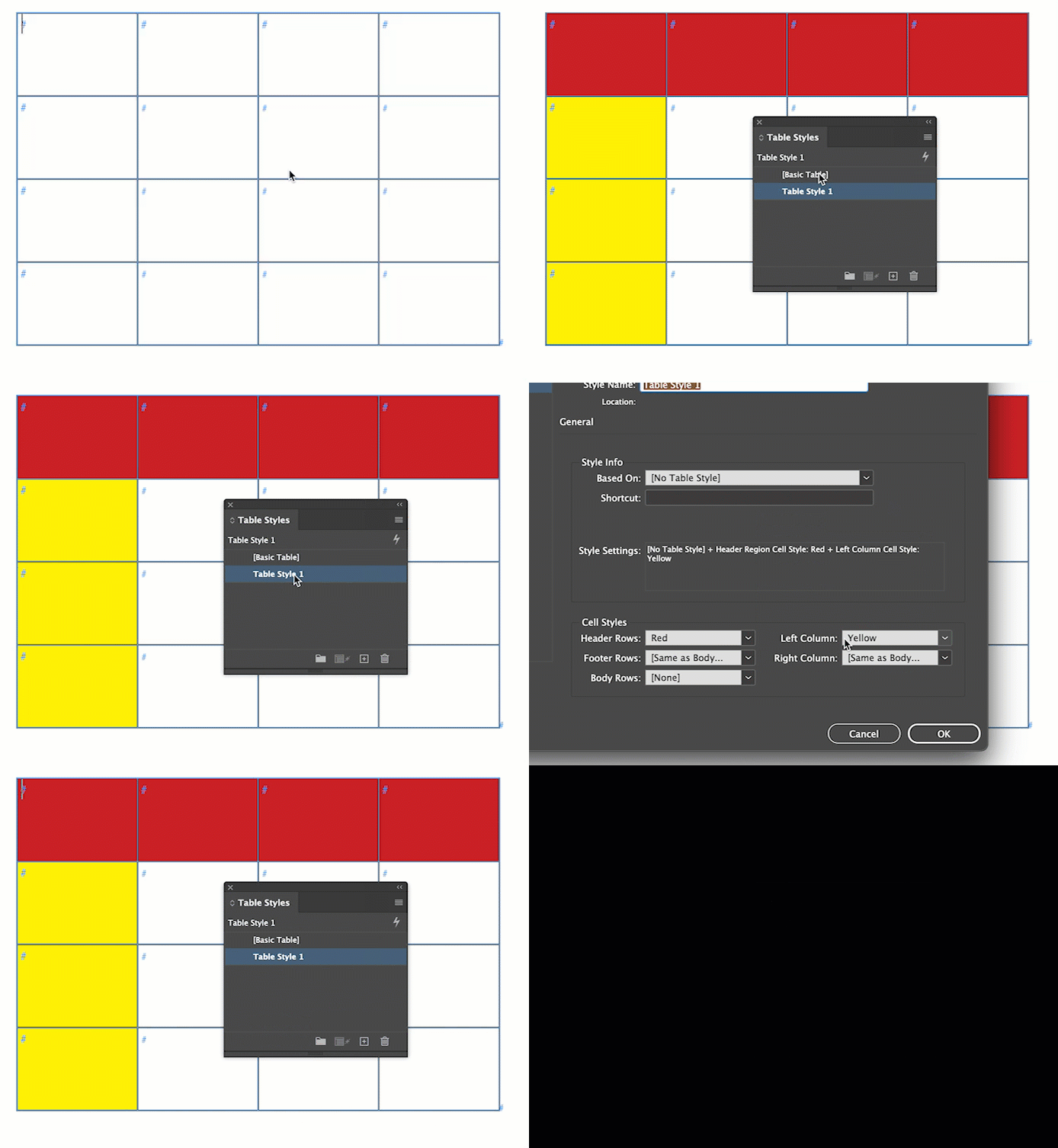
You can define cell styles to columns in a table style. Did you do that? If so, I'd say it's overrides.

https://www.rockymountaintraining.com/adobe-indesign-tables-that-wont-accept-table-and-cell-styles/
 

~Barb

3 replies

Barb Binder
Community Expert
Barb BinderCommunity ExpertCorrect answer
Community Expert
December 29, 2022

You can define cell styles to columns in a table style. Did you do that? If so, I'd say it's overrides.

https://www.rockymountaintraining.com/adobe-indesign-tables-that-wont-accept-table-and-cell-styles/


~Barb

~Barb at Rocky Mountain Training
Community Expert
December 29, 2022

Hi @Hosun ,

to make it more clear perhaps:

InDesign's table styles do know of rows: header rows, body rows and footer rows where you can assign cell styles automatically. Also all kinds of frequency with changing fills for whole rows of cells. That's it. No less, no more.

That means a table style cannot apply different cell styles to distinct columns like the first one in your screenshot with the yellow filled cells.


For designs like that you have to apply cell sytles manually by selecting the cells.

Or you do manaul overrides with the fill color of selected cells.


If you want to do more automatically or semi-automatically you need the assistance of a payed plug-in like Woodwing's AutoStyle for InDesign or you need to write a script to do the job for you.


NOTE:

For formatting the first and the last column of a table using a table style see Barb's comment below.


Regards,
Uwe Laubender
( Adobe Community Expert )


EDITED

Community Expert
January 2, 2023

Note: I unmarked my answer as correct one.

Parts of it are correct. Parts are not.

Thank you @Barb Binder for reminding me on the options we have for formatting table columns!


Thanks,
Uwe Laubender
( Adobe Community Expert )

Peter Spier
Community Expert
Community Expert
December 15, 2022

You are getting outside m y comfort zone -- I hate working with tables -- but in cases where things don't happen that you think ought to be happeening it's usually caused by some other attribute applied at a higher level as an override. I'd take a close look at the cell style applied to those cells.

Hosun
HosunAuthor
Inspiring
December 15, 2022

I'd rather use Paragraph Style and Cell Style, dropping Table Style.


Hosun