


Inspiring
February 9, 2023
Question

Table styles don't work

  • February 9, 2023
  • 1 reply
  • 348 views

Dear all, after a whole day searching the net, I ask you, what do I do wrong?

I want to automate my workflow, have a lot of books coming up with tables in them. So I made a tablestyle with embedded in it, the cellstyles, the paragraph styles in the cell styles etc. It works but also it doesnt work. What happens is that I can change the tables to said tablestyle but... the cellstyles are not active. So if I want to change something in the cell styles, it doesnt change in the table style.


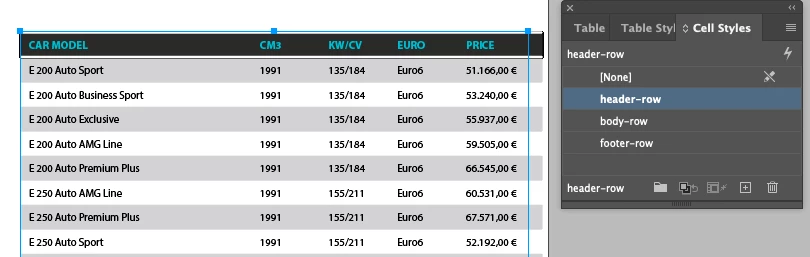
I made a cell style "header row" (and a body row and a footer row):
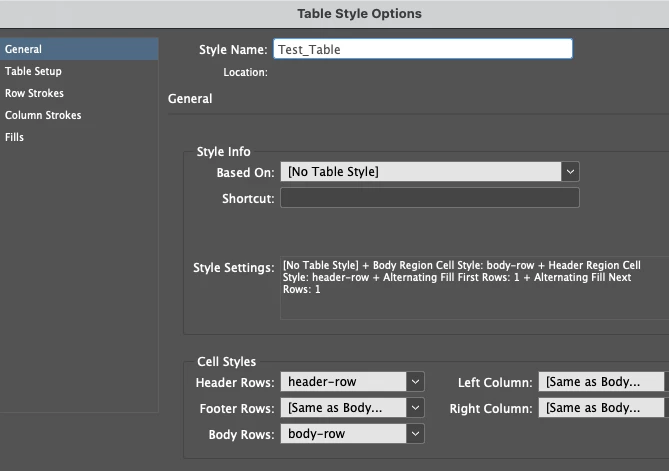
I made a table style with the cell styles in it:


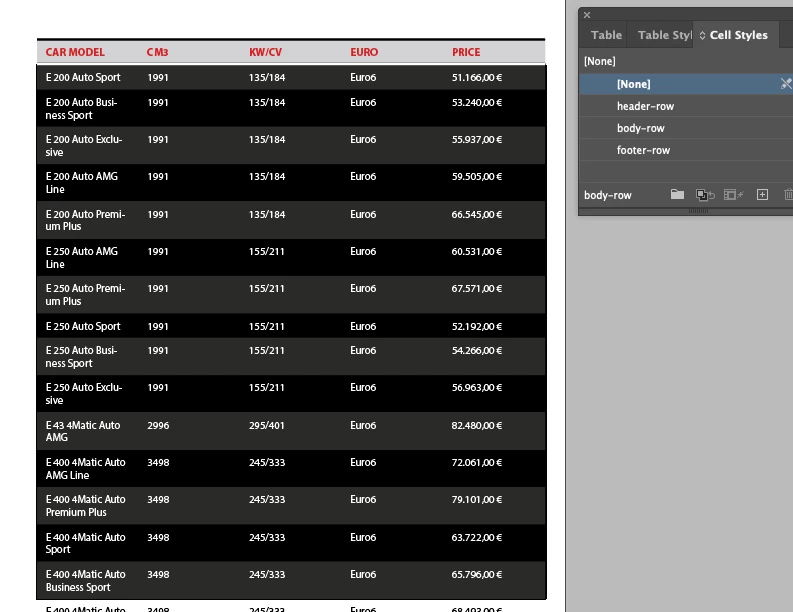
But when I use this table style on the tables in my manuscript, the table looks good, but has no cell styles. On the picture I selected the body-rows but they are NONE cell style.
HELP!


This topic has been closed for replies.

1 reply

Frans v.d. Geest
Community Expert
Community Expert
February 9, 2023

There you hit a nasty known InDesign bug that has been with us a loooong time: applying the Table Styles with Cell Styles fail to show that in the Cell styles Window.

It should be fixed in version 2023 (you don't mention your version nor OS, please do, that helps 😉  )


Bug ID - ID-4068583

Be the first to vote
Click


to add your vote!" data-original-title="">


0


Table Styles using Cell styles: cell styles not highlighted in Cell Styles window

Posted by - on Oct 4, 2015, 10:18 AM

jmlevy
Community Expert
Community Expert
February 9, 2023

Is this really a bug? According to me, and as the screenshot shows, the cell style is applied and its name is displayed at the bottom of the panel, as it is displayed when a nested style or a grep style is applied.

Frans v.d. Geest
Community Expert
Community Expert
February 9, 2023

Yes, that is the strange part isn't it: it shows the correct style at the bottom but it does not get highlighted in the panel 😉 We called it a bug.