
jodyh48180591
Participant
July 28, 2022
Answered

Tables: How do I copy and paste a formatted table and retain row height?

  • July 28, 2022
  • 3 replies
  • 767 views

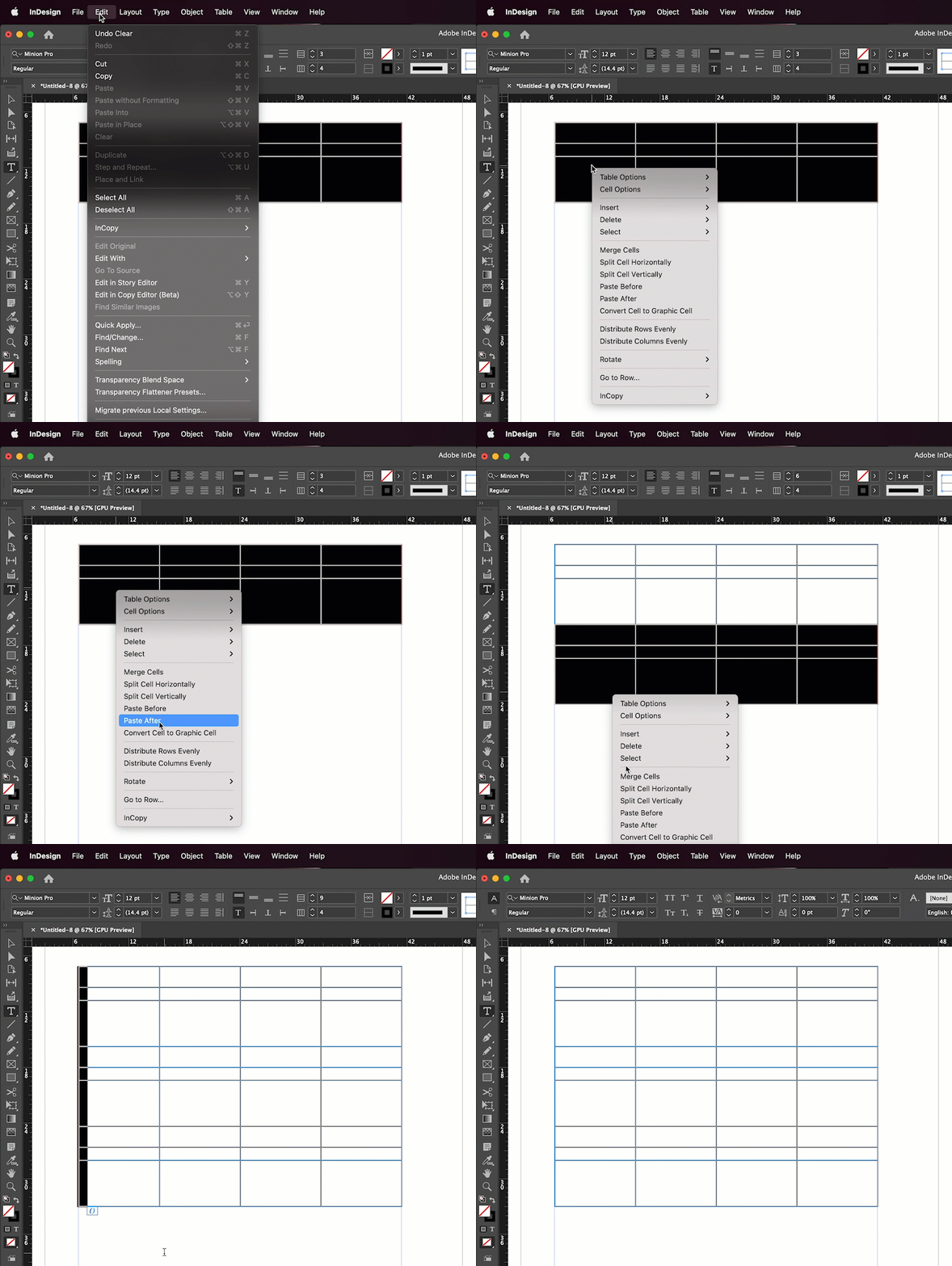
I've created a table of 3 rows, all formatted with different heights. I wish to extend the table with an identical 3 rows underneath (identical to the previous 3 formatted rows in terms of style and row height). Whenever I add 3 extra rows to the existing three, they all result in a default row height size. I select the first 3 formatted rows and copy, paste into the new 3 below, but when I do, the rows remain their default height. How do I copy, paste and retain the formatted sizes from the original rows?
This topic has been closed for replies.
Correct answer Barb Binder

Use Paste After.


~Barb

3 replies

Barb Binder
Community Expert
Community Expert
July 28, 2022

We are always happy to help, Jody.


~Barb

~Barb at Rocky Mountain Training
Barb Binder
Community Expert
Barb BinderCommunity ExpertCorrect answer
Community Expert
July 28, 2022

Use Paste After.


~Barb

~Barb at Rocky Mountain Training
jodyh48180591
Participant
July 28, 2022

You are a life saver. Thank you so much!!! 

Dave Creamer of IDEAS
Community Expert
Community Expert
July 28, 2022

Did you try setting a minimum row height to the entire table body?


David Creamer: Community Expert (ACI and ACE 1995-2023)
jodyh48180591
Participant
July 28, 2022

How do I do this please?