Inspiring
February 16, 2017
Answered

Tables or tabs? Looking for advice...

  • February 16, 2017
  • 6 replies
  • 1802 views

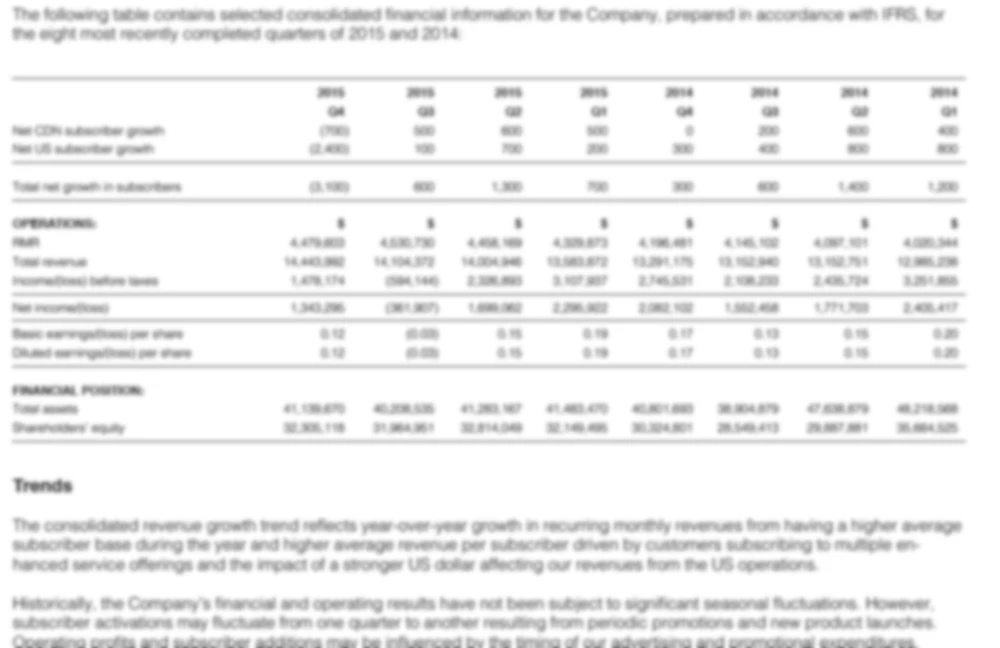
I need to layout a pretty long document that will include a lot of financials (see attached sample). I'd prefer to keep the financials in the document flow (ie inside the main threaded text frame). In any case, wondering if this type of chart should be setup using tables or tabs? All the horizontal rules make me think that tables would be easier, but perhaps I'm wrong.

Related question: can tables be put inside threaded text frames, so that they move with the text flow?

Thanks!
This topic has been closed for replies.
Correct answer Joel Cherney

I could go either way, on that example. Much depends on where the data is coming from. If it's all in Excel, I might save out tab-delimited text from Excel, import as raw text, and then use paragraph styles to set tab stops and add paragraph rules. If it's in tables in Word, I would totally place the tables and format them. If you're scraping the data out of a PDF, I would probably save .docx out of the PDF, which would almost certainly auto-generate tables.

One case that would make tables much better than tabs and rules is if any of the text cells require multi-line text. If so, then I would use tables without a second thought.

6 replies

Joe SevenAuthor
Inspiring
March 1, 2017

So I followed the advice given here and used Acrobat DC to convert the client financials PDF into a .docx file. I then placed that into InDesign. Seemed to work pretty well.

I have a lot of different tables to style now. I'm thinking the best workflow would be to format a few initial tables, create table styles, then apply them to the remaining unstyled tables as I work through the document, and cleanup where necessary. Does that sound right? My experience with table styles is that they don't work perfectly (most of the time).

A lot of the tables I'm dealing with need to have rows with thin horizontal stokes running below or above them (as per my original image sample). I don't think table styles will help me here, as the frequency and location of these horizontal stroke rows change from table to table? Should I be looking at cell styles for this? Or just do it manually?

Thanks again! 

Community Expert
March 1, 2017

Hi Joe,

cell styles is the way to go.

Assisted maybe by a script written by Gerald Singelmann, that can save column width to table styles ( and more ):

Set table-columns numerically II | InDesign FAQ

For more automation with styles ( not only tables ) you probably need a plug-in by Woodwing:

Smart Styles - Adobe InDesign plugin | WoodWing Software

Hint: There is a 30days trial.

Regards,
Uwe

jane-e
Community Expert
Community Expert
February 18, 2017

Here's what it looks like in the Story Editor when you insert a table to the cursor. The table element can be collapsed.

Community Expert
February 18, 2017

Hi Joe,

one addition to what John said:
In fact a table is stored inside a special character that can only live inside a text frame.

So if you place a table from e.g. an Excel file to a separate text frame you can always copy/paste that one character in the text frame to an insertion point of your main story. Selecting the table and copy/paste it to an insertion point would also work. Or you could thread the text frame with the table to the main story of text frames that is running from page to page if that is your intention.

Regards,
Uwe

John Mensinger
Community Expert
Community Expert
February 17, 2017

Yes, surely tables.

Related question: can tables be put inside threaded text frames, so that they move with the text flow?

That's their default, and only, behavior.

Joel Cherney
Community Expert
Joel CherneyCommunity ExpertCorrect answer
Community Expert
February 17, 2017

I could go either way, on that example. Much depends on where the data is coming from. If it's all in Excel, I might save out tab-delimited text from Excel, import as raw text, and then use paragraph styles to set tab stops and add paragraph rules. If it's in tables in Word, I would totally place the tables and format them. If you're scraping the data out of a PDF, I would probably save .docx out of the PDF, which would almost certainly auto-generate tables.

One case that would make tables much better than tabs and rules is if any of the text cells require multi-line text. If so, then I would use tables without a second thought.

Joe SevenAuthor
Inspiring
February 27, 2017

Thanks for the helpful information!

Inspiring
February 16, 2017

Hi,

Yes - tables are what you want. They can indeed be put into the text flow and you can use cell and table styles to control your layout.

Regards,

Malcolm