
Known Participant
August 7, 2017
Answered

Tables text overflows (read please)

  • August 7, 2017
  • 1 reply
  • 4337 views

Hi.

I know is a very common question. I know that we have a lot of answers around the Internet. But I tried for a week (I swear...) to solve my problem with my really novice idea of javascript, trying to adapt every code that I found on foruns, youtube videos, and all stuff you can imagine just to not bother you all with one more question about this, but I could not reach my goal... I'm tired and came here asking for help.

For God... how I can solve the cell's tables overflow text across the document? Even the tables that are anchored in text frames.
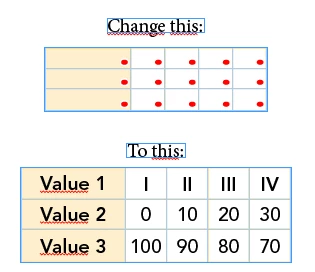
I tried with the code below increase the size of the cells with a number, but not working in every page and instead a number I wish to detect when is not overflows anymore because the cells have different widths and heigths:

var myDoc = app.activeDocument;

var myPages = myDoc.pages;

var myStories = myDoc.stories.everyItem();

var myTextFrames = myDoc.textFrames;

var myTables = myStories.tables.everyItem().getElements();

resizeOverset();

function resizeOverset() {


for (p = 0; p <= myPages.length; p++) { 

    for (var t = 0; t <= myTables.length; t++) {

        for (var c = 0; c <= myTables.cells.length; c++) {

            if (myTables.cells.overflows == true) {

                myTables.cells.width = 100;

            } else {

                    break;

                    }

                }

            }

        }

    }

I hope this topic help a lot of people that have the same question with a definitive answer.

Sorry for the english and thank you in advance.

This topic has been closed for replies.
Correct answer Jongware

Ah, now I see the error it makes sense (and I can see what's wrong).

The script doesn't process the second table at all, because it stops with that error message. This is the reason:

for (var c = 0; c <= myTables.cells.length; c++)

The <= must be a single < instead. As it is, it tries to process cells numbered 0..16 for a total length of 16, and of course this should be 0..15 (... don't worry, it will make sense after a while. For now, just remove the '='.)

1 reply

Jongware
Community Expert
Community Expert
August 7, 2017

Can you clarify what happens with the tables for this does not work? As far as I can see it should: all tables in the entire document should be processed.

Add a screenshot of one of these tables "before" and "after".

I can only spot one conceptual error in your script. The entire set-up at the start is to get a list of all tables in the entire document, and then you only have to loop over the "myTables" array. The loop made by the line

for (p = 0; p <= myPages.length; p++)

is not necessary, because you already have the tables.

RibnogAuthor
Known Participant
August 7, 2017

Hi.

Here the screenshots:

In the first page works even with this error message.

When I click OK:

But in the second page with another table, nothing happens:

Jongware
Community Expert
JongwareCommunity ExpertCorrect answer
Community Expert
August 7, 2017

Ah, now I see the error it makes sense (and I can see what's wrong).

The script doesn't process the second table at all, because it stops with that error message. This is the reason:

for (var c = 0; c <= myTables.cells.length; c++)

The <= must be a single < instead. As it is, it tries to process cells numbered 0..16 for a total length of 16, and of course this should be 0..15 (... don't worry, it will make sense after a while. For now, just remove the '='.)