Participant
February 26, 2019
Question

Text Aligment Issues

  • February 26, 2019
  • 6 replies
  • 580 views

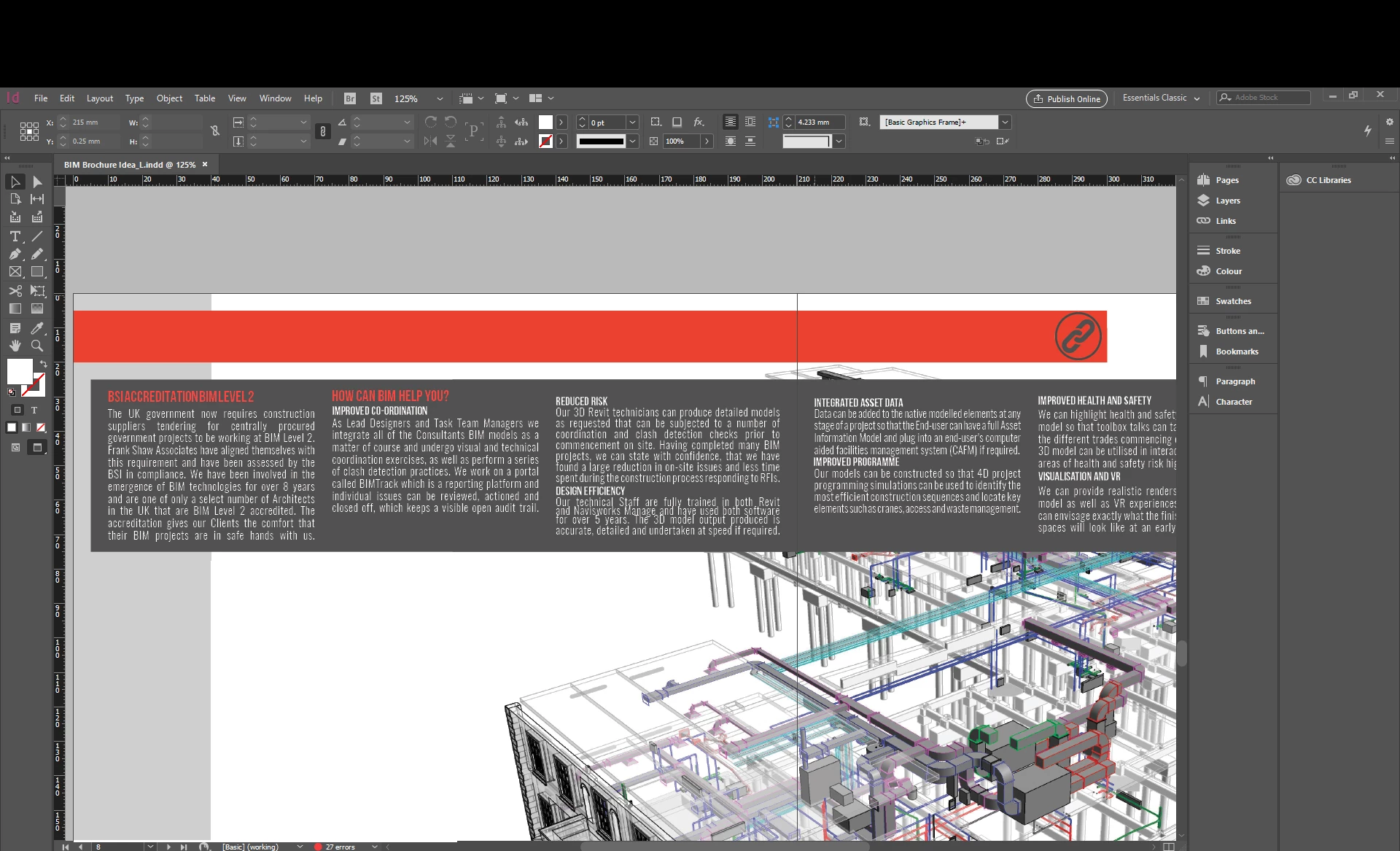
I'm struggling with the alignment of my text and getting the justification right, so that all the word spacing and line spacing is equal; see overlapping text on Design Efficiency paragraph.

How can I get the text to read so that all the line and word spacing in every paragraph is the same?
    This topic has been closed for replies.

    6 replies

    Scott Citron
    Legend
    March 4, 2019

    I'd start with using another typeface! That compressed font is really hard to read.

    rob day
    Community Expert
    Community Expert
    March 1, 2019

    see overlapping text on Design Efficiency paragraph

    The overlapping of the lines is from the tight leading—the cap height is crossing into the baseline. Looks like you have lines with different leadings throughout the paragraphs.

    Look at Preferences>Type and check Apply Leading to Entire Paragraphs. Make a Paragraph Style and apply it to all of the paragraphs

    Mike Witherell
    Community Expert
    Community Expert
    March 1, 2019

    You need to control your text with Paragraph Styles built in the Paragraph Styles panel.

    Give your paragraph style a name like "Body"

    Make sure it is based on No Paragraph Style

    Choose font, style, point size, and leading

    Set Kerning Method to Optical

    Set Hyphenation to 9/3/4/1/1p6/off/off/off

    Set Justification to 80/100/120; -5%/0/5%; 95%/0/105%

    Set other clever things, too, like Keep Options, but these cited above are the important ones that affect spacing.

    Once you have made a paragraph style, select your text, click the named paragraph style, sit back and enjoy the day.

    (PS: if you see a + sign after the style, that signifies overrides on some attributes. Be sure to click the Remove Overrides button at the bottom of the Paragraph Styles panel. Also, make sure you do not have Character Styles accidentally applied)

    Mike Witherell
    Srishti_Bali
    Legend
    March 1, 2019

    Hi there,

    In addition to suggestions shared above you can also refer to these help articles for more details:

    Align or justify text in Adobe InDesign

    Compose and hyphenate text in Adobe InDesign

    Regards,

    Srishti

    Community Expert
    February 26, 2019

    Hi Anon12 ,

    turning on hyphenation could work wonders as well.

    To make that work check if property language of the text is not set to "No Language".

    Regards,
    Uwe

    BobLevine
    Community Expert
    Community Expert
    February 26, 2019

    There’s no magic setting to make this all look perfect.

    There are, however, several features you can take advantage of starting with a baseline grid.

    After that, you might want to look at the justification settings. While some consider this heresy, don’t be afraid to change the glyph scaling by 2-3%.