Participant
May 7, 2024 7:12 PM UTC
Answered

Text alignment

Hi to all of you!

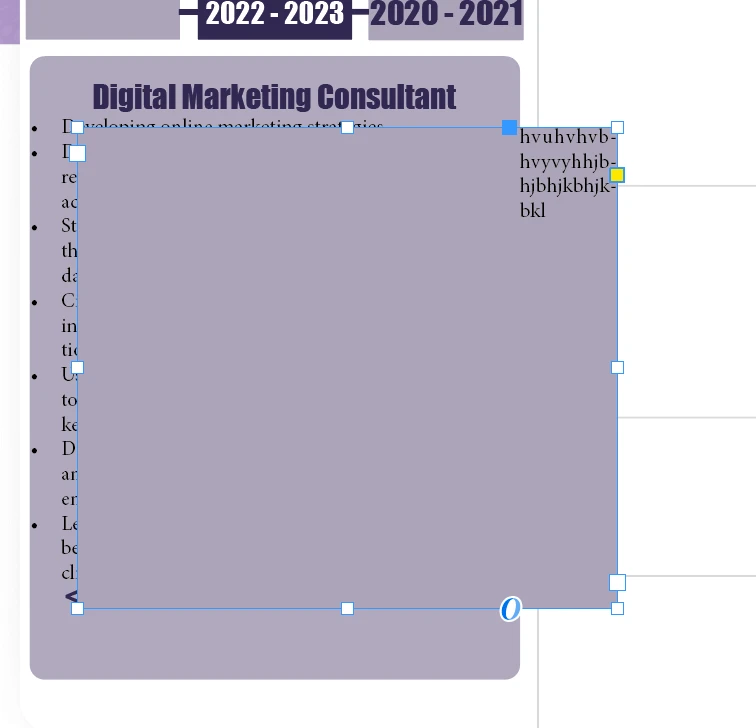
When I open the second box, the text does not line up with the box. I'm attempting to create two boxes with text and stack them one on top of the other so they may be buttons.

The first box appears to be "pushing" the second text.

Is there anyone who can assist me?


This topic is closed to new replies. Start a new post to keep the conversation going.
Willi Adelberger
Willi AdelbergerCorrect answer
Community Expert
May 7, 2024 7:55 PM UTC

If you need to align text from different boxes, use alignment to baseline grid. This is part of the paragraph style.

If a frame pushes away text, which is mostly used with image frames, it is due to the setting of text wrap.

If you want to avoid text wrap with a text frame, like overlaying text on an image, choose cmd/ctrl+B > activate ignore text wrap. Create an object style for that purpose, as you should always design based on styles (Paragraph, Character, Object, Table and Cell Styles).

2 replies

Willi Adelberger
Community Expert
Willi AdelbergerCommunity ExpertCorrect answer
Community Expert
May 7, 2024 7:55 PM UTC

If you need to align text from different boxes, use alignment to baseline grid. This is part of the paragraph style.

If a frame pushes away text, which is mostly used with image frames, it is due to the setting of text wrap.

If you want to avoid text wrap with a text frame, like overlaying text on an image, choose cmd/ctrl+B > activate ignore text wrap. Create an object style for that purpose, as you should always design based on styles (Paragraph, Character, Object, Table and Cell Styles).

Translate
Robert at ID-Tasker
Legend
May 7, 2024 7:55 PM UTC

It's called Text Wrap:


https://helpx.adobe.com/uk/indesign/using/text-wrap.html


Translate