I went to the end of the document, in this case page 164. I added 6 pages and then selected them from the panel and right clicked move to then input page 131. When I went back to check, the text and images had disappeared again. I do not have any made layers, but this is a Blurb plugin document so I took a screenshot of that.
The file is much too big so that's why I can't share it. I'm unsure why if I'm using only pngs, jpgs, pdfs and tiffs.
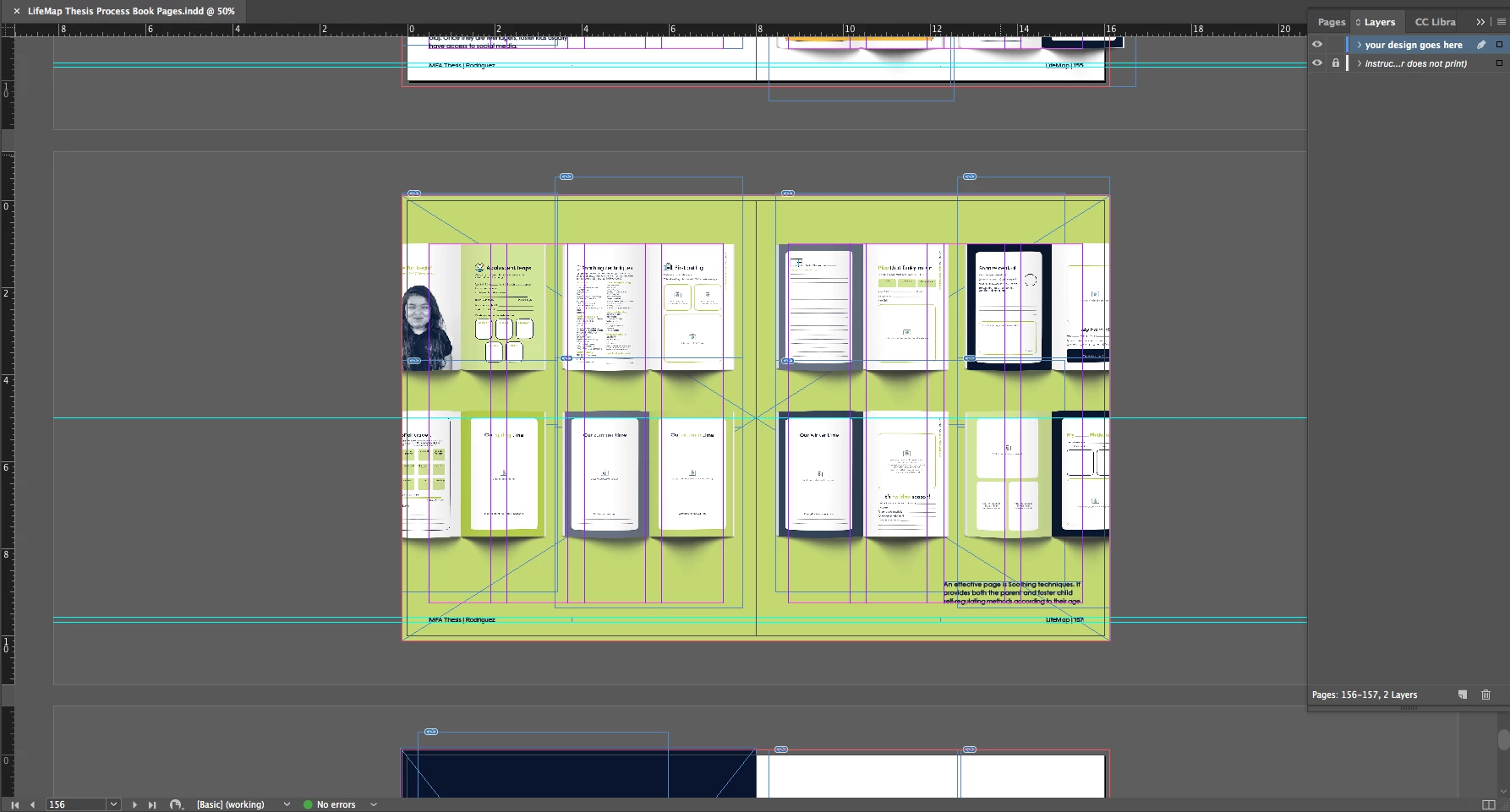
Thanks for the screenshot where frame edges are visible!
So the cause of your problem is the large rectangle that spans both pages.
As already suggested:
Do one rectangle per page instead of one for the whole spread of facing pages.
Make sure that the rectangles do not touch the spine.
As already suggested: Move them a tiny bit away from spine.
0.01 mm would do.
Reason: One object on the page, in your case the big rectangle, cannot belong to two pages.
Only to one page. It wll not be duplicated nore split automatically if you move pages around.
And that leads to the fact that your stacking order of elements will be different.
Ergo: The contents now stacked above will be behind the rectangle that comes with an even or an odd page.
FWIW: InDesign will decide for itself to witch page the rectangle belongs.
Even if you think, that you placed its center exactly on the spine.
Regards,
Uwe


 AdChoices