grudgemom
Known Participant
July 17, 2018
Answered

Text based find/change changing case of letters

  • July 17, 2018
  • 1 reply
  • 399 views

Good morning. This has me baffled.

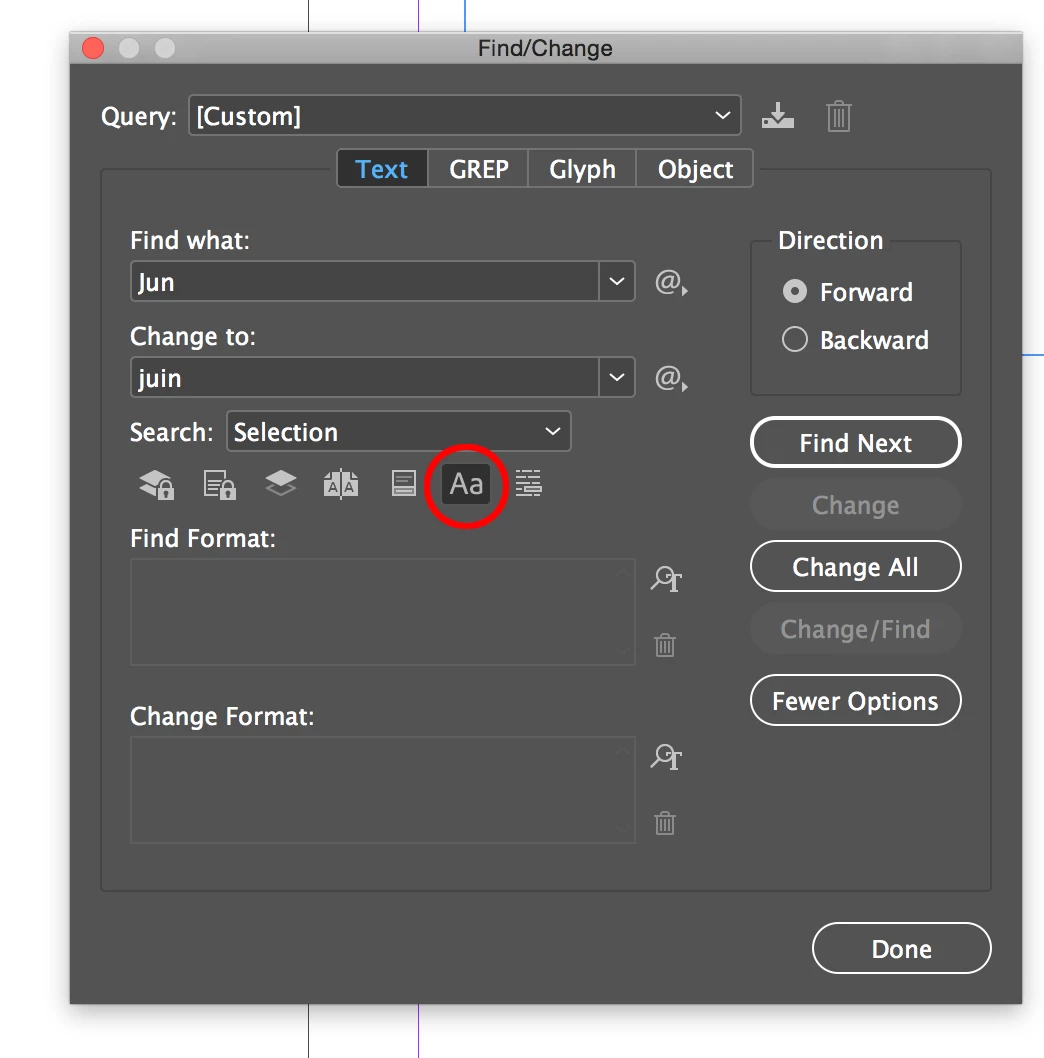
Using a text-based find/change, I am searching for the string "Jun." and replacing with the string "juin". When I complete the f/c, it has replaced with "Juin" instead. I have tried removing all paragraph styles and character styles to test this out, but it continues doing this even with no styles applied. Title case is not applied. Sentence case is not applied. Autocorrect spelling is not turned on. I have also tested with "Dec." to "déc." and it changed it to a capital D as well.

Why in the world is this changing the case of that letter on me?!?!
This topic has been closed for replies.
Correct answer SJRiegel

Try choosing Case Sensitive in your Find/Change dialog.

1 reply

SJRiegelCorrect answer
Legend
July 17, 2018

Try choosing Case Sensitive in your Find/Change dialog.

grudgemom
grudgemomAuthor
Known Participant
July 17, 2018

Well now I feel like an idiot. Here I am working with multiple GREP f/c's and GREP doesn't have a case sensitive button.

Jongware
Community Expert
Community Expert
July 18, 2018

Only FYI:

The GREP dialog doesn't have a button because switching case sensitivity on and off is in fact a GREP command. By default, GREP is case sensitive but this: (?i) switches it off ("insensitive"), and this: (?-i) switches it on again.

Because it is a command, it may appear in the middle of a longer GREP string -- and you can even switch it on and off as much as you like

For example:

(?i:This) \u

will match "this House" and "This Government" but not "this example". The ever so slightly nonsensical

The (?i)\u(?-i)\u

will match "The" (case sensitive), then any single upper or lowercase letter, followed by an uppercase letter.