phototocanvaspdx
Known Participant
March 10, 2018
Answered

Text box disappears over canvas

  • March 10, 2018
  • 1 reply
  • 5192 views

Hi there-

Im new to indesign and having a heck of a time. Im trying to draw text boxes, but the second I bring the cursor over the canvas it changes. If im over the gray background of the workspace the icon is the ][ looking thing with a box around it. The second I move it over the white workspace it changes to a ][ with no box, and I can no longer create text areas. Because of this I have to create them off to the side and move them after the fact which is a huge pain.

Ideas?

Thanks!
This topic has been closed for replies.
Correct answer jane-e

What happens when you do the first three things?

And when you delete the frame, it returns?


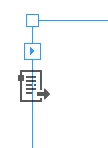
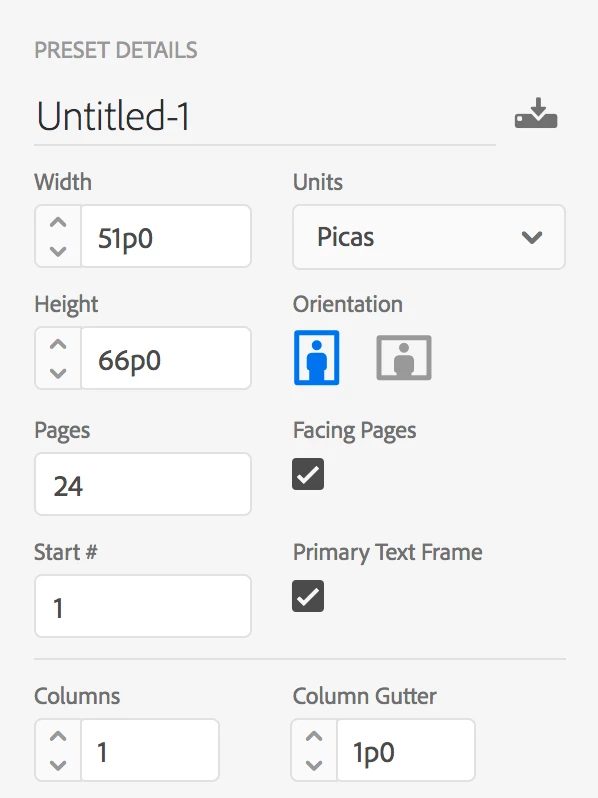
Most of us suspect a Primary Text frame, although it could be a regular frame converted to a text frame.

  • Note that Primary Text Frame is checked. Try this in a new document.


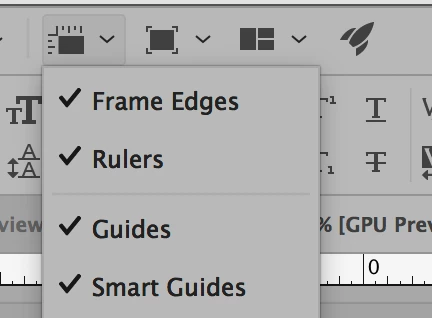
  • Confirm Frame Edges and Guides are visible in View Options
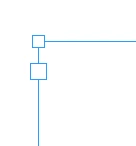
  • Tell us what  the frame looks like when it is selected with the Selection tool. Here are some examples.


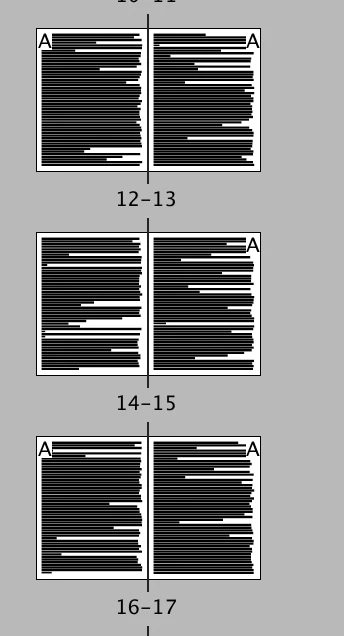
  • Fill with Placeholder text. (Type menu.) The text will fill all of the pages (in my case, 24). Apply the None Master to a page. Notice that the frame and text stays on the page. Page 14 in this example.
  • With one of those two frames selected (Selection tool), what does it say in Object > Content? It will probably be one of these two:

1 reply

Barb Binder
Community Expert
Community Expert
March 10, 2018

Hi Jdecker:

1. Nice job describing/showing us the cursors.

2. The ][ with the box around it is ready to add a text frame.

3. ][ without a box around it is on top of an existing text frame and InDesign thinks you want to add text to it instead of adding a new frame. The question is why are you putting a text frame over a text frame? Is it on purpose? You can select the underlying frame and convert it to a Graphic frame or Unassigned frame with Object > Content, or continue adding new frames to the side, and then dragging them on top. Or if the one underneath is unintentional, just delete it.

~Barb

~Barb at Rocky Mountain Training
phototocanvaspdx
Known Participant
March 10, 2018

Thanks for the info Barb! The weird thing is it happens on every page, including blank ones set to to no master, so I’m not sure where the text frame would be coming from. I’ll pkay around with it some more. If I click on any page, he text goes to the top left of page 1.

Jeff Witchel, ACI
Community Expert
Community Expert
March 11, 2018

Hmm! I wonder if you have a Text Frame on your Master Page. If you set up your document with a Primary Text Frame, this could effect every page in the document.