
Answered
Text Box In / Out Ports in Wrong Location
I purchased a template and the in- and out ports are in the wrong locations when I draw and try to link text frames. How do I fix this? 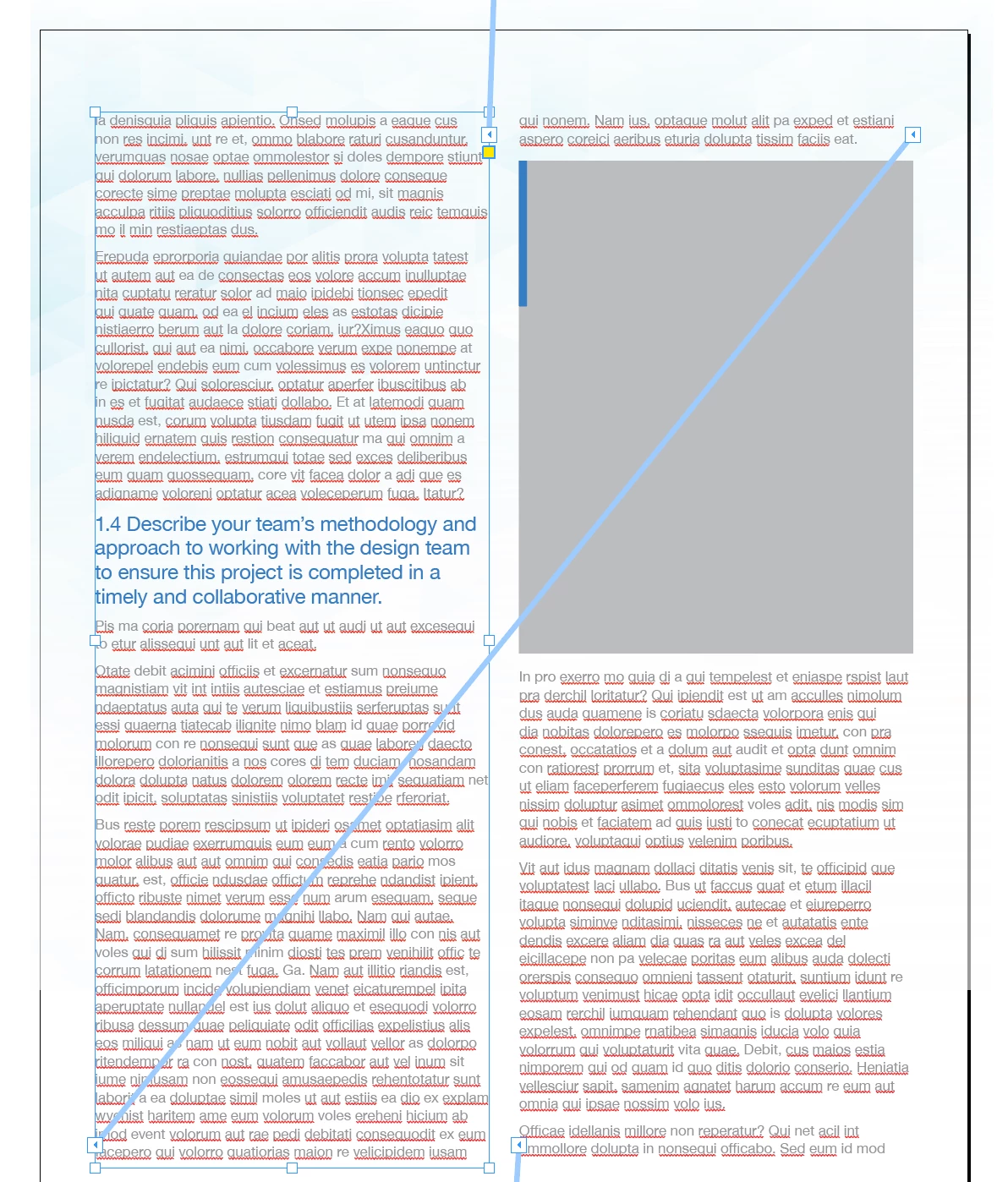

I purchased a template and the in- and out ports are in the wrong locations when I draw and try to link text frames. How do I fix this?
Hi marap26899889,
you purchased a template that very likely was done with the Middle East ( ME ) version of InDesign that is optimised for right-to-left ( RTL )scripts like Hebrew. What you see is a story with several text frames threaded where the story direction is running from right-to-left instead of left-to-right. Unless you have the ME version of InDesign you cannot change the story direction in your installed version.
You can do two three things:
[1] Contact the maker of the template to change the story direction from right-to-left to left-to-right.
[2] Use an ExtendScript script to change the story direction. The code below:
// Set story direction of all stories of active document to LTR:
app.documents[0].stories.everyItem().storyPreferences.storyDirection =
StoryDirectionOptions.LEFT_TO_RIGHT_DIRECTION;
How to save ExtendScript code to a script file and install it so that it is visible in InDesign's Scripts panel, see:
https://www.indiscripts.com/pages/help#hd0sb2
FWIW: There could be other things that are specific to the ME version of InDesign.
Are you using a facing pages document? Please check if page 1 starts on the left of the spine. Also check if in the next spread page 2 is on the right of the spine and page 3 is on the left.
[3] Hand back the template and get a refund. Note the reasons that I outlined above.
Regards,
Uwe Laubender
( ACP )
Already have an account? Login
Enter your E-mail address. We'll send you an e-mail with instructions to reset your password.
 AdChoices