Participant
November 12, 2016
Question

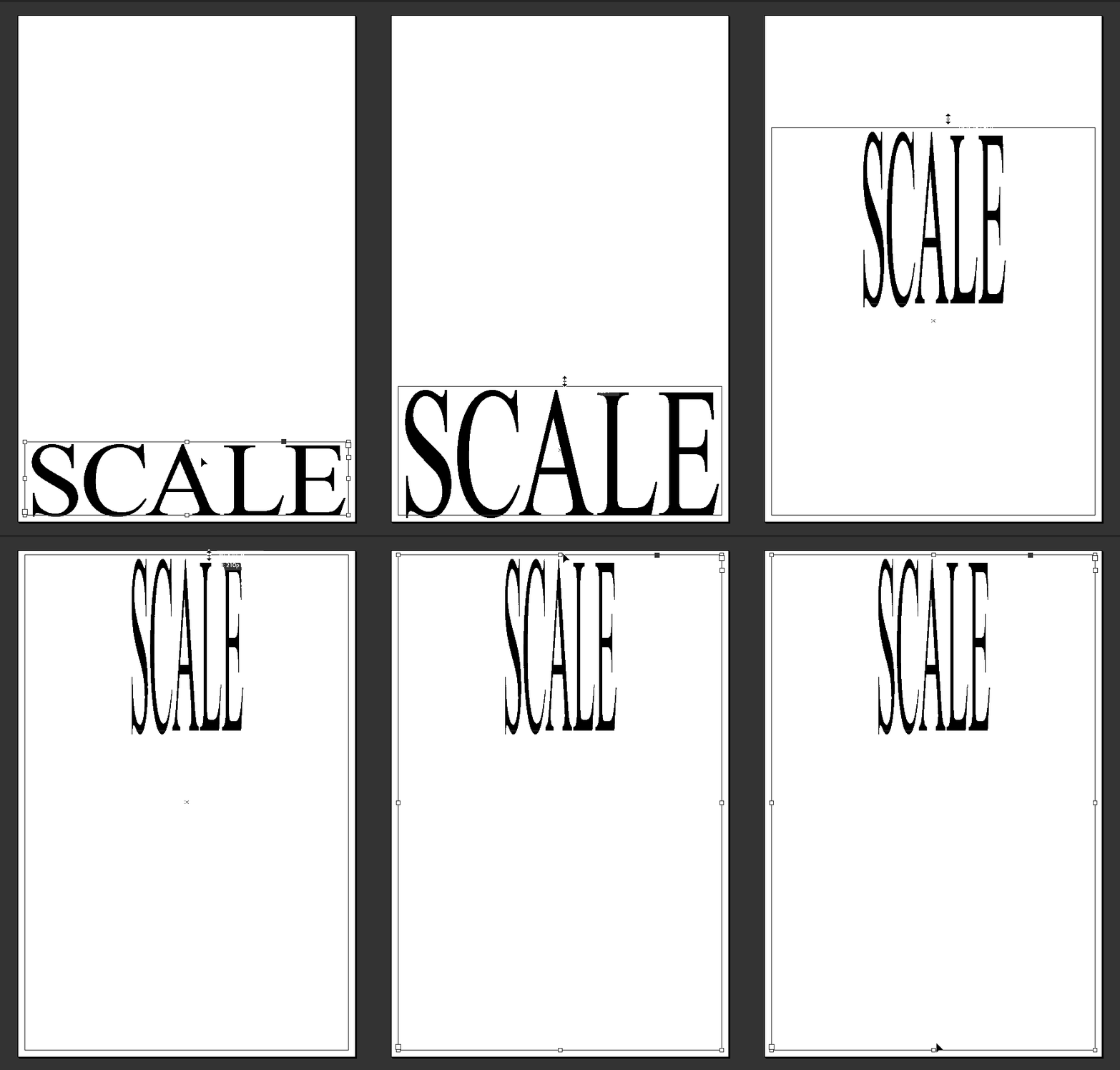
Text box scale misbehaving

  • November 12, 2016
  • 2 replies
  • 486 views

Before I encountered this problem, I was able to scale text boxes holding (Ctrl) and sometimes (Ctrl+Alt). But just recently, I think I accidentally hit a key that triggered this strange behavior of scaling the text in an unintended way. I've been trying to solve this issue in the last hour but unable to find any fix to it. Here is a gif that shows this behavior.
    This topic has been closed for replies.

    2 replies

    Michael Riordan
    Inspiring
    November 12, 2016

    I think it’s just a matter of using the wrong keys. You want Control-Shift, not Control-Alt.

    See if that does it.

    Michael Riordan

    Owner/Adobe Certified Instructor

    Digital DesignLab

    Oak Park, IL
    http://www.learnadobesoftware.com

    Participant
    December 1, 2016

    Using the Control-Alt keys allows me to scale text without maintaining the right proportions.

    Marvest
    Inspiring
    November 12, 2016

    If you haven't done it try replacing your preferences: Troubleshooting 101: Replace, or "trash" your InDesign preferences

    Participant
    December 1, 2016

    I've tried it but I did do anything. Also, tried to reinstall the program.

    And now when I try to access Glyphs indesign freezes for a moment.